
Section Store Review: Pricing, Plus Plan and Is It Worth It?

Summarize this article with AI


An honest Section Store review: real pricing, the $15 Plus plan, what happens when you switch themes or uninstall, and what 59 negative reviews reveal.
Section Store started as a library of ready-made sections for Shopify themes. Today the same app also sells a cart drawer, bundles, AI-built pages and A/B tests under a $15-a-month plan called Plus. That changes the question. It is no longer only “is a $9 section worth it?” but “do I want one more monthly app in my stack?”
To answer it, we went through the full Shopify App Store listing(opens in a new tab), the Plus page(opens in a new tab), the help center and all 59 one- and two-star reviews. We did not run a paid test install for this review, so where a result depends on your theme, we say so.
Our take in short: Section Store is a good buy when your theme is missing a few specific sections and you are happy to pay once. The 4.9 rating from 3,071 reviews is earned. Plus is fair value at $15 a month if it replaces a separate cart drawer app and a bundle app. It is a weaker deal if you only want sections, if your theme already covers the cart and bundles, or if you run a heavily customized theme, which is where most complaints come from. And now that Sidekick, Shopify Canvas and Claude can write a section for you, buying one is no longer the default; we explain when it still makes sense.
What is Section Store?
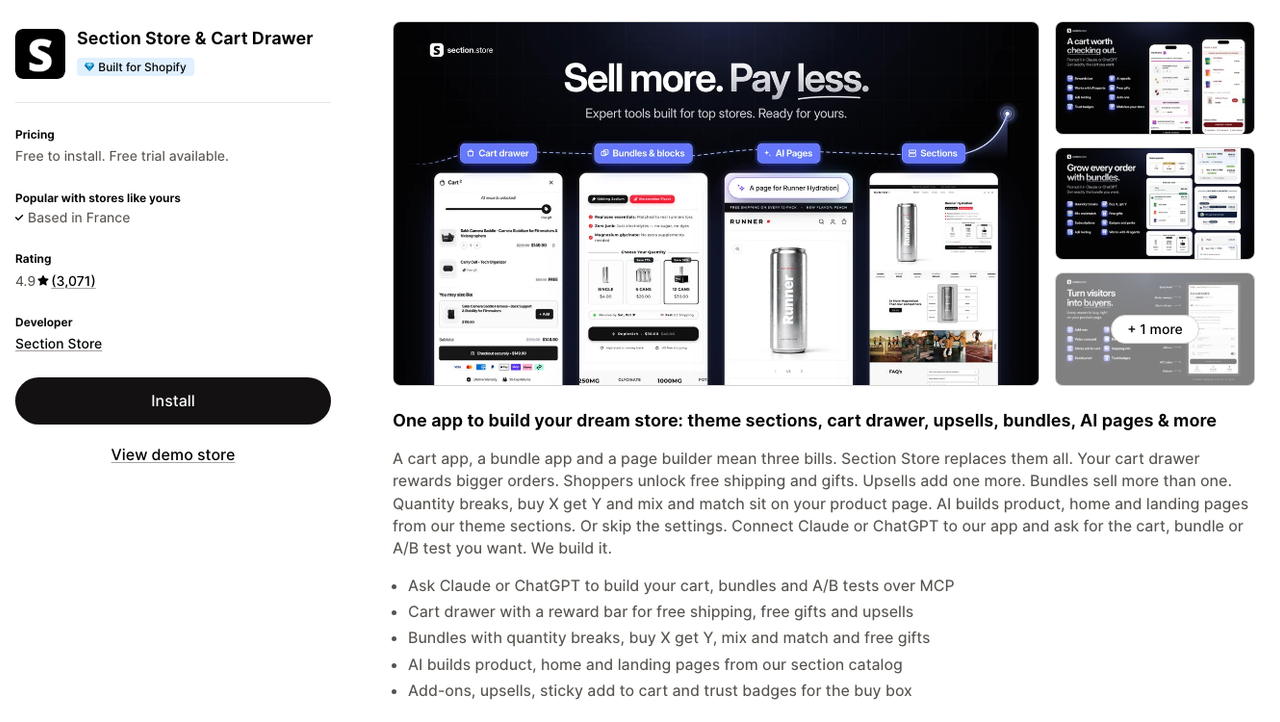
Section Store (listed as “Section Store & Cart Drawer”) is a Shopify app that adds ready-made sections to Online Store 2.0 themes. You pick a section in the app, add it to a theme, then edit it in the theme editor like any native section. It launched in March 2022, carries the Built for Shopify badge and is available in English, French, German and Spanish.
The catalog counts 700+ sections, including 50+ free ones such as headers, footers and contact forms. On top of the catalog, the app has added a second layer that needs the Plus plan to go live:
- Cart drawer with a reward bar, free gifts, upsells and express checkout buttons.
- Bundles: quantity breaks, mix and match, gifts and add-ons.
- AI Pages: describe a page and the app builds it from Section Store sections.
- Conversion blocks for product pages, such as sticky add-to-cart bars and timers.
- A/B tests with up to four versions of a page.
- Claude and ChatGPT connection (MCP), so an AI assistant can add and edit sections for you.
One naming trap: a different app called “Section Store: Theme Sections”(opens in a new tab), by BrandUp Factory GmbH, appeared in December 2025. Check that the developer is listed as “Section Store”, with an address in Sheridan, Wyoming, before you install.
Section Store pricing
Section Store has two separate ways to charge you, and mixing them up is behind several angry reviews.
Sections: free, or pay once
Installing is free, and so are the 50+ free sections. Premium sections are one-time purchases; in a July 2026 reply to a review, the developer put them at $9 to $19 each. Once bought, a section is yours, but the licence covers one store. Using it on a second store is a separate process (see the help article(opens in a new tab)).
Plus: $15 a month
Plus costs a flat $15 every 30 days, billed in USD through Shopify. There is no revenue share and no yearly plan. New stores get a 14-day trial; a store that reinstalls only gets what was left of its first trial. Merchants who subscribed earlier may still pay $8 or $10.
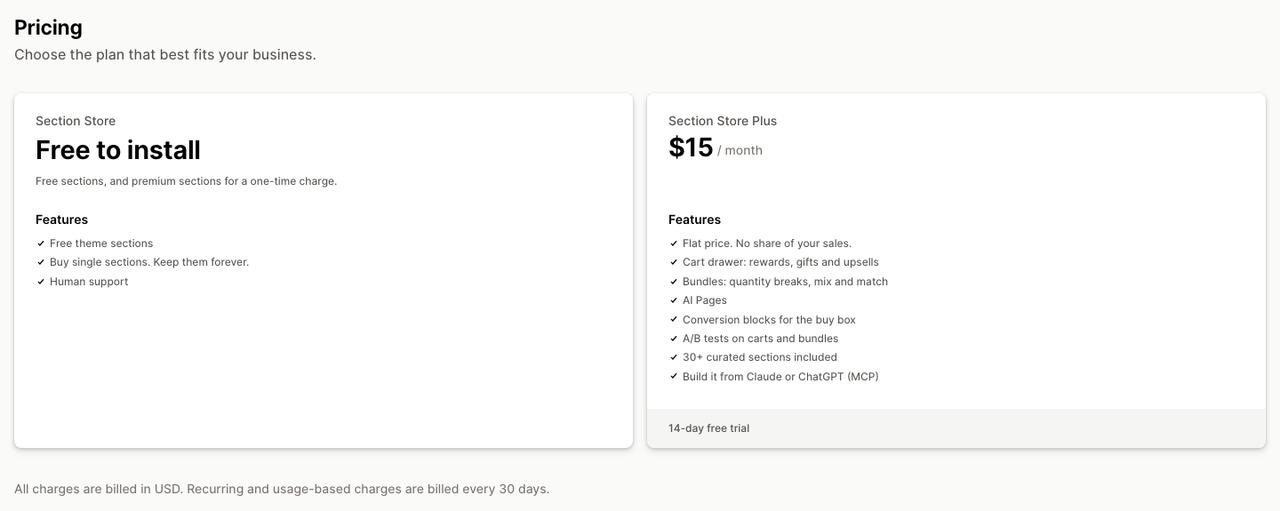
Plus unlocks the cart drawer, bundles, conversion blocks, A/B tests (up to 1,000,000 test visitors per billing period), 30+ curated Plus sections, the MCP connection and live chat support. AI Pages includes 5 builds, then costs $1 per page in packs of 5 to 100, with up to 25% off the largest pack and credits that never expire. On the free tier you can build a cart drawer or a bundle as a draft, but publishing it needs Plus.
Feature | Free | Plus ($15/month) |
|---|---|---|
Install and 50+ free sections | Yes | Yes |
Premium sections ($9–19 once) | Yes, pay per section | Yes, pay per section, plus 30+ curated Plus sections |
Cart drawer live on the store | No, draft only | Yes |
Bundles live on the store | No, draft only | Yes |
Conversion blocks | No | Yes |
AI Pages | No | Yes, 5 builds, then $1 per page |
A/B tests | No | Yes, up to 4 versions |
Claude / ChatGPT (MCP) | No | Yes |
Support | Email and live chat |
What it really costs over a year
A store that buys six premium sections at around $14 each pays about $84 once, and nothing after. The same store on Plus pays $180 a year, every year, and loses the curated Plus sections if it stops. Plus pays off when it replaces other paid apps, for example a cart drawer with a free shipping bar and a mix-and-match bundle app, which usually cost as much or more on their own.
Section Store features worth knowing
The section catalog
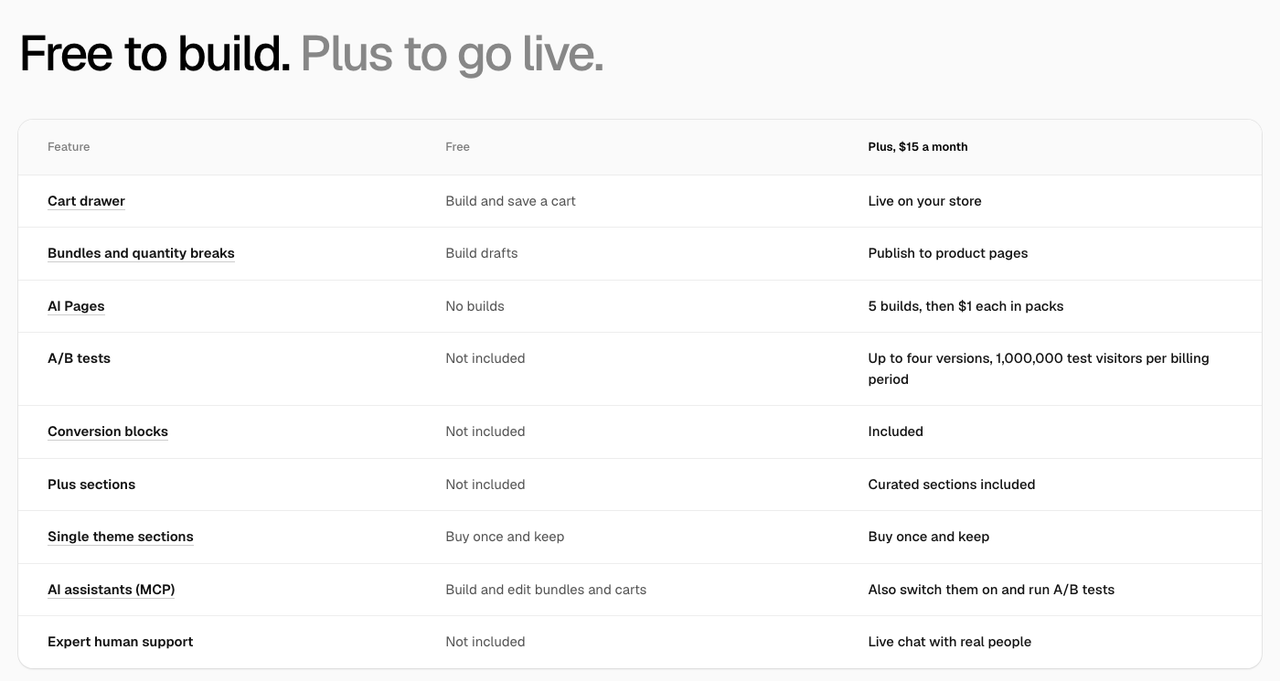
The catalog(opens in a new tab) is the core of the app: hero banners, comparison tables, FAQs, testimonials, video sections and hundreds of layouts in between. Once you add a section to a theme, it appears in the theme editor’s “Add section” menu with an “SS” prefix. Section Store advertises a Lighthouse score of 97/100 for its sections. That is a lab score on its own demo, not a promise for your store.
Cart drawer and bundles
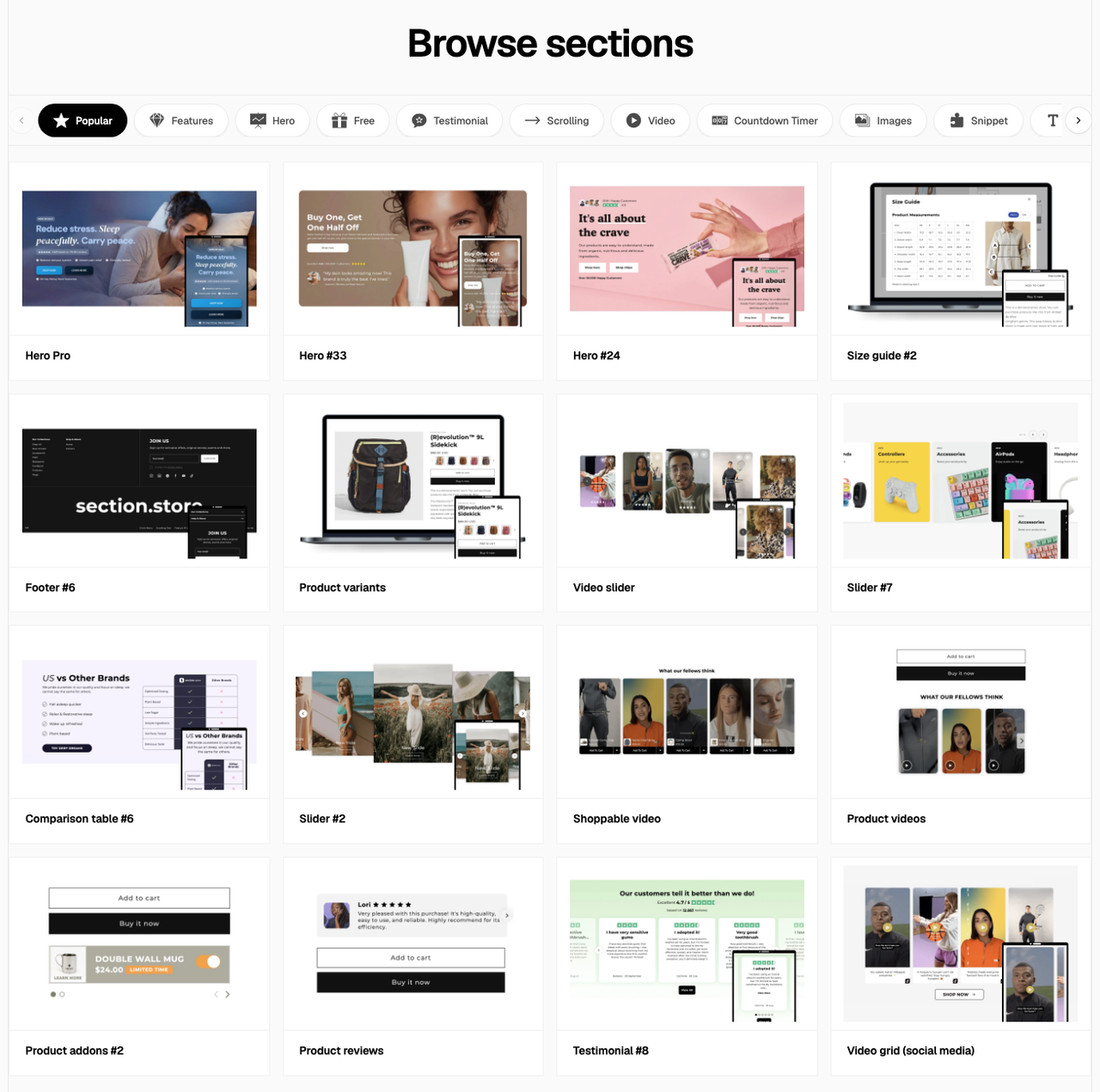
The cart drawer replaces your theme’s cart with one that has a reward bar (free shipping or a free gift past a threshold), upsells and express checkout buttons. Section Store says it is live in about 3,000 stores. Bundles cover quantity breaks, mix and match, gifts and add-ons, and run in 2,000+ stores by the developer’s count. If you are new to cart tactics, our upsell examples show what tends to work.
AI Pages, A/B tests and the Claude connection
AI Pages builds a full page from a prompt using catalog sections, so the result stays editable in the theme editor instead of living inside a page builder. A/B tests split traffic between up to four versions of a page. The MCP connection lets Claude or ChatGPT add and edit sections; if you already use Claude with Shopify, this is one of the few section apps that plugs into it directly.
What happens when you switch themes, cancel Plus or uninstall
This is where Section Store differs most from a page builder, and where buyers get surprised.
- Theme update or switch: sections live inside a theme. After an update or a switch, you re-add them from the app; the help center(opens in a new tab) says buying again is never needed. Text and images you typed into the old theme stay in the old theme. The Theme Migrator(opens in a new tab) copies sections and their settings to another theme, but Section Store warns never to migrate into your live theme.
- Plus lapses: curated Plus sections are dimmed. You can buy one outright to keep it.
- Uninstall: Plus is cancelled, the cart drawer is switched off, bundles go back to draft and conversion blocks stop. Sections you bought stay in your theme and keep working, and AI page templates stay too (uninstall guide(opens in a new tab)).
- Removing the code: to delete the sections themselves, use “uninstall all sections” in Help & Resources before you uninstall the app. You cannot do it afterwards. If an AI-built home page is live, restore your original home page first.
Purchased sections that keep working after uninstall are a real advantage over apps that serve your pages from their own servers.
Does Section Store work with Horizon and other themes?
Section Store works with Online Store 2.0 themes, including Shopify’s Horizon family. On Horizon, sections can look plain until you set fonts, colors and buttons in their settings, and the product-page widgets (sticky bars, timers, add-to-cart helpers) were still being certified for Horizon when we checked (Horizon compatibility note(opens in a new tab)). Older vintage themes are not a good fit. If you are choosing a theme now, our list of Shopify themes using theme blocks shows which ones already ship the sections you might otherwise buy.
Section Store reviews: what 3,071 merchants say
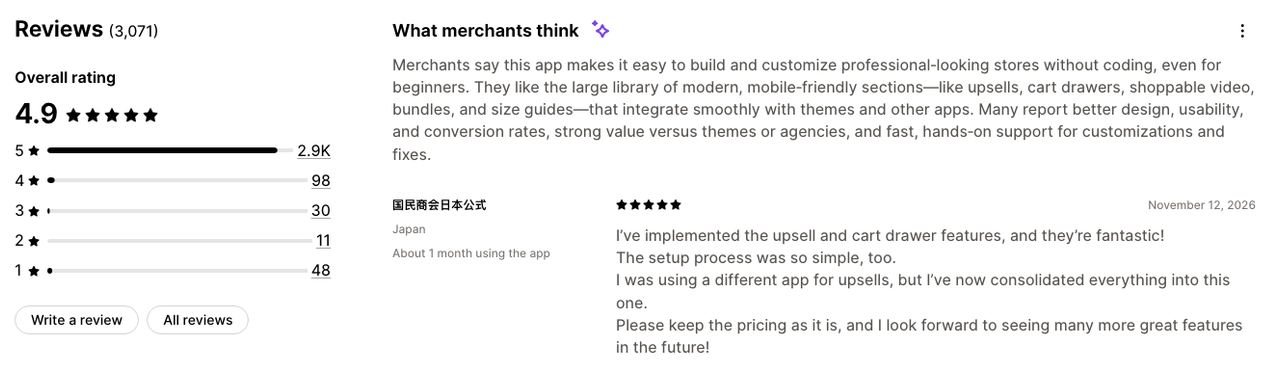
Section Store holds 4.9 out of 5 from 3,071 reviews: about 2,900 five-star, 98 four-star, 30 three-star, 11 two-star and 48 one-star. Only 1.9% are negative, so we read all 59 one- and two-star reviews to see what goes wrong when it does.
What merchants like
- The look of the sections compared with what many themes ship by default.
- How easy the sections are to edit in the theme editor, with no code.
- Helpful, personal support from the founder and the support lead in many reviews.
What goes wrong
- A section does not work on a given theme (about 29 of the 59). Examples: Prestige, Horizon and newer themes, a comparison table on mobile, video controls, a section stuck in the wrong place on the product page, an upsell or bundle that does not add to cart.
- Slow or missing support (about 18), mostly from 2024 and 2025. Since mid-2026 the developer answers negative reviews in detail, often saying no message from the store reached the inbox, and has issued several refunds.
- Pricing and paywalls (about 6): “all key sections are paid”, conversion blocks only through a subscription, and confusion over how charges appear in Shopify billing.
- Page speed (2), plus one-off complaints about app permissions, collaborator access affecting another app, and Plus auto-cancelling on uninstall.
The pattern is clear: the app is reliable on standard Online Store 2.0 themes and less so on heavily customized ones. Test a free section on a duplicate of your theme, on mobile, before you buy.
Refund policy
Sections are generally non-refundable. Section Store refunds a section that does not work as described on an Online Store 2.0 theme after troubleshooting (support may ask for collaborator access or a preview link), as well as duplicate, unauthorized or undelivered charges. You can exchange a section once within 14 days for one of equal value. Cancelling Plus does not refund the rest of the billing period (refund policy(opens in a new tab)).
Section Store alternatives
Section apps fall into two groups: libraries that add sections to your theme, and page builders that render their own pages. Ratings below were checked on the Shopify App Store in November 2026.
App | Rating | Pricing model | Best for |
|---|---|---|---|
Section Store | 4.9 (3,071 reviews) | Free install, one-time sections, Plus $15/month | A big catalog plus a cart drawer and bundles in one app |
5.0 (10 reviews) | Free install, one-time premium sections | A 500+ section library from a newer developer | |
5.0 (21 reviews) | Free plan, paid plan with trial | A smaller, simple section library | |
5.0 (8 reviews) | Free install, paid sections | 100+ sections, launched in 2025 | |
4.9 (5,938 reviews) | Free plan, paid plans | Building full landing pages from scratch | |
4.9 (4,291 reviews) | Free plan, paid plans | Template-based page building | |
4.9 (47 reviews) | Free up to $500/month in bundle revenue, then $12.99/month | Bundles and volume discounts only, no section library (we develop it) |
If you need a builder rather than sections, our Instant page builder review covers an AI-first option and our Shopify page builder guide compares the rest.
If bundles are the only Plus feature you want, a dedicated bundle app can do it for less. For transparency, we develop SnapBundle(opens in a new tab): it is free until your bundles bring in $500 a month, then costs $12.99 a month, and covers quantity breaks, mix and match, BOGO and build-a-box offers. It does not add sections, so it pairs with Section Store’s one-time sections rather than replacing them.
Are pre-built sections still worth buying now that AI can build them?
Until recently, a section your theme lacked meant three options: hire a developer, buy one from an app like Section Store, or do without. AI has added a fourth, and for simple layouts it is now often the first thing to try. That is the biggest threat to Section Store’s original business, and the reason the app itself is moving towards AI.
Sidekick generates blocks in the theme editor
Since December 2025, Shopify’s AI block generation works with every theme from the Theme Store(opens in a new tab), not only Horizon. You describe what you want in the theme editor, Sidekick writes the Liquid, CSS and settings, and you refine it until it fits. It is included in Shopify plans from Basic up, but not on Starter or vintage themes (requirements(opens in a new tab)).
Two limits matter. It builds theme blocks, not full sections, and fits best in themes built on theme blocks (how generated blocks work(opens in a new tab)). And Shopify is explicit that neither its support team nor your theme developer will troubleshoot an AI-generated block: you test it, and you delete it if it breaks.
Shopify Canvas lets Sidekick write whole sections
On 1 October 2026, Shopify introduced Canvas(opens in a new tab), a workspace where Sidekick edits your theme code directly, from a single section to a store-wide redesign. If the section you want does not exist, you ask for it. Shopify says Sidekick made more than 25 million theme edits in the first half of 2026, before Canvas even existed.
For now, Canvas is in early access, works on desktop only, and supports only themes developed by Shopify or custom themes. A theme edited in Canvas also stops receiving theme updates. Our Shopify Canvas guide covers the details.
Claude writes sections from a prompt
Connected to your store, Claude can write a section’s Liquid, schema and CSS, and push it to a theme with Claude Code and Shopify’s developer tools. A comparison table or an FAQ section that costs $9 to $19 in a catalog is a few prompts away, built for your theme’s fonts and colors rather than adapted to them.
Section Store has seen this coming. AI Pages and the MCP connection to Claude and ChatGPT are a bet that merchants will build with AI, using its catalog as tested parts instead of writing everything from scratch.
What a bought section still gives you
- A design you can see before you pay. You pick from a preview instead of describing a layout and judging the result.
- Testing across themes and screens. An AI-made section is tested only as far as you test it. The reviews above show that theme compatibility is hard even for a paid, maintained section.
- Someone to fix it. Section Store supports and refunds its sections; nobody supports an AI-generated block.
- No code to review. If you cannot read Liquid, you cannot check what an AI wrote, including its effect on speed and accessibility.
Our view: for a simple missing layout, try Sidekick on a duplicate theme first. It costs nothing and often works. Buy a Section Store section when you want a proven design without checking code, or when the AI result breaks on mobile. What AI does not replace yet is the Plus layer: a cart drawer, bundles and A/B tests are apps with logic and data, not layouts, and that is where Section Store is putting its future.
Do you need a section app at all?
Often not. Many Online Store 2.0 themes now ship the sections people buy one by one. For transparency: we develop Pops, a Shopify theme, so weigh this table with that in mind. Here is what Section Store Plus adds compared with what Pops includes out of the box.
Feature | Section Store Plus | Pops |
|---|---|---|
Cart drawer | Yes | Yes |
Free shipping / reward bar | Yes | Yes |
Cart upsells | Yes | Yes |
Mix-and-match bundles | Yes | Yes, build-a-box with 4 discount tiers |
Countdown timer | Yes | Yes |
Comparison tables | Yes | Yes |
A/B tests | Yes | Yes, with Shopify Rollouts |
AI page builder | Yes | Yes, with Sidekick in the theme editor and theme blocks |
Developer | Section Store | Trafik Plus (us) |
If your theme already covers the cart and bundles, buy the two or three Section Store sections you are missing and skip Plus. If it does not, Plus usually costs less than stacking a separate cart app and bundle app.
How to add a Section Store section to your theme
- Install Section Store from the Shopify App Store.
- In the app, open My Sections and pick a free or purchased section.
- Click Add to theme and choose a theme. Start with a duplicate of your live theme.
- Open the theme editor, click Add section and search “SS” to find Section Store sections.
- Adjust the settings, check the result on mobile, then save.
Section Store’s step-by-step guide(opens in a new tab) has screenshots of each step.
Our verdict
Section Store deserves its rating, but the case for buying sections is weaker than it was. For a simple layout, try Sidekick’s block generation on a duplicate theme first, since it costs nothing. For a design you want tested and supported, such as a comparison table, a better FAQ or a timeline your theme lacks, paying $9 to $19 once still beats any subscription. Plus is good value when it replaces a separate cart drawer app and bundle app, and poor value if you only want sections. Before paying anything, add a free section to a duplicate theme and check it on mobile: theme conflicts are the most common complaint by far.
Section Store FAQ
Is Section Store free?
Installing is free and 50+ sections are free. Premium sections cost $9 to $19 once each, and the optional Plus plan costs $15 a month.
How much is Section Store Plus?
$15 every 30 days, billed in USD through Shopify, with a 14-day trial for new stores. There is no yearly plan and no revenue share.
Is Section Store legit?
Yes. It has been on the Shopify App Store since March 2022, holds the Built for Shopify badge and a 4.9 rating from 3,071 reviews. Check the developer name before installing, since another app uses a similar name.
Does Section Store slow down my store?
Sections load as part of your theme, not through a separate page builder, which keeps them light. Two of the 59 negative reviews mention speed. Large videos and images are the usual cause, so compress media before adding it.
What happens to my sections if I uninstall Section Store or change themes?
Purchased sections stay in your theme and keep working after you uninstall; Plus features such as the cart drawer and bundles stop. When you change themes, re-add your sections from the app at no extra cost, or copy them with the Theme Migrator.
Can I get a refund from Section Store?
In some cases: a section that does not work as described on an Online Store 2.0 theme after troubleshooting, or a duplicate or unauthorized charge. You can also exchange a section once within 14 days. Cancelling Plus does not refund the current period.
Who makes Section Store?
Section Store is built by a small team led by its founder, Daniel. Its listed developer address is in Sheridan, Wyoming, in the United States.
Do I still need Section Store now that Shopify has AI?
For simple layouts, often not. Sidekick can generate theme blocks in any Theme Store theme, Shopify Canvas (in early access) can write full sections, and Claude can write a section from a prompt. Section Store still makes sense when you want a tested design without reviewing code, support if it breaks, or the Plus features AI does not replace: a cart drawer, bundles and A/B tests.
Keep reading

Instant Page Builder Review: Pricing, AI Credits and What Merchants Say
A review of Instant, the AI page builder for Shopify: real pricing, AI credits, Figma import, what 354 merchants say, its limits, and how to build a first page.

Monk Free Gift for Shopify: When Is an Automatic Gift Worth Paying For?
Should the shopper add their own gift, pick a favourite or find one waiting in the cart? That choice determines whether Shopify’s built-in discount is enough or Monk earns its fee.

Best Shopify Bundle Apps for Supplement Brands in 2026
The best Shopify bundle apps for supplement brands compared: supplement stacks, 30/60/90-day supply breaks, Subscribe & Save bundles and what each costs.