
Instant Page Builder Review: Pricing, AI Credits and What Merchants Say

Summarize this article with AI


A review of Instant, the AI page builder for Shopify: real pricing, AI credits, Figma import, what 354 merchants say, its limits, and how to build a first page.
Instant (listed on the Shopify App Store as Instant AI Page Builder) is a Shopify page builder that generates pages with AI, imports Figma designs and publishes everything as Liquid code in your theme. It is very highly rated, but it is not cheap. Here is our review: real pricing, AI credits, what merchants say and how to build a first page.
Our take in short: Instant is one of the most complete Shopify page builders in 2026, especially for a brand that starts from Figma designs or wants to test its pages (A/B tests, heatmaps). It earns its price from the Pro plan at $99 a month. Below that, or if you rarely build new pages, a good theme is often enough.
It is also my favourite page builder: I said so in our comparison of 10 Shopify page builders, and this review explains why.
What is Instant for Shopify?
Instant is made by Instant Commerce B.V. and has been on the Shopify App Store(opens in a new tab) since August 22, 2023. It was first called “Instant Section & Page Builder”. It carries the Built for Shopify badge, and its website(opens in a new tab) claims more than 22,500 brands.
With Instant you build, without code:
- sections you drop into any page of your theme;
- full pages: landing pages, product pages, collection pages, home page, blog posts;
- a custom cart drawer (Pro plan and up).
Where it differs from most page builders: when you publish, Instant compiles your pages into Liquid, CSS and JavaScript files and writes them into your theme (docs(opens in a new tab)). You need an Online Store 2.0 theme. If you are unsure whether you need a page builder at all, start with Shopify page builders: are they worth it?
Instant pricing
Instant lists its prices in euros on its pricing page(opens in a new tab) and in dollars on the Shopify App Store(opens in a new tab). The monthly amounts are the same (39, 99 and 249); only the currency changes. Yearly billing saves 20%. Every plan is billed through Shopify, with a 7-day free trial.
Plan | Monthly | Yearly | What you get |
|---|---|---|---|
Free | $0 | $0 | 1 page, 1 section and 1 blog post published, “Built with Instant” badge |
Starter | $39 | $374.40/yr (€31/mo) | 10 sections, 3 templates, 1,000 AI credits, 100 MCP calls a day |
Pro | $99 | $950.40/yr (€79/mo) | 20 sections, 5 templates, 4,000 AI credits, 10,000 A/B test sessions, cart drawer, heatmaps, publish to a draft theme |
Business | $249 | $2,390.40/yr (€199/mo) | 50 sections, 10 templates, 10,000 AI credits, 100,000 A/B test sessions, Shopify Markets on every layout type |
Prices checked on November 7, 2026.
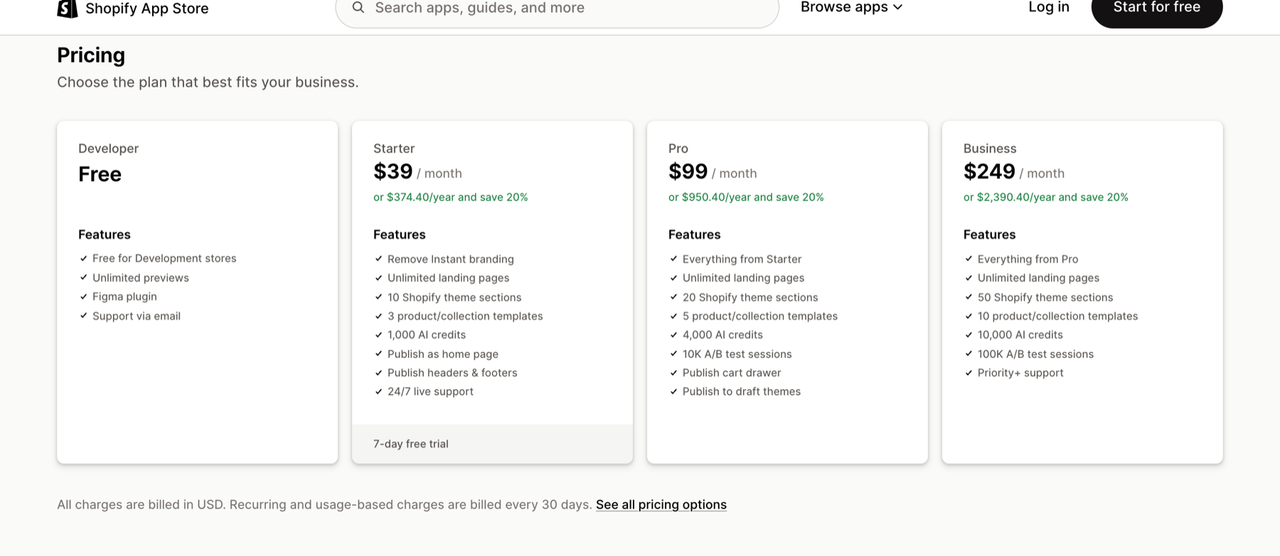
Two things to know before you pick a plan:
- The features that make Instant worth it start on Pro: cart drawer, heatmaps, A/B tests and publishing to a draft theme. Starter is mostly for building a few sections and pages.
- On the Shopify App Store, the free plan is called “Developer” and is only offered to development stores. instant.so presents a Free plan for every store. Count on the 7-day trial, not the free plan, to try it.
Instant compares its price with a stack of separate apps (builder, A/B testing, heatmaps, cart drawer): €193.92 a month of apps replaced for €39, according to its pricing page(opens in a new tab). That is Instant’s own maths, and most of the features it adds up need the Pro plan.
AI credits
Every plan includes monthly AI credits, spent by the AI agent and by image generation. Unused credits do not roll over.
Plan | AI credits a month | Roughly |
|---|---|---|
Starter | 1,000 | 50 AI agent tasks or 100 images |
Pro | 4,000 | 200 tasks or 400 images |
Business | 10,000 | 500 tasks or 1,000 images |
One Australian merchant sums it up in a 4-star review(opens in a new tab): “4 Star bcos of token hungry, a bit clunky AI”. If you plan to generate a lot of pages with AI, Starter runs out fast.
Instant features
Instant AI: the agent that builds pages
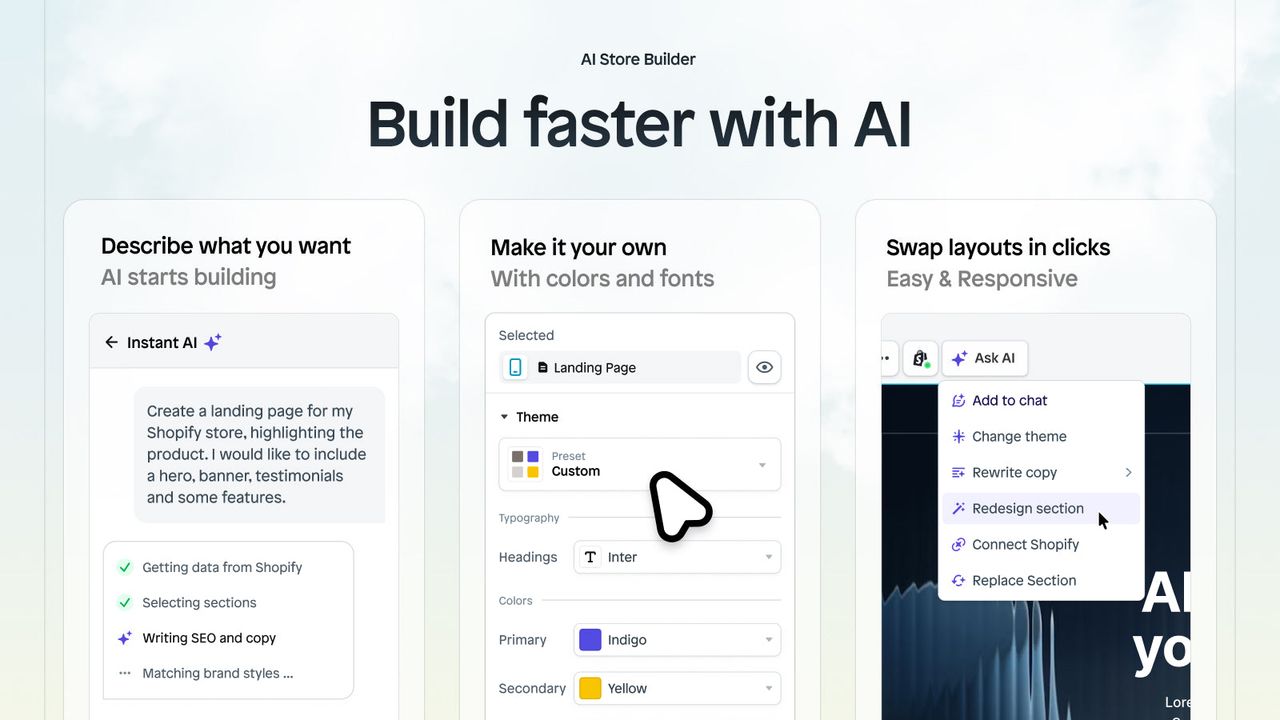
Instant AI starts from a prompt (or your existing store) and generates a page, its copy and its images in your brand’s style. You then take over in the visual editor. It is the feature Instant has led with since 2025, and it is what spends your credits.
Figma import
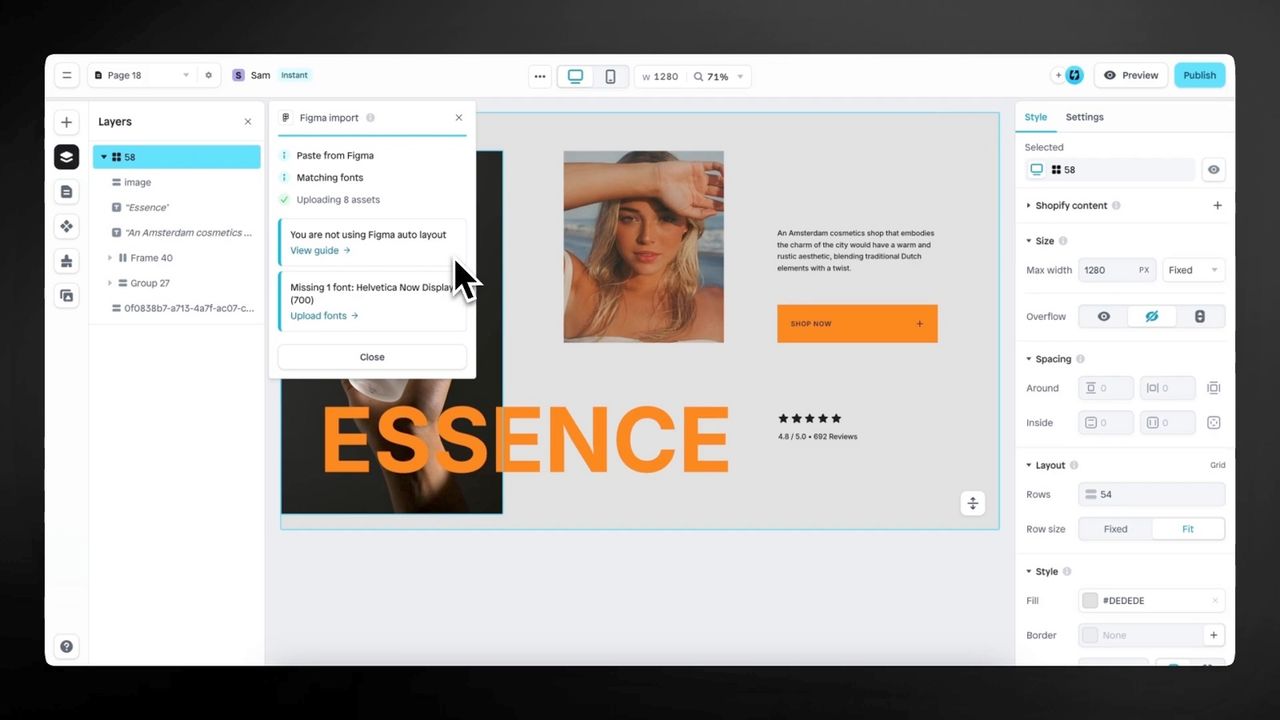
The Figma plugin, included on every plan, turns a design into an Instant page. It has two modes: an AI mode, which rebuilds the page, and a Classic mode, which keeps the design as drawn. In Classic mode the design must use Figma auto layout, or the page will not be responsive.
A/B tests, heatmaps and cart drawer
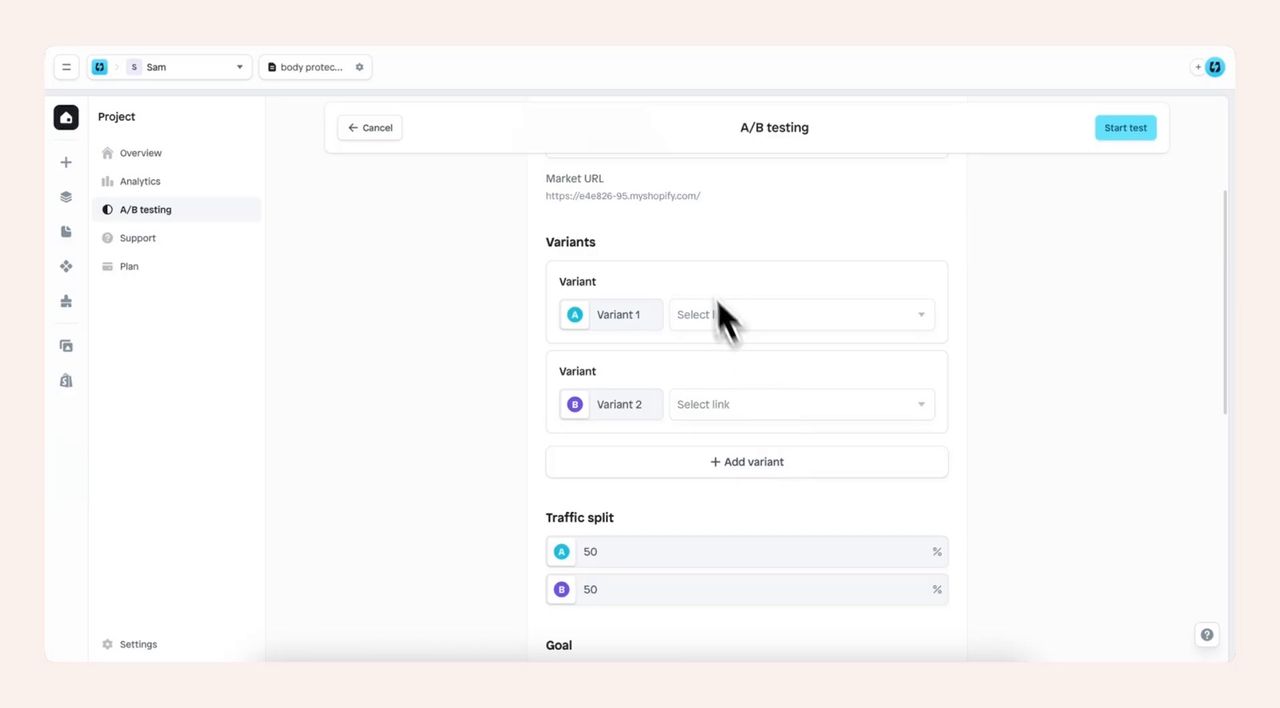
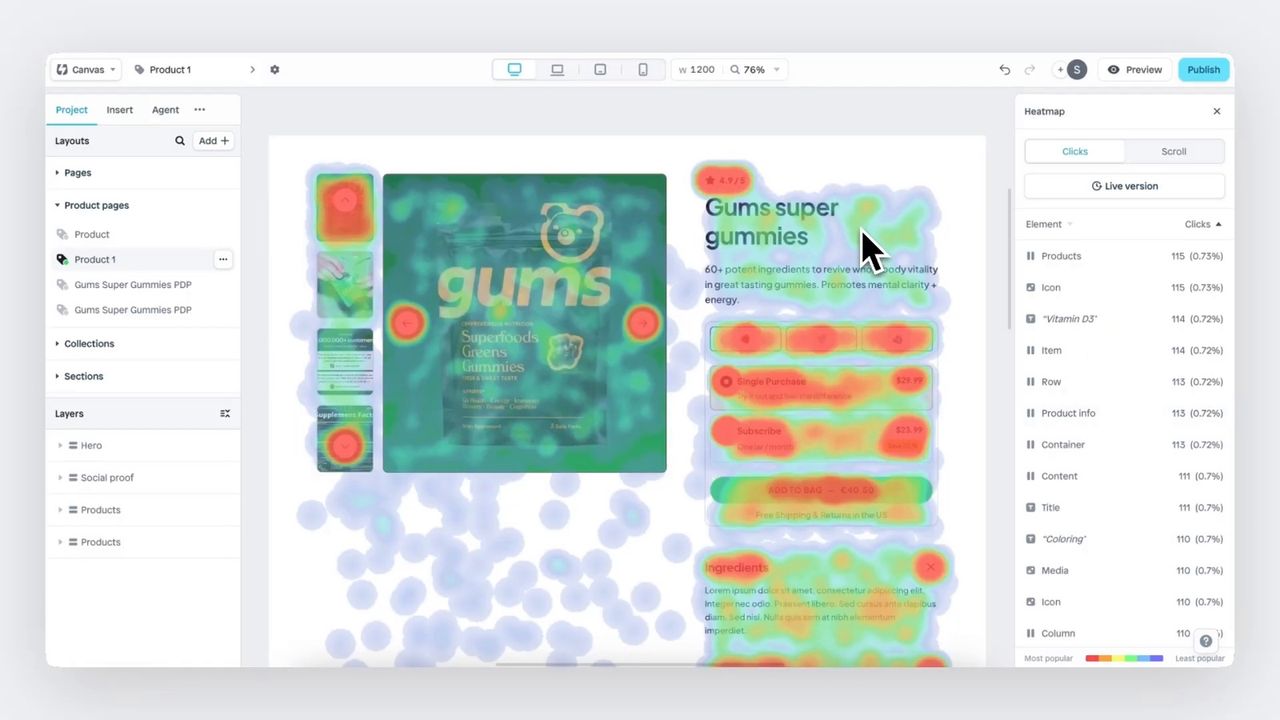
From the Pro plan, Instant adds A/B tests (10,000 sessions a month on Pro, 100,000 on Business), heatmaps and a customisable cart drawer. To decide whether a cart drawer suits your store, see cart drawer vs cart page on Shopify.
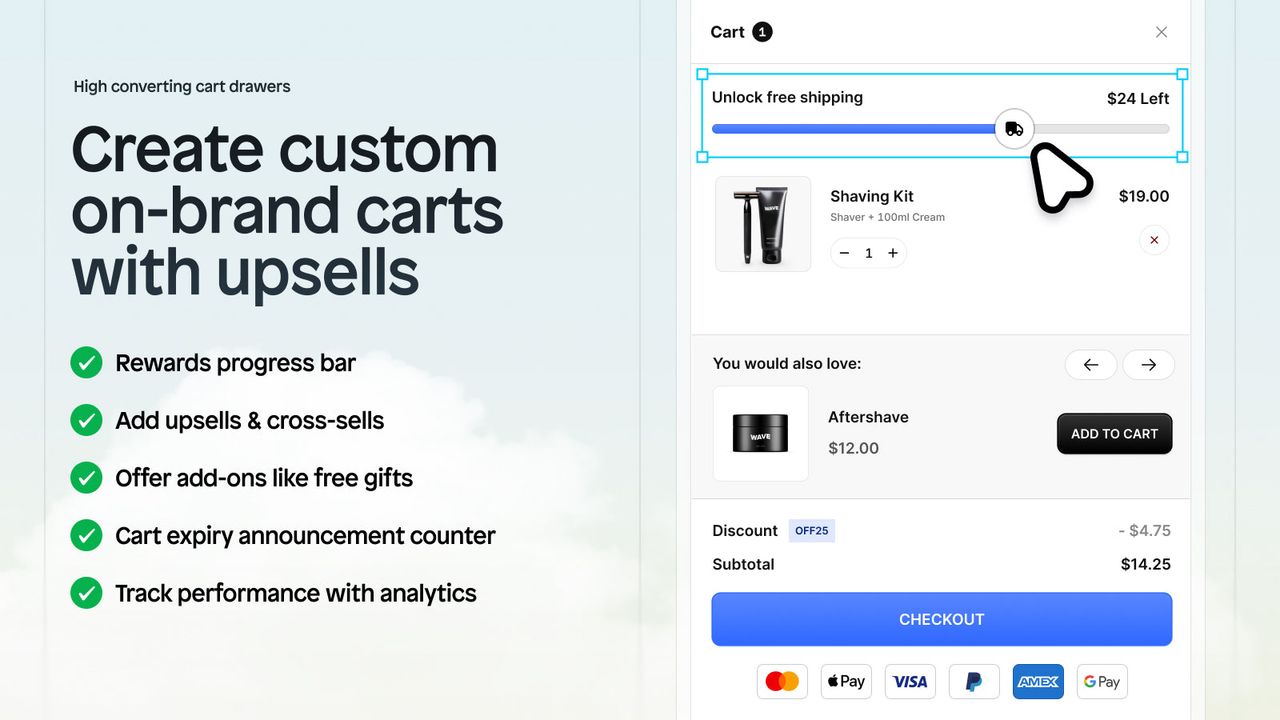
Instant’s cart drawer adds sales in the cart. To raise average order value on the product page itself, with quantity breaks, bundles and a free gift on a tier, we use Snap Bundle(opens in a new tab), the bundles and volume discount app we build. It goes into your product template as an app block, and it is free until its offers bring in $500 a month ($12.99 a month after that, with no order cap). To compare it with other apps, see our roundup of the best Shopify volume discount apps.
Templates and integrations
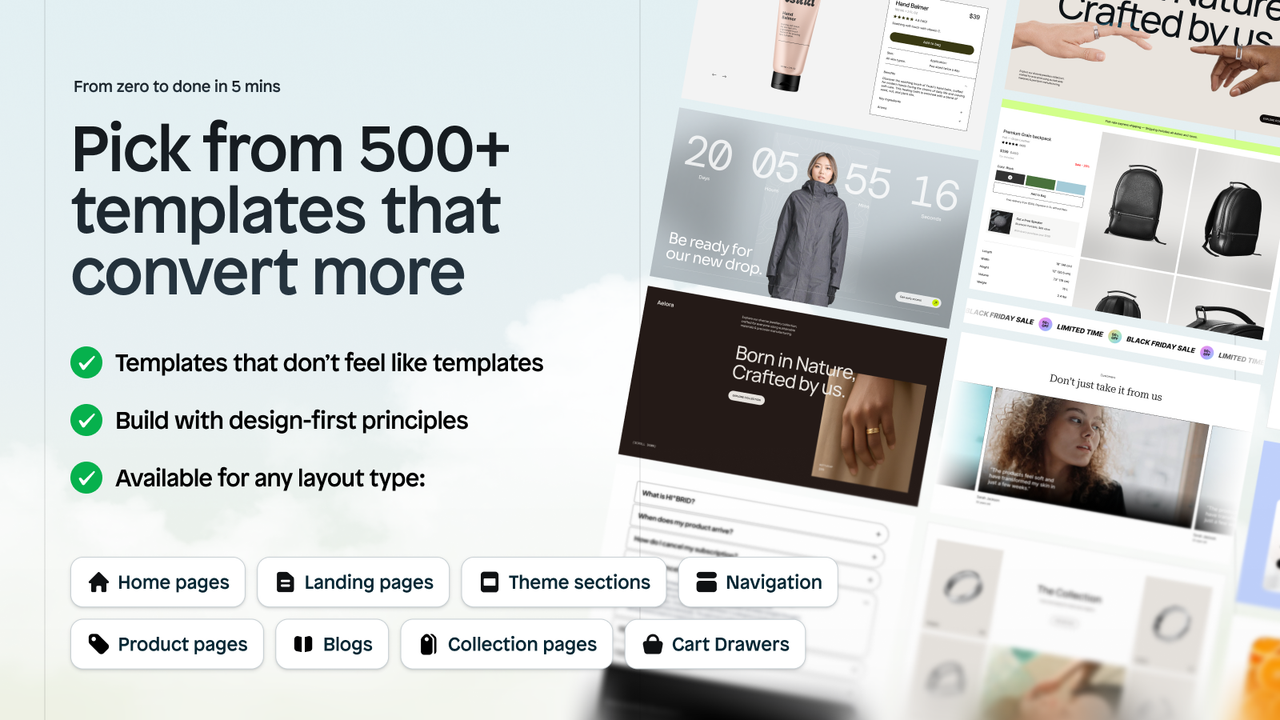
Instant offers more than 800 conversion-focused templates, according to its App Store listing. It integrates with Figma, Judge.me, Stamped, Yotpo, Loox, Kaching Bundles, Klaviyo, Omnisend, Recharge and Shopify checkout.
Custom code and MCP
You can add custom Liquid code(opens in a new tab) to a page. Instant also runs an MCP server so you can drive the app from an AI assistant: 100 calls a day on Starter, unlimited from Pro.
Liquid publishing: what happens if you stop using Instant?
That is the question to ask before installing any page builder. Instant’s answer is a good one:
- Your pages are code in your theme. Instant publishes compiled Liquid, CSS and JS files (docs(opens in a new tab)).
- Unpublishing removes those files from the theme (docs(opens in a new tab)).
- To downgrade or cancel, Instant first asks you to unpublish everything above the new plan’s limits. On Free, the “Built with Instant” badge shows (docs(opens in a new tab)).
- Liquid already published stays in the theme until you change or republish it, according to Instant’s FAQ(opens in a new tab).
The Shopify App Store review summary points the same way: merchants like being able to downgrade while keeping their pages live.
The FAQ also states a 30-day money-back guarantee. AI credits are not refundable, and extra credits you buy are lost if you uninstall or move to Free.
What merchants say
Instant holds 4.9 out of 5 from 354 reviews on the Shopify App Store(opens in a new tab). Only 4 reviews give 3 stars or fewer.
Rating | Reviews | Share |
|---|---|---|
5 stars | 345 | 97.5% |
4 stars | 5 | 1.4% |
3 stars | 1 | 0.3% |
2 stars | 1 | 0.3% |
1 star | 2 | 0.6% |
Reviews checked on November 7, 2026.
Strengths
According to Shopify’s generated review summary, merchants value a tool that lets non-developers build custom pages fast, an AI that generates pages, copy and images, a fast editor, responsive pages and very responsive support. Support comes up in almost every review, including the weaker ones.
Merchants coming from GemPages talk about speed. Rocket Nutrition, in the United States, writes in a 4-star review(opens in a new tab): “real issue is page speed. I just switched from Gem pages and so far the speed is better”. Soulea, in Australia, goes further: “infinite times better than Gempages”.
Weaknesses
- A real learning curve. The same Rocket Nutrition review adds: “the building is harder. Not a bad thing TBH it is deeper so there is a learning curve”.
- Components can be fiddly. Venta del Barón, in the Netherlands, after 5 months: “My only frustration is with components — adding or editing elements can be inconsistent. Sometimes it works smoothly; other times, not at all.”
- AI that eats credits, as covered above.
- Uninstalling and billing. A Spanish merchant, in a 3-star review(opens in a new tab), writes that the uninstall process is neither clear nor simple, and that they paid for a month after 5 days of use. Both 1-star reviews are also about billing. Instant replies that billing is handled by Shopify, not by the app.
Our advice: note when your trial ends, and unpublish then uninstall before that date if Instant is not for you.
Instant vs PageFly, GemPages and Replo
Instant’s listing calls it an “Alternative to Shogun, PageFly, and Gempages”, and Instant publishes its own comparisons against PageFly(opens in a new tab) and Replo(opens in a new tab). Those pages are written by Instant, so read them as such.
What actually sets Instant apart:
- Liquid publishing into the theme, rather than pages rendered by the app;
- Figma import on every plan;
- built-in A/B tests and heatmaps from Pro, where other builders need another app;
- a higher entry price than the base plans of PageFly or GemPages.
For a side-by-side of 10 apps, see our Shopify page builder comparison.
Is Instant right for you?
Instant fits if:
- you have a designer working in Figma and want to stop needing a developer for every landing page;
- you launch pages often (campaigns, launches, ads) and want to A/B test them;
- the Pro plan at $99 a month fits your budget.
A good theme is the better call if:
- your store needs a few pages that rarely change;
- you do not want another subscription;
- you would rather not maintain pages in a separate builder.
A well-built premium theme already covers most of what a brand needs: see our highest-converting Shopify themes. Shopify is also building its own AI editing tools, such as Shopify Canvas.
Tutorial: build your first page with Instant
- Get a store ready. No store yet? Start a Shopify trial(opens in a new tab). Check that your theme is Online Store 2.0.
- Install Instant from the Shopify App Store(opens in a new tab) and connect your store. The app offers the 7-day Starter trial.
- Pick a starting point: a template, a prompt for Instant AI, or a Figma design through the plugin.
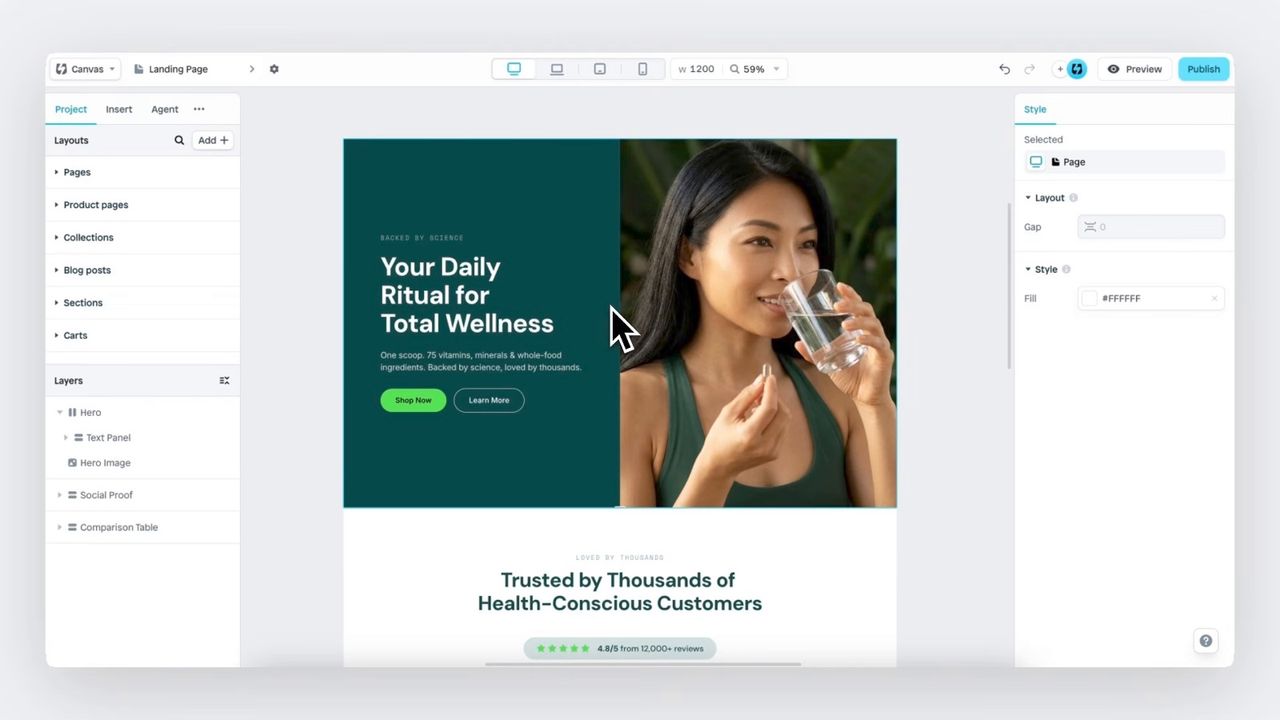
- Edit the page in the visual editor, checking mobile, tablet and desktop.
- Connect Shopify data: products, collections, reviews (Judge.me, Loox…) depending on the page.
- Publish. Instant writes the page into your theme. On Pro, publish to a draft theme first and check it before going live.
Our verdict
Instant delivers for brands that build a lot of pages: Liquid pages that load fast, a serious Figma import, useful AI and support that almost every merchant praises. Its limits are clear: pricing that only makes sense from $99 a month, AI that eats credits, an editor you have to learn, and an English-only admin. For a few fixed pages, a good theme is still the simpler choice.
Instant is still my favourite Shopify page builder. I only recommend it to brands that will actually use it.
FAQ
Is Instant free on Shopify?
Partly. The Free plan publishes 1 page, 1 section and 1 blog post with a “Built with Instant” badge. Beyond that you need Starter at $39 a month. A newly connected store goes through the 7-day Starter trial screen before it can switch to Free.
What happens to my pages if I uninstall Instant?
Instant writes your pages into your theme as Liquid, CSS and JS files. Its docs say that Liquid stays in the theme until you change or republish it. Before you downgrade or cancel, Instant asks you to unpublish whatever exceeds the new plan’s limits.
Is Instant better than GemPages or PageFly?
Several merchants say they moved from GemPages to Instant for page speed, and found the editor deeper and harder to learn. Instant itself positions the app as an alternative to Shogun, PageFly and GemPages. Our Shopify page builder comparison puts the main apps side by side.
Can I import a Figma design into Instant?
Yes, with the Figma plugin, which is included from the Free plan. It has an AI mode and a Classic mode. In Classic mode the design must use Figma auto layout to come out responsive.
Does Instant offer refunds?
Instant states a 30-day money-back guarantee. AI credits are not refundable, and extra credits you buy are lost if you uninstall the app or move to Free.
Is the Instant app available in other languages?
The app admin is English only, according to its Shopify App Store listing. The pages you build can be in any language, and sections support Shopify Markets on every plan.

Keep reading

Best Shopify Bundle Apps for Supplement Brands in 2026
The best Shopify bundle apps for supplement brands compared: supplement stacks, 30/60/90-day supply breaks, Subscribe & Save bundles and what each costs.

Best Shopify Bundle Apps for Skincare Brands in 2026
We compared 7 Shopify bundle apps for skincare brands: routine sets, build-your-own boxes, discovery kits and refill discounts, with prices checked in October 2026.

Best Shopify Bundle Apps for Pet Food Brands in 2026
We compared 7 Shopify bundle apps for pet food brands: multi-bag quantity breaks, wet food variety packs, puppy starter kits and subscribe-and-save bundles.