Monk Free Gift for Shopify: When Is an Automatic Gift Worth Paying For?

Summarize this article with AI


Should the shopper add their own gift, pick a favourite or find one waiting in the cart? That choice determines whether Shopify’s built-in discount is enough or Monk earns its fee.
A customer spends $60 on skincare. Your banner promises a free cleanser, but the customer checks out without it. With Shopify’s built-in Buy X Get Y discount, that can happen even when the discount is automatic. The shopper still has to put the cleanser in the cart. Monk Free Gift with Purchase can add it for them the moment their cart qualifies.
If you run one occasional two-for-one sale and customers already select both items, start with Shopify’s native discount(opens in a new tab). Monk earns a closer look when you regularly give away a separate product, want customers to choose a variant, or need the cart to show how much more they must spend. Here’s how to decide, using the app listing(opens in a new tab) and Monk’s documented offer rules.
What changes when Monk adds the gift?
Take a coffee shop that offers a free espresso cup with two bags of beans. With Shopify alone, the customer adds the bags and the cup. Shopify applies the configured discount when all three items are present. That works well if someone is already choosing a cup. It adds an unnecessary step if every buyer receives the same one.
With Monk’s Auto add offer, the merchant selects the cup variant in advance. The two bags trigger the gift. A gift selection offer suits a different purchase: a skincare customer who knows whether they want a scented or fragrance-free sample. Asking them to choose is worth the extra tap. Monk’s gift selection guide(opens in a new tab) explains how to build that offer.
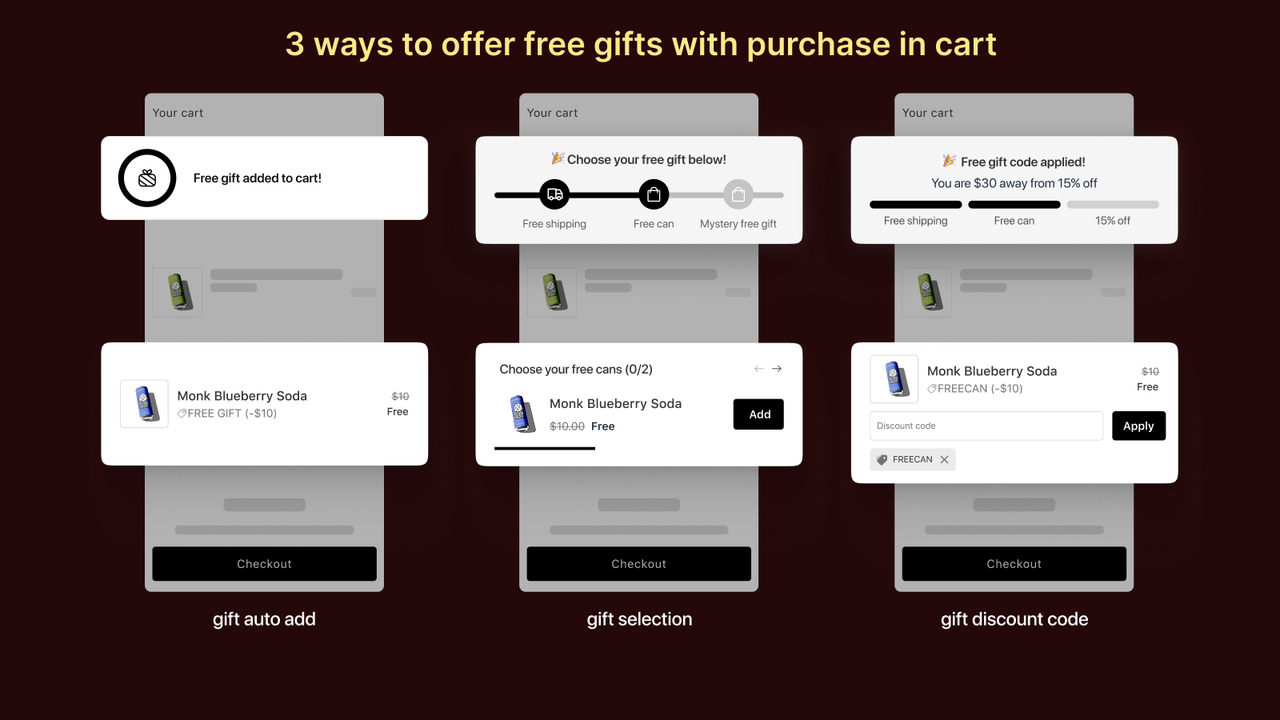
A tiered progress bar is useful when spend determines eligibility. “Spend $8 more for a travel cleanser” tells a shopper with a $52 cart exactly what another item unlocks. Start with a single threshold so the customer can understand the offer at a glance.
How much does Monk Free Gift cost?
Monk bases its recurring fee on the store’s total orders over the previous 30 days. A store with 800 orders falls in the US$49 tier even if only 20 orders included a gift. At 1,200 orders, budget US$149. Both plans include a seven-day trial. At exactly 1,000 orders, confirm the charge with Monk: the ranges on its pricing page(opens in a new tab) overlap at that number. Development and sandbox stores are free.
Work out what the gift has to earn
Suppose your usual basket is $50 and the gift unlocks at $60. A shopper who adds $10 of merchandise at a 60% gross margin brings in $6 in extra gross profit. If the sample costs you $2 and adds $0.50 in packing costs, that order contributes $3.50 toward the app fee. At US$49 a month, 14 such orders cover the fee in this simplified example.
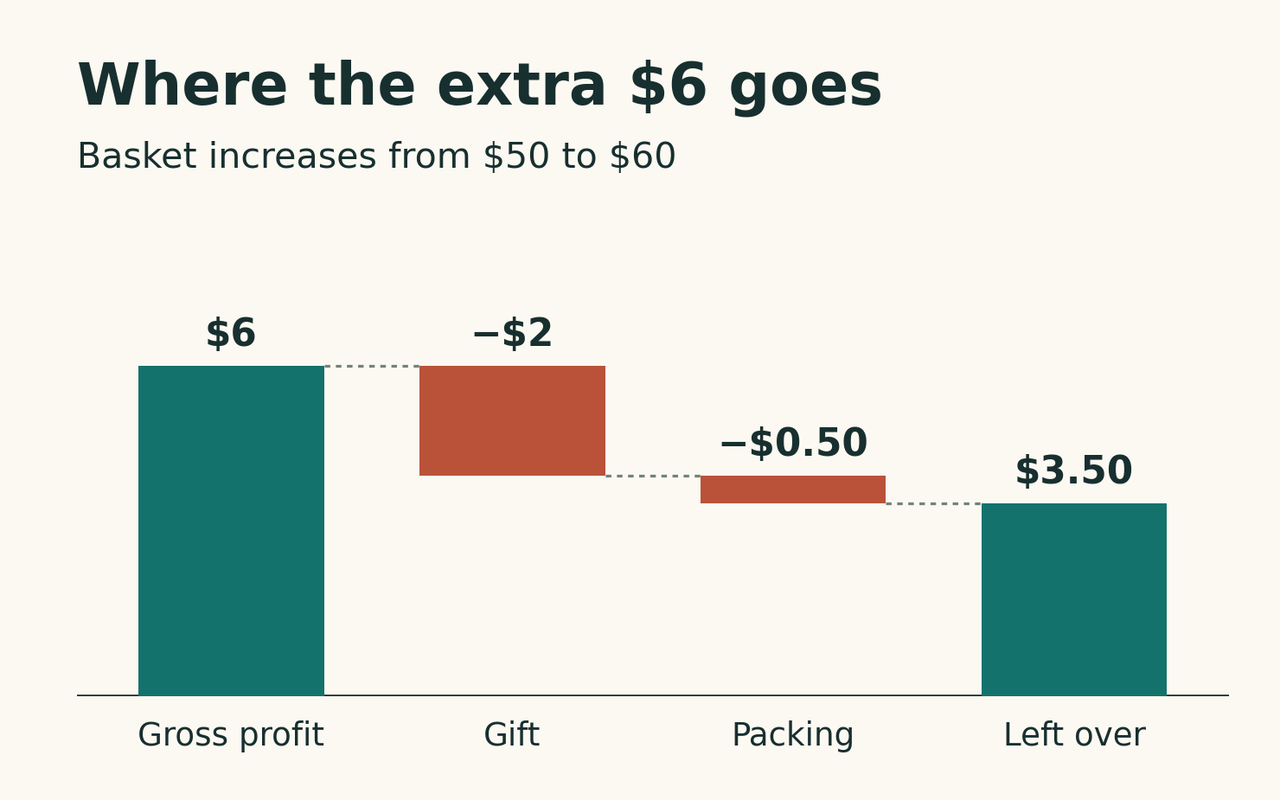
Now count shoppers who would already have spent $60. Giving 40 of them the same sample costs $100 without generating extra sales. With that cost and a $49 fee, you need 43 of the $3.50 contributions to break even. Include extra postage if the gift pushes the parcel into a higher weight band. Track the share of baskets that actually move above the threshold alongside your average order value.
Set up a free gift with purchase in the Shopify cart
Pick the trigger and the gift variant
In Monk, open Manage Offers → Create Offer → Gifts, Shipping and Cart goals → General free gifts → Auto add. Choose the cart placement, define the qualifying spend or products, then select the exact gift variant. Check that the variant is in stock and available on the Online Store channel. A sample that shares a product page with a full-size item deserves a second check here. Monk’s auto-add walkthrough(opens in a new tab)
Decide what happens when the basket changes
Enable Auto Remove if the gift should disappear when a shopper removes a qualifying item. Otherwise the gift can remain in the cart at its regular price after eligibility is lost. Enable the opt-out if shoppers should be able to decline the gift. If you have 100 samples for a launch, limit the offer to 100 completed gift orders(opens in a new tab) and reserve those units for the campaign.
Test the route your customers actually use
- Start with a $59 cart. Check that the gift is absent and the message shows $1 left to spend.
- Reach exactly $60. In the cart drawer and on the cart page, check that the correct variant appears once at $0. Repeat on a phone.
- Remove a qualifying item. With Auto Remove enabled, the gift should disappear when the cart falls below $60.
- Restore the qualifying basket and place a test order. Check the gift SKU and quantity on the order your fulfilment team receives.
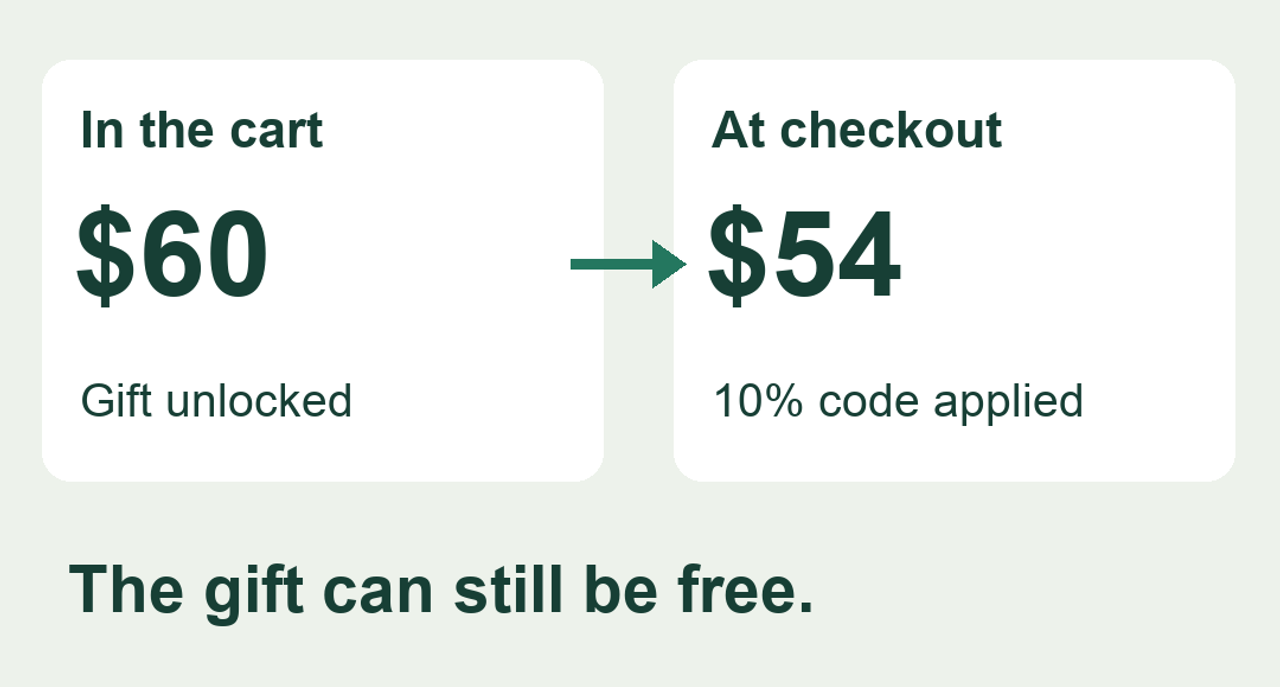
Repeat with a checkout discount code. Monk documents an important exception: if the cart qualified at $60 and a code entered later at checkout reduces it to $54, the gift can stay free. Auto Remove addresses changes in the cart. Factor that difference into the promotion terms and the budget. Monk’s checkout example(opens in a new tab)
Snap Bundle as an alternative for gifts tied to quantity
If your coffee promotion is “buy three bags and get a cup,” show the offer where customers choose how many bags to buy. We develop Snap Bundle at Trafik Plus for this kind of product-page offer. You can present one bag at its usual price, two at a volume discount, and a three-bag tier with the cup included. Shoppers see what each quantity earns before they add anything to the cart.
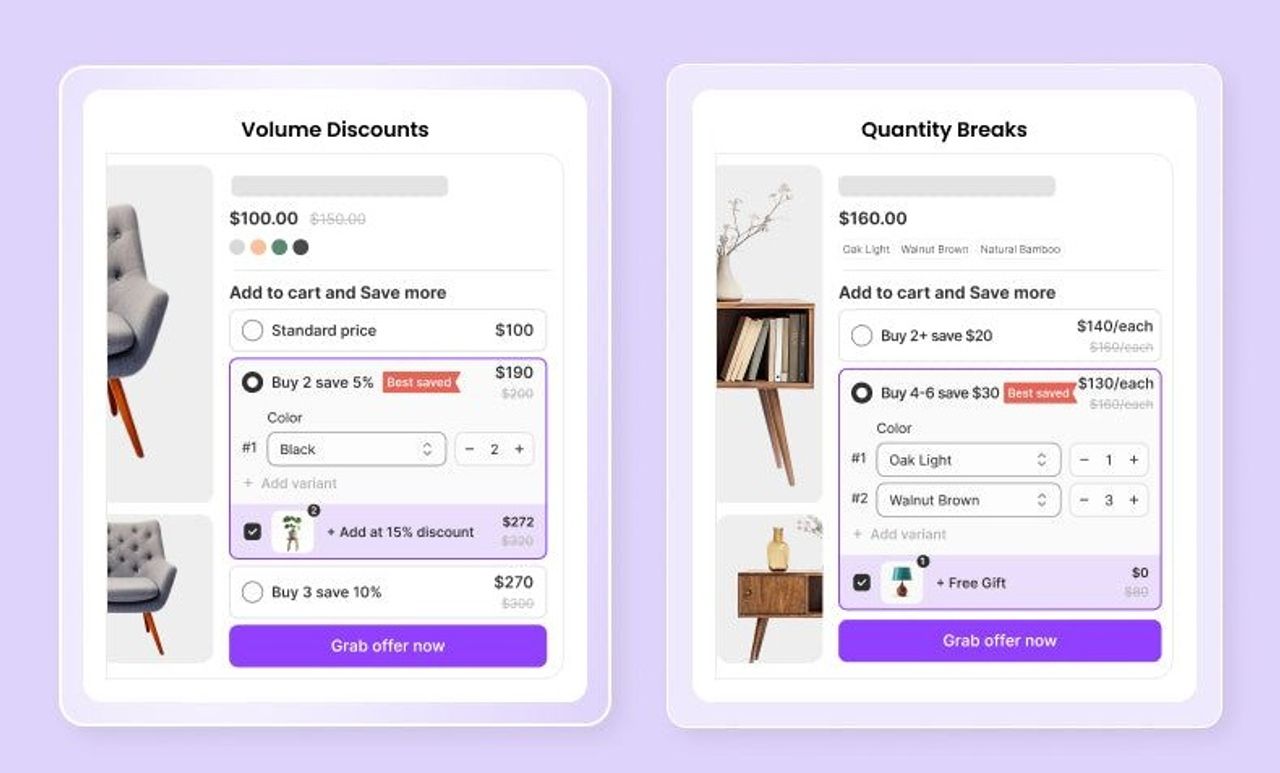
Explore Snap Bundle on the Shopify App Store(opens in a new tab)
Frequently asked questions
Can Shopify give a free gift without an app?
Yes. Create a Buy X Get Y discount, select the qualifying purchase and the reward, and set the reward discount to 100%. Tell customers to add both products. An automatic discount applies the price adjustment once the items are present.
Can customers enter a gift code without Shopify Plus?
Yes. For Monk’s code-triggered gift on a non-Plus store, provide the code field in Monk’s cart widget and direct shoppers there before checkout. Entering it for the first time in Shopify checkout will not trigger that cart offer. Monk’s guide for non-Plus stores(opens in a new tab)
Should I use a progress bar or let customers pick their gift?
Use a progress bar when the customer needs to understand how far the basket is from the reward. Offer a choice when the reward itself needs a decision, such as a size, shade or scent. For one universal sample, automatic addition keeps the purchase simple.
Keep reading

Section Store Review: Pricing, Plus Plan and Is It Worth It?
An honest Section Store review: real pricing, the $15 Plus plan, what happens when you switch themes or uninstall, and what 59 negative reviews reveal.

Instant Page Builder Review: Pricing, AI Credits and What Merchants Say
A review of Instant, the AI page builder for Shopify: real pricing, AI credits, Figma import, what 354 merchants say, its limits, and how to build a first page.

Best Shopify Apps to Increase Sales, by Revenue Lever
The Shopify apps that increase sales without more ad spend, sorted by lever: AOV, conversion and retention, with verified App Store pricing.