
Ecommerce Blog: How to Build a Shopify Blog That Actually Sells (2026)

Summarize this article with AI


A profitable ecommerce blog answers a problem, then shows the product that solves it. A 6-step method to build a Shopify blog that converts.
A few days ago, I was browsing the internet trying to find out why some people have a visible white line in their hair, right at the part. Pure curiosity. Nothing to buy.
I landed on an article from Hairlust, a French hair care brand(opens in a new tab), ranking well on Google. It answered my question: a widening part is often a sign of thinning hair. Then it explained the causes and the possible fixes. And under each fix, there was a product card with a price and a button.
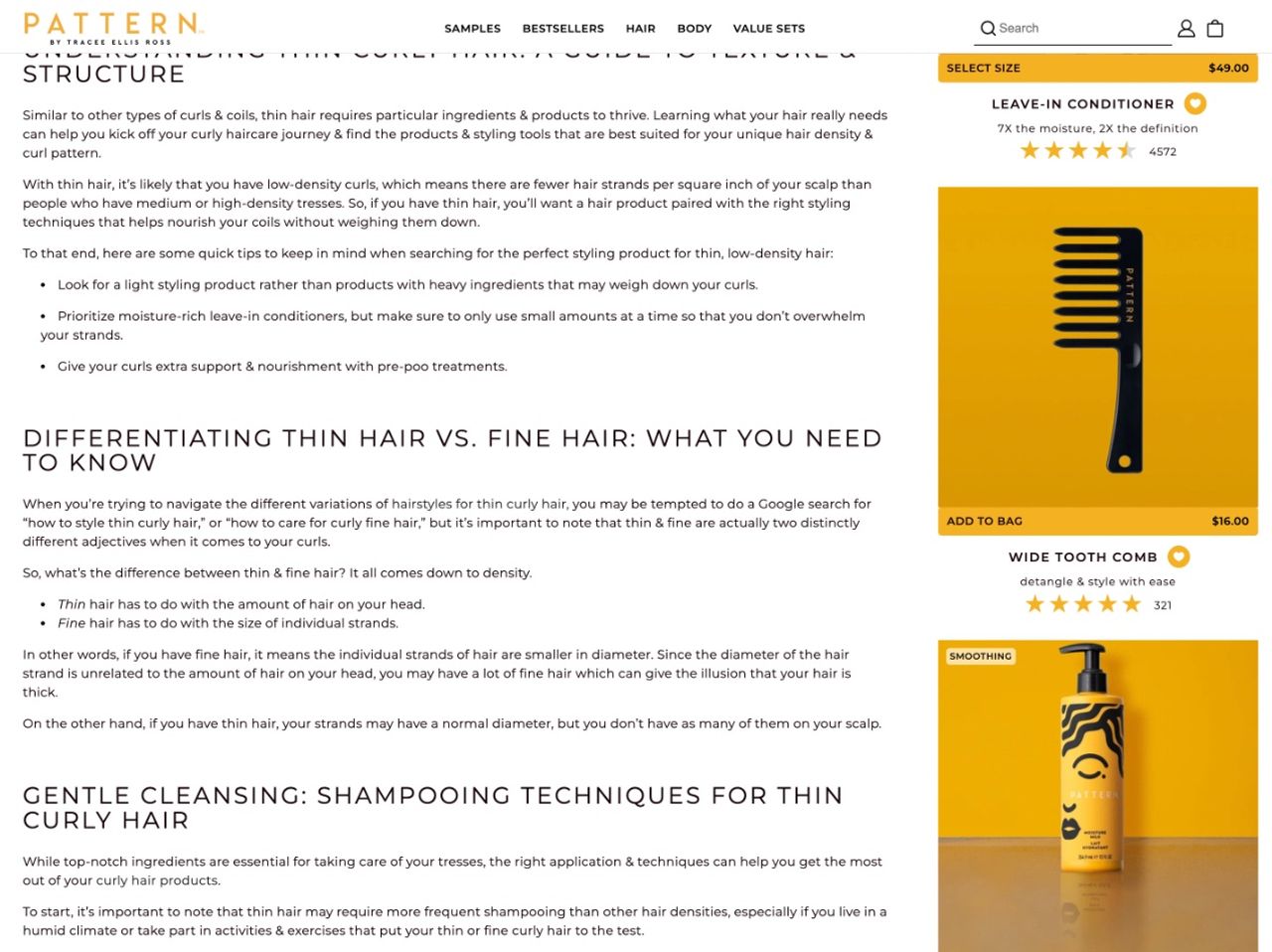
Hairlust writes in French, so I looked for English brands doing the same. Two stood out: Viori with 5 Tips to Care for Thin Hair(opens in a new tab), and Pattern Beauty, Tracee Ellis Ross's haircare brand, with Nurturing Thin Curly Hair(opens in a new tab). Same recipe: answer the question first, then show the product.
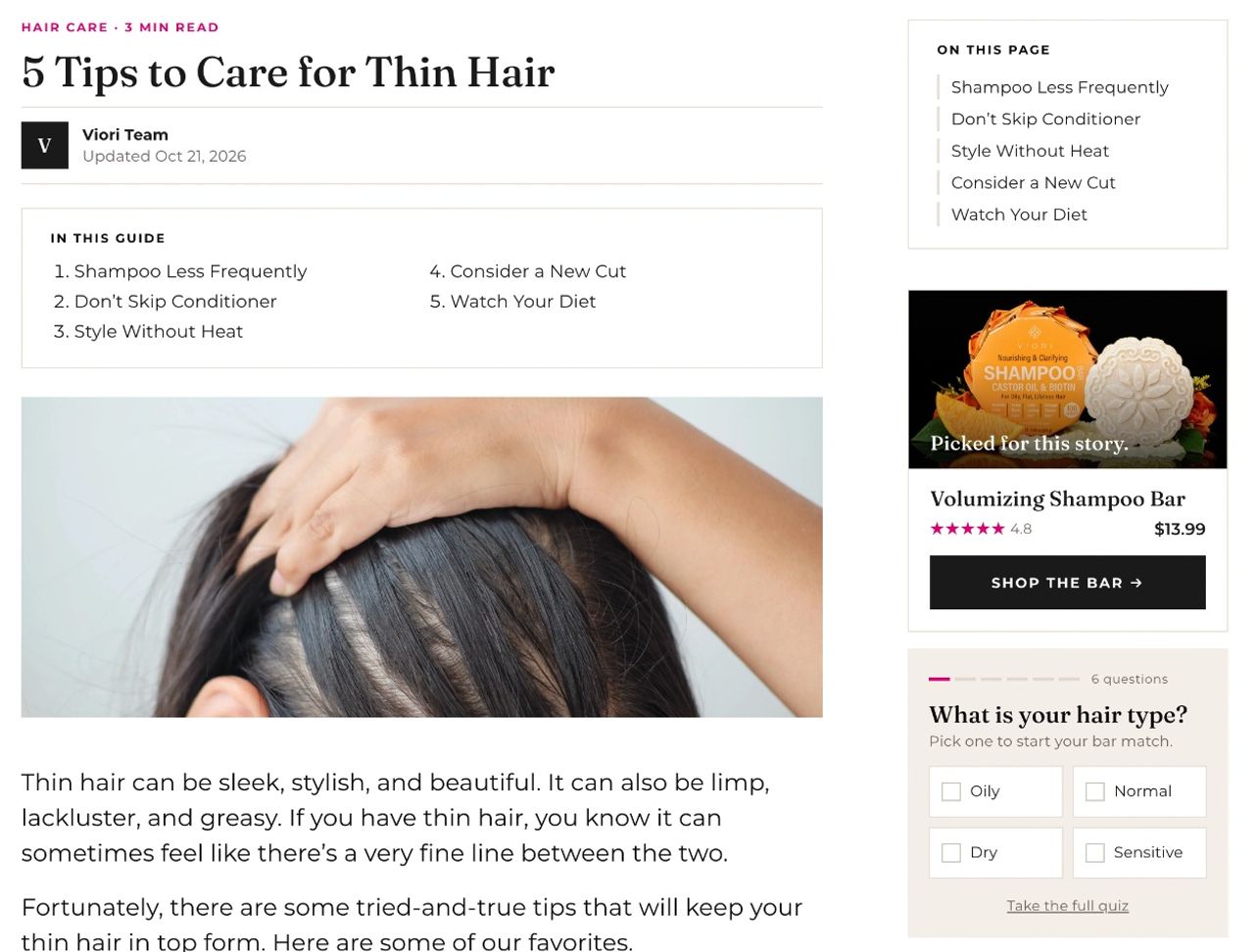
I wasn't shopping. Yet within three minutes, I knew which product could solve the problem and what it cost. That is exactly what an ecommerce blog that converts looks like: it catches someone searching for a problem, then shows them the solution right when they wonder "okay, what do I do now?"
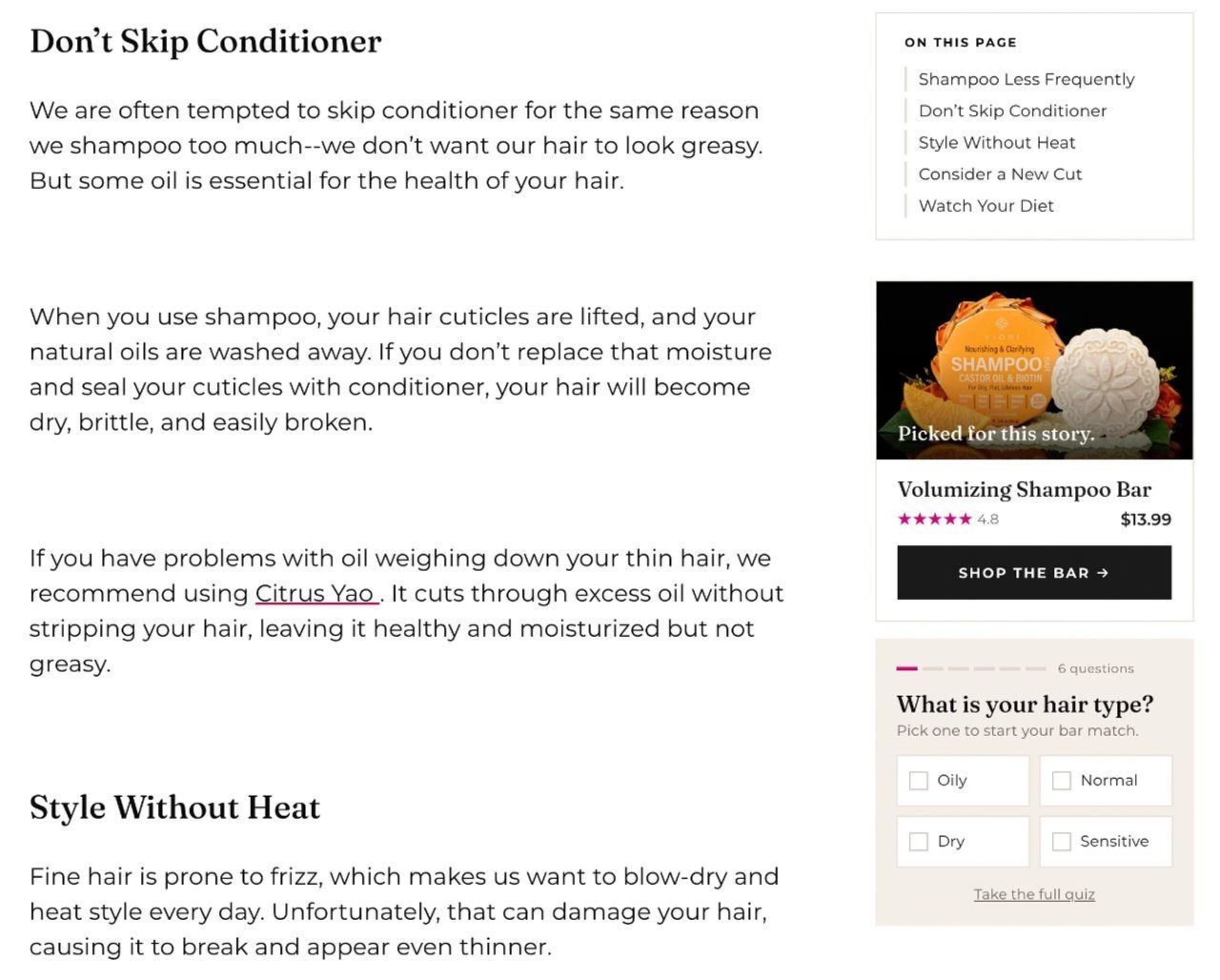
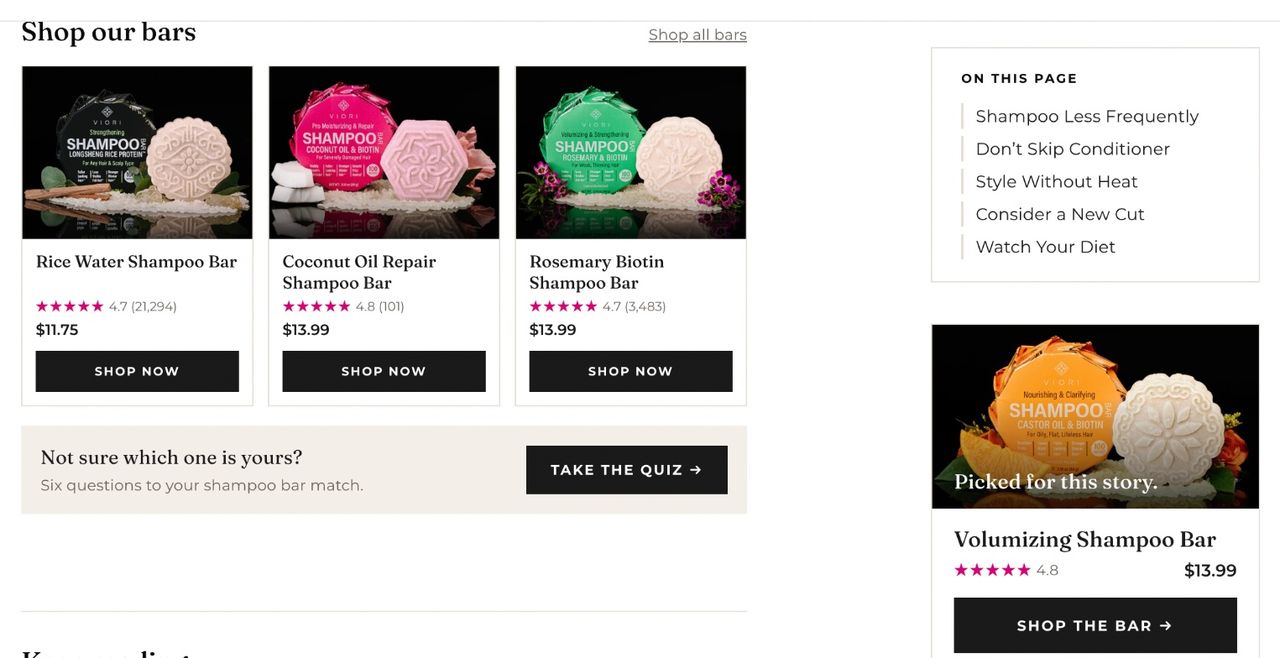
On the Viori article, the product card and the quiz sit in a sidebar that stays on screen while you read. Whatever tip you're on, the product is never more than a glance away.
Pattern Beauty goes further. Next to the tips, a column of product cards shows the shampoo, leave-in conditioner, comb and moisture milk the article recommends, each with its price, star rating and an "Add to bag" button.
In this guide, I'll show you how to apply that idea to any Shopify store, whatever your niche.
Why most ecommerce blogs sell nothing
Many merchants start a blog because someone told them "it's good for SEO." Six months later, it gets a handful of visits and zero sales. The reasons are always the same:
- Brand-centered topics (new collection, behind the scenes, company news). Nobody types that into Google.
- Keywords that are too broad ("fashion trends") against media sites you can't outrank.
- No products in the content, or a single "Shop now" button at the very bottom that nobody sees.
- No tracking: no way to know which post makes money.
The idea: problem, solution, product
Your customer isn't searching for your product. They are searching for an answer to a problem. Problem searches usually have far more volume than product names, and much less competition. That's where your blog should be.
The same pattern works in every niche:
- Coffee: "why is my coffee bitter" leads to a burr grinder or fresher beans.
- Pet supplies: "dog pulls on leash" leads to a no-pull harness.
- Skincare: "skin feels tight after shower" leads to a rich moisturizer or body oil.
- Running: "knee pain after running" leads to more cushioned shoes.
The reader goes through four stages: they recognize the problem, understand the cause, discover the solutions, then choose. Your post must guide them through each stage, and the product should show up at the third one, not before.
How to build an ecommerce blog that converts in 6 steps
1. List the problems your products solve
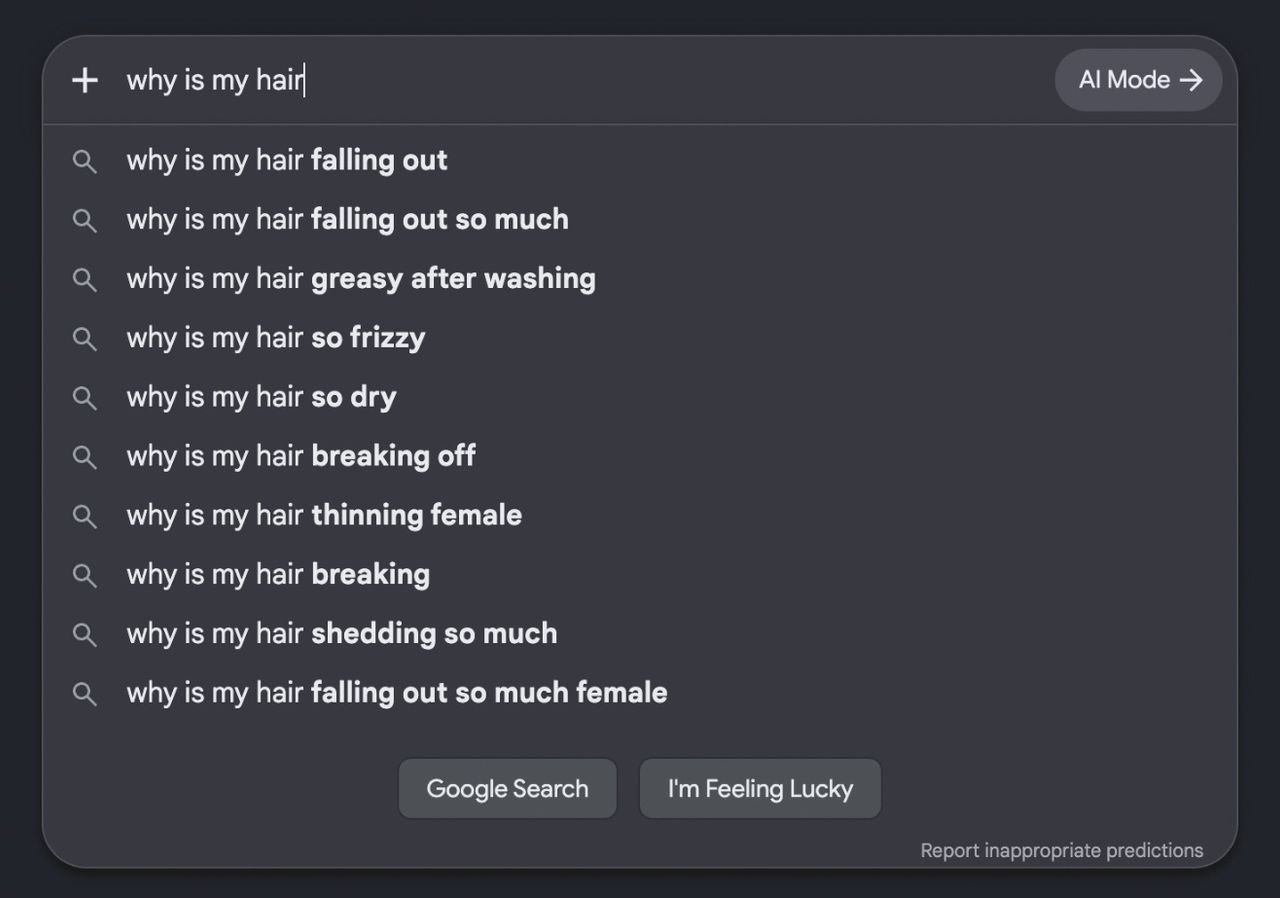
For each hero product, write down the problems it fixes. The best sources are free: customer support questions, product reviews, Google autocomplete when you type the start of a question, and the "People also ask" box. Aim for 20 to 30 problems before writing a single line.
Two sources most brands forget: the comments under your ads and the reasons customers give for returns. Keep the exact words they use. They become your titles and subheadings.
2. Pick problem keywords with buying intent
Run your list through a keyword tool and keep the ones with decent volume, low difficulty and a solution you sell. An informational keyword with a high cost per click (CPC) is a good sign: advertisers think it pays. For the technical basics, read our Shopify SEO guide.
Then keep the problems where your product is the natural answer. Ahrefs scores every topic on business potential(opens in a new tab), meaning how naturally the product fits in the content, and prioritizes topics that score 2 or more. It pays off: in Grow and Convert's client data(opens in a new tab), top-of-funnel posts converted at 0.03% to 0.19%, while posts written for buyers reached 0.3%, 0.4% and even 4.3%.
3. Structure the post to answer before you sell
An outline that works in almost every niche:
- The short answer, in the first paragraph.
- The signs that help the reader recognize their situation.
- The causes, one per subheading.
- Proof: before/after, reviews, numbers.
- The doubts: will it work in my case, how is it different from what I already use, why this price.
- The solutions, each followed by the product that applies it.
- A final call to action: quiz, diagnosis or recommended bundle.
Don't turn the "People also ask" questions into your outline. When Grow and Convert rewrote client posts for the reader instead of the search results(opens in a new tab), opening with the pain point and pitching the product openly, conversions on some posts rose by up to 900%.
Most blogs don't have a conversion problem. They have a comprehension problem. A reader who understands what the product does, who it's for and what to expect is a reader who buys.
4. Place product cards at the right moment
One simple rule: one product per solution, right after the paragraph that explains it. The card should show the image, name, price and a button. A badge ("Bestseller", "-15%") helps people decide. Skip pop-ups and banners that break the reading: the visitor came for an answer, not an ad.
5. Offer bundles to grow the cart
A problem is rarely solved with a single product. The reader who wants to stop drinking bitter coffee needs a grinder and fresh beans. Group them in a bundle with a small discount and show it in the post. You sell a complete solution and lift your average order value.
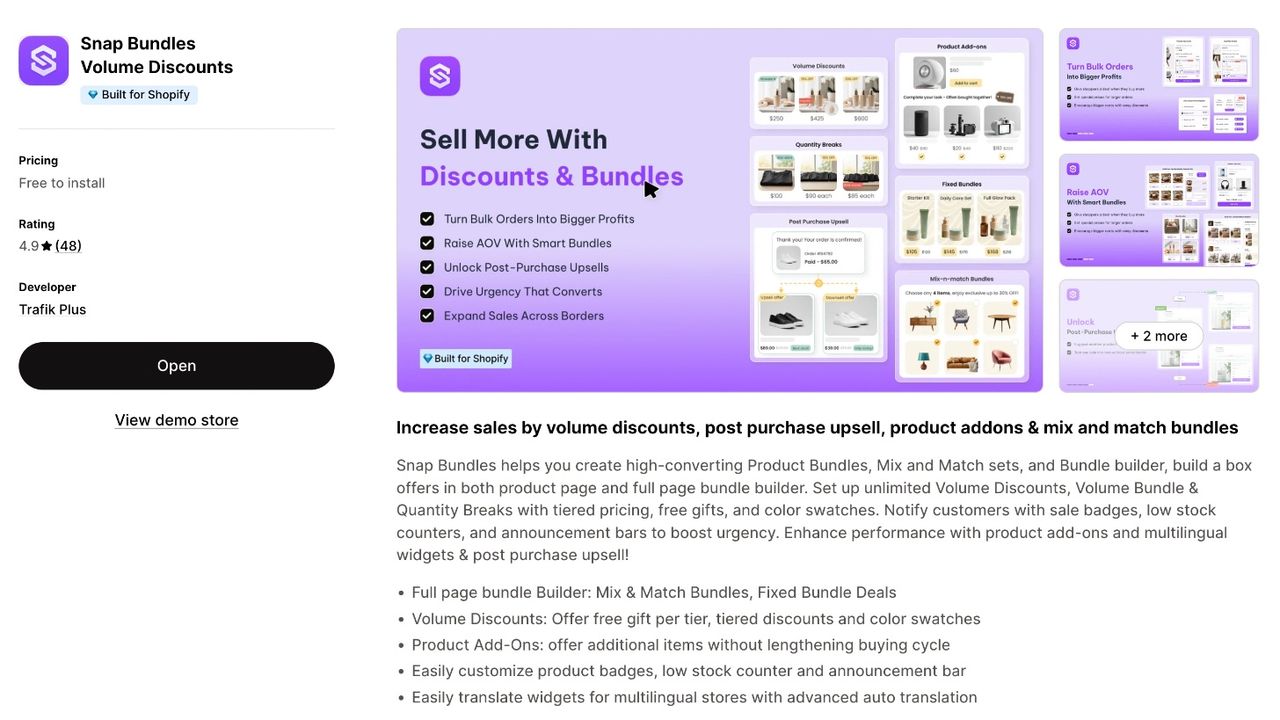
On Shopify, Snap Bundle(opens in a new tab) lets you create these bundles and volume discounts in a few minutes. It's free while bundle revenue stays under $500 a month.
6. End with a personalized recommendation
At the end of the post, some readers still hesitate between products. A short quiz, a comparison table, a "starter kit" or a "shop this article" row helps them choose. Keep a comparison table to 4 to 6 rows that really matter, and name the alternative the reader already knows. It's also the right spot for a well-chosen upsell.
How to add products to a Shopify blog post
Shopify doesn't insert product cards into blog posts by default. Three options, from simplest to most complete:
- Text links and images pointing to the product page. Free, but less visible and no price.
- A dedicated article template in the theme editor, with a "Featured product" or "Product list" section. Add an article metafield that references products, and each post shows its own products.
- A shoppable content app that adds product blocks with add-to-cart buttons right inside the text.
If your theme can't add sections to blog posts, it may be time to look at a more recent Shopify theme.
Track what each post earns
A blog that sells is managed like a campaign. At minimum, track organic traffic per post, click-through rate to products, attributed sales and revenue per visit. In GA4, a path exploration shows which posts come before a purchase. Our list of ecommerce metrics explains how to calculate them.
Then double down on what works: update the posts that sell, add a bundle where readers click without buying, and write more posts about related problems.
Also watch your direct traffic and branded searches in Google Search Console (Performance report, filtered on queries that contain your brand name). When ChatGPT or Google's AI answers cite your content, people rarely click through: they type your brand name later. Rising direct traffic and branded searches are often the sign your posts are being picked up.
Write your first post that sells this week
I was looking up a white line in someone's hair, and I ended up on a product card. That's the whole point of an ecommerce blog: answer the problem, show the solution, then the product at the right moment. Pick one hero product, find three problems it solves, and write your first post this week.
FAQ
Is an ecommerce blog still worth it?
Yes, as long as you target problems your products solve. A post that answers a real question brings qualified visitors for years, without paying for each click.
How many blog posts should I publish?
Ten well-targeted, updated posts beat a hundred generic ones. Start with one post per hero product, then expand to related problems.
Where should products go in a blog post?
Right after the solution they apply, never before the problem is explained. Add a bundle or a quiz at the end for readers who are still undecided.
Do I need an app to add products to a Shopify blog post?
No. An article template with a product section and a metafield is enough. An app helps if you want add-to-cart buttons in the middle of the text without editing your theme.

Keep reading

How to Increase ROAS From Your Store, Not Your Ad Account
ROAS = conversion rate × AOV ÷ CPC. Here is how to raise the store side of that formula, landing pages, bundles, checkout, email and LTV, with worked numbers.

Shopify Free Shipping Threshold: How to Set It to Raise AOV
Pick a free shipping threshold from your order data, check the break-even math, set it up in Shopify (rate or discount), and give shoppers an item that closes the gap.

Repeat Purchase Rate: Formula, Benchmarks and 9 Ways to Raise It
The repeat purchase rate formula, how to find it in Shopify analytics, real benchmarks, and 9 ways to get more second orders without spending more on ads.