
Shopify Debut Theme: Why It's No Longer Available and What to Use Instead

Summarize this article with AI


Shopify removed the Debut theme from its Theme Store in November 2022. Why Online Store 2.0 replaced it, what happens if your store still runs on Debut, and how to switch.
You type "Debut" in the Shopify Theme Store and nothing comes up. It's not a bug. Debut, the free theme that once ran more than half of all Shopify stores, was removed from the Theme Store in November 2022 and can no longer be installed on a new store.
The reason is simple: Shopify rebuilt how themes work with Online Store 2.0, and Debut was built on the old architecture. This guide explains what happened, why Shopify retired Debut, what it means if your store still runs on it, and which theme to move to.
Trafik Plus is a Shopify agency. We develop Shopify themes, including our own theme Pops. Every fact below was checked against Shopify's announcements and Shopify's Help Center page on theme architecture versions(opens in a new tab) in November 2026.
The short answer
- Removed: Debut left the Shopify Theme Store in November 2022, along with the other free "vintage" themes such as Brooklyn, Simple, Minimal and Supply.
- Why: Shopify launched Online Store 2.0 in June 2021, a new theme architecture with sections on every page and app blocks. Debut couldn't do that, so Shopify replaced it with Dawn and focused on 2.0 themes.
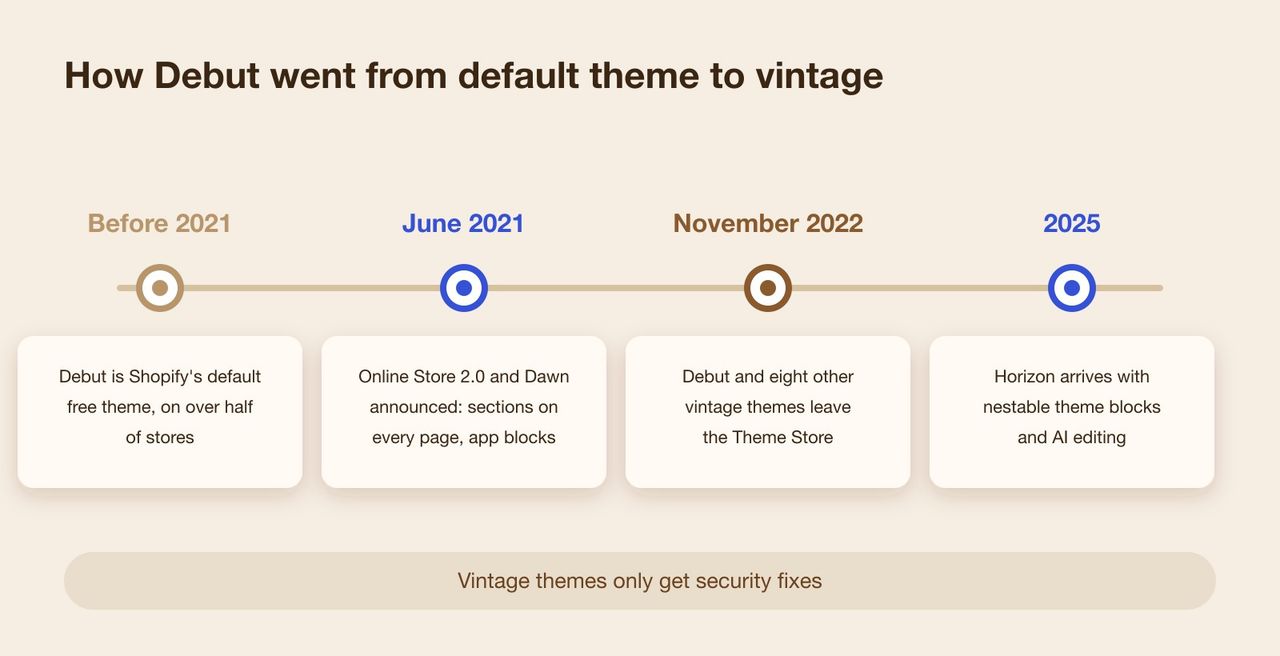
- If you still use it: your store keeps working. But Debut only gets security fixes, no new features, and you can't reinstall it from the Theme Store.
- No upgrade path: there is no "Debut 2.0" from Shopify. Moving to Online Store 2.0 means installing a new theme and rebuilding your pages.
- What to use instead: Horizon or Dawn if you want a free theme from Shopify, or a paid Online Store 2.0 theme if you need more built-in features.
What was the Debut theme?
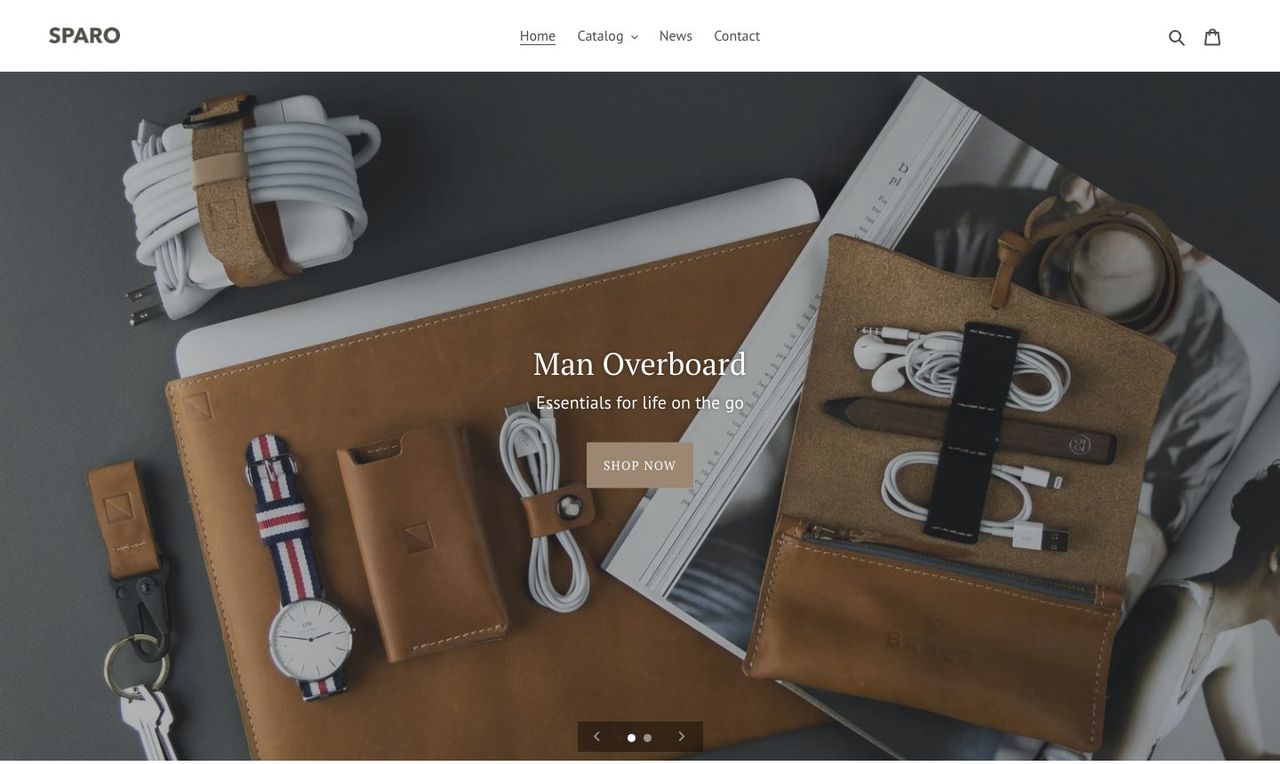
Debut was Shopify's free default theme for years. Every new store started on it, which is why it shows up in so many old tutorials, YouTube videos and Reddit threads. It was simple, clean and easy to set up: a homepage built from sections, a product page, collection pages and a cart.
Its reach was huge. In June 2021, Shopify described Debut as "the theme that more than half of merchants use today" in its Online Store 2.0 announcement(opens in a new tab). It is still everywhere: according to StoreInspect's State of Shopify report(opens in a new tab), 93,033 live Shopify stores still run on Debut, 3.1% of all stores it tracks (data as of November 22, 2026). That makes Debut the third most used Shopify theme, behind only Dawn and Horizon, four years after it left the Theme Store.
One common mix-up: Debut is not Debutify. Debutify is a separate, paid theme company whose name plays on Debut. When you search for "Debut theme", you will see both, but only Debut was made by Shopify.
Why Debut is no longer available
Debut didn't disappear because it was broken. It disappeared because Shopify changed the foundation every theme is built on.
June 2021: Online Store 2.0 and Dawn
At Shopify Unite on June 29, 2021, Shopify introduced Online Store 2.0, a new theme architecture. The same day, it released Dawn, its new free reference theme. Shopify said Dawn loads 35% faster than Debut and would "eventually be the new default theme for all new stores, replacing Debut."
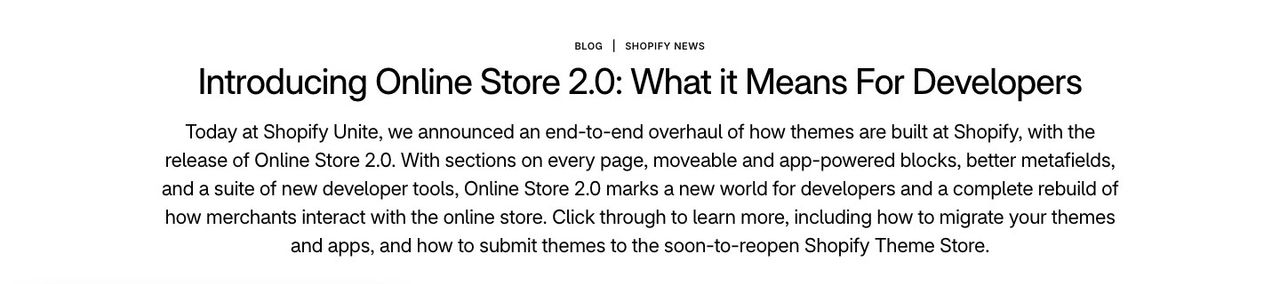
Online Store 2.0 changed four things that Debut's code couldn't follow:
- Sections on every page: in Debut, you could only add and reorder sections on the homepage. Product, collection and regular pages had fixed layouts unless a developer edited the code. Online Store 2.0 themes use JSON templates, so you can drag sections onto any page in the theme editor.
- App blocks: with Debut, many apps had to inject code into your theme files. Uninstalling the app often left that code behind. In 2.0 themes, apps add blocks you place and remove in the editor, with no code left over.
- Dynamic sources: 2.0 themes can connect section settings to metafields, so each product can show its own size guide, ingredients or video without custom code.
- Performance: Dawn was rebuilt with an HTML-first approach and far less JavaScript, which is where the "35% faster" figure comes from.
Upgrading Debut to support all this would have meant rewriting it almost entirely. Shopify chose to build new themes instead.
November 2022: Debut leaves the Theme Store
After shipping eleven new free 2.0 themes during 2022, Shopify removed its free vintage themes. A Shopify staff member confirmed it in the Shopify Community(opens in a new tab): "As of November 2022, the Debut theme along with eight other themes were removed from our theme store." The stated reason: to "concentrate our time and effort on supporting our new 2.0 themes."
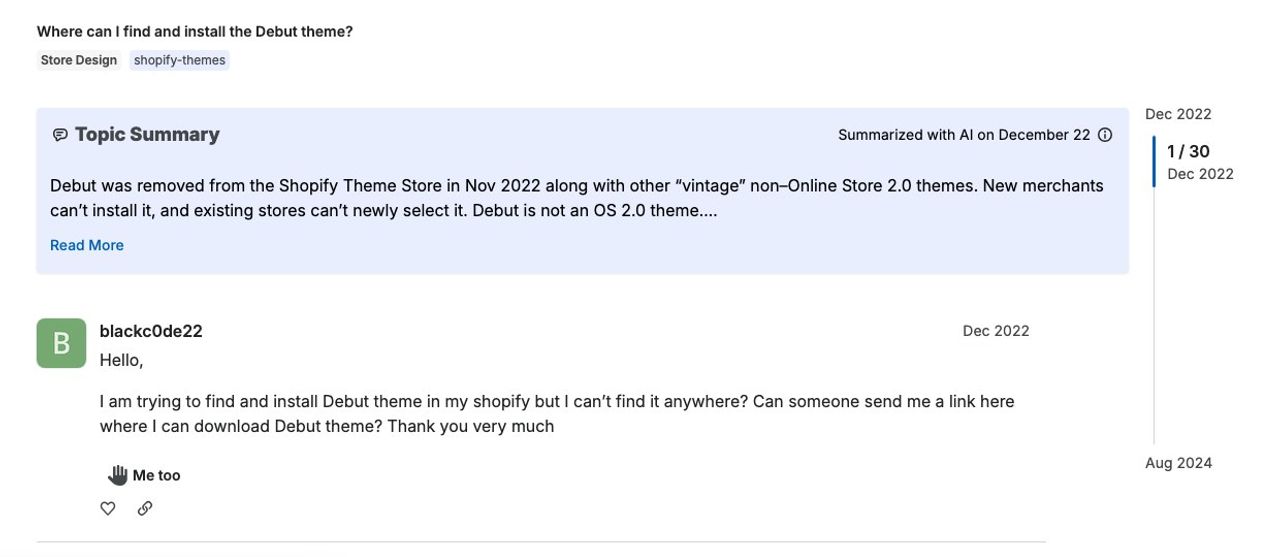
Concretely, that means new merchants can't create a store with Debut, and existing merchants can't add it to their theme library from the Theme Store anymore.
Debut vs Dawn vs Horizon vs Pops
Here is how Debut compares with the two free Shopify themes that replaced it, and with Pops, the Online Store 2.0 theme we develop.
Feature | Debut | Dawn | Horizon | Pops |
|---|---|---|---|---|
Developer | Shopify | Shopify | Shopify | Trafik Plus |
Price | Free | Free | Free | $400 one-time |
Architecture | Vintage | Online Store 2.0 | Online Store 2.0 with theme blocks | Online Store 2.0 with theme blocks |
Available on the Theme Store | No, removed in November 2022 | Yes | Yes | In review by the Theme Store team |
Sections on every page | No, homepage only | Yes | Yes | Yes |
App blocks | No | Yes | Yes | Yes |
Nestable theme blocks | No | No | Yes | Yes |
Updates | Security fixes only | Yes, by Shopify | Yes, by Shopify | Yes, by Trafik Plus |
Theme blocks are the newest layer on top of Online Store 2.0: blocks you can nest, move and reuse across sections. Our list of Shopify themes using theme blocks shows which themes support them today.
My store still runs on Debut: what happens now?
Nothing breaks overnight. Shopify did not force anyone off Debut. If Debut is your live theme, your store keeps selling. But the theme is frozen, and that has real consequences.
- Security fixes only: Shopify says its free vintage themes "don't receive updates beyond security fixes." No new features, no design updates.
- New Shopify features skip you: most features Shopify ships for the storefront, from app blocks to theme blocks and new section types, are built for Online Store 2.0 themes.
- Apps get harder to install: more and more apps rely on app blocks. On Debut, they need manual code edits or simply don't support the theme.
- Leftover code piles up: years of installed and removed apps often leave unused snippets in Debut's files, which can slow pages down.
Can you still download or reinstall Debut?
Only if you already have it. If Debut is in your theme library, you can duplicate it or download the theme file from the theme's menu in Online Store > Themes. If you deleted it, or you are starting a new store, the Theme Store won't give it back.
You will find "Debut free download" sites and unofficial copies on GitHub. Skip them. They are not from Shopify, they may contain modified code, and you would end up with a theme that is already years behind anyway.
How to move from Debut to an Online Store 2.0 theme
There is no one-click upgrade from Debut. Switching themes on Shopify doesn't touch your products, orders, customers or URLs, so your SEO is safe. What you rebuild is the design and anything that lives in the theme code.
- List what Debut does today. Take screenshots of every page type, note your homepage sections, and list the apps that show something on the storefront (reviews, upsells, size charts, chat).
- Find your custom code. Any change a developer made in Debut's files won't move to the new theme. Decide what to keep, what the new theme already does, and what you can drop.
- Add the new theme without publishing it. Install it from the Theme Store in your theme library. Your live store stays on Debut while you work.
- Rebuild your pages in the editor. Homepage, product, collection and content pages. This is where Online Store 2.0 pays off: you can now add sections to every one of them.
- Reconnect your apps. Turn on app embeds and add app blocks where they belong. Most apps detect 2.0 themes automatically.
- Test, then publish. Preview on mobile and desktop, place a test order, check translations and your menus. Keep Debut unpublished in your library as a backup for a few weeks.
For a small store with few customizations, this takes a day or two. For a store with years of custom code, plan more time, or ask a Shopify partner to handle it.
Which theme to choose instead of Debut
Horizon is the closest thing to a new Debut: free, made by Shopify, and the base of its newest family of free themes. It is built on theme blocks, so it is the most flexible free option. Read our Horizon theme review before you pick it.
Dawn is Debut's direct successor: minimal, fast and familiar to most Shopify developers and apps. It is a safe choice if you want something simple. Our Dawn theme guide covers its features and image sizes.
A paid theme makes sense if you need features free themes don't have, such as a bundle builder, advanced product pages or a distinctive design, without paying for extra apps. Our guide to choosing the best Shopify theme walks through the criteria.
If you sell food, drinks or beauty products, Pops(opens in a new tab), the theme we develop, is built for those brands, with a build-a-box bundle builder, a page colour per variant and playful animations.
FAQ
Is the Shopify Debut theme still available?
No. Shopify removed Debut from the Theme Store in November 2022. You can't install it on a new store or add it to your theme library from the Theme Store. Stores that already use it can keep it.
Why did Shopify remove the Debut theme?
Because Debut was built on Shopify's old theme architecture. Online Store 2.0, launched in June 2021, added sections on every page, app blocks and dynamic sources. Shopify replaced Debut with Dawn and retired its vintage themes to focus on 2.0 themes.
Can I still use Debut on my Shopify store?
Yes, if it's already installed. Your store keeps working, but Debut only receives security fixes, gets no new features, and works with fewer and fewer apps.
Is there a Debut theme for Online Store 2.0?
Not from Shopify. Shopify never released a 2.0 version of Debut. Dawn is its official successor. Some developers published unofficial 2.0 forks on GitHub, but they are not supported by Shopify.
Will changing from Debut to a new theme hurt my SEO?
Not if you do it carefully. Changing themes doesn't change your URLs, products or content. Check that your titles, meta descriptions and headings still display correctly, and that the new theme is fast on mobile.
Is Debutify the same as the Debut theme?
No. Debut was Shopify's free theme. Debutify is a separate company selling paid Shopify themes. The names are similar, the products are not related.
Keep reading

Cart Drawer vs Cart Page on Shopify: Which One Converts Better? (2026)
Cart drawer or cart page? What A/B tests and CRO research say about conversion, plus how native upsells change the answer.

Shopify Page Builder in 2026: Is It Worth It? 10 Apps Compared With Real Data
Is a Shopify page builder worth it? We priced 10 apps over three years and read 295 one- and two-star reviews to find out when a builder pays off, and when your theme is enough.

Shopify Speed Optimization: How to Speed Up Your Store and Keep It Fast
Why Shopify stores slow down, how to read the Web performance report, and 10 fixes to speed up your theme and keep it fast, from apps and images to Liquid.