
Best Shopify Themes in 2026: How to Choose One on the Theme Store

Summarize this article with AI


Free or paid, Horizon or Prestige: 7 criteria to choose a Shopify theme on the Theme Store, how to try it before buying, and our 6 best Shopify themes for 2026.
The Shopify Theme Store(opens in a new tab) lists 1,312 themes in October 2026: 24 free ones, made by Shopify, and 1,288 paid ones, sold for $150 to $500 by independent developers. In screenshots, they all look alike. Yet a bad pick is expensive: a paid theme cannot be refunded, and switching later means rebuilding your whole store layout.
This guide explains how to choose a Shopify theme (also called a Shopify template) using seven criteria, what you risk when you buy a theme outside the Theme Store (ThemeForest, Shrine, Debutify), how to try a paid theme before you buy it, and which free and paid themes are the best Shopify themes in 2026.
In short: for a first store on a tight budget, start with a free theme from the Horizon family. If you need specific features (mega menu, quantity discounts, color swatch filters), filter the Theme Store by feature, try two or three paid themes with your own products, then buy the one that shows off your photos best. Prestige and Impulse are the highest-rated paid themes in our selection.
Disclosure: Trafik Plus develops the Cama theme, sold on the Theme Store, and the Pops theme. Cama is included in the selection using the same criteria and the same data as the others.
Shopify theme vs Shopify template: what’s the difference?
None, in everyday use. “Shopify template” is another name for a theme: the set of files that defines how your store looks (layout, fonts, colors, sections). Your products, collections, customers and orders are not part of the theme. They stay in the Shopify admin when you switch themes.
Inside the theme editor, “template” has a narrower meaning: it is the layout for one type of page (product page, collection, content page). A theme therefore contains several templates.
What a Shopify Theme Store theme guarantees
Before it goes on sale, every Theme Store theme goes through a review by Shopify. The requirements published for developers(opens in a new tab) include:
- an average Lighthouse performance score of at least 60 across the home page, a product page and a collection page, on both mobile and desktop.
- an average Lighthouse accessibility score of at least 90 on those same pages.
- JSON templates on every page, meaning sections you add and move around in the editor without touching code.
- support for app blocks on the product page, so you can add an app without editing the theme.
- unit price display, required for some products in the European Union, plus a language and currency selector when you sell in several markets.
This review takes time. Between the start of a theme’s development and its launch on the Theme Store, expect 1 to 3 years. The review itself lasts several months, usually 2 to 9, and longer when the theme does not follow Shopify’s rules in the first rounds of back-and-forth with the review team. A Theme Store theme has been checked, fixed and approved before it reaches you.
A theme bought outside the Theme Store, on a marketplace like ThemeForest or on a vendor’s own site, has not necessarily passed these checks. That is the first difference, but not the only one.
Theme Store or third-party theme (ThemeForest, Shrine, Debutify)?
The Theme Store is not the only place to buy a Shopify theme. Marketplaces like ThemeForest (Envato) and vendors selling on their own site, such as Shrine (and Shrine Pro) or Debutify, offer themes often marketed as “conversion-optimized”. Shopify lets you install them: you upload the theme’s .zip file(opens in a new tab) to your theme library. But you give up part of what the Theme Store guarantees.
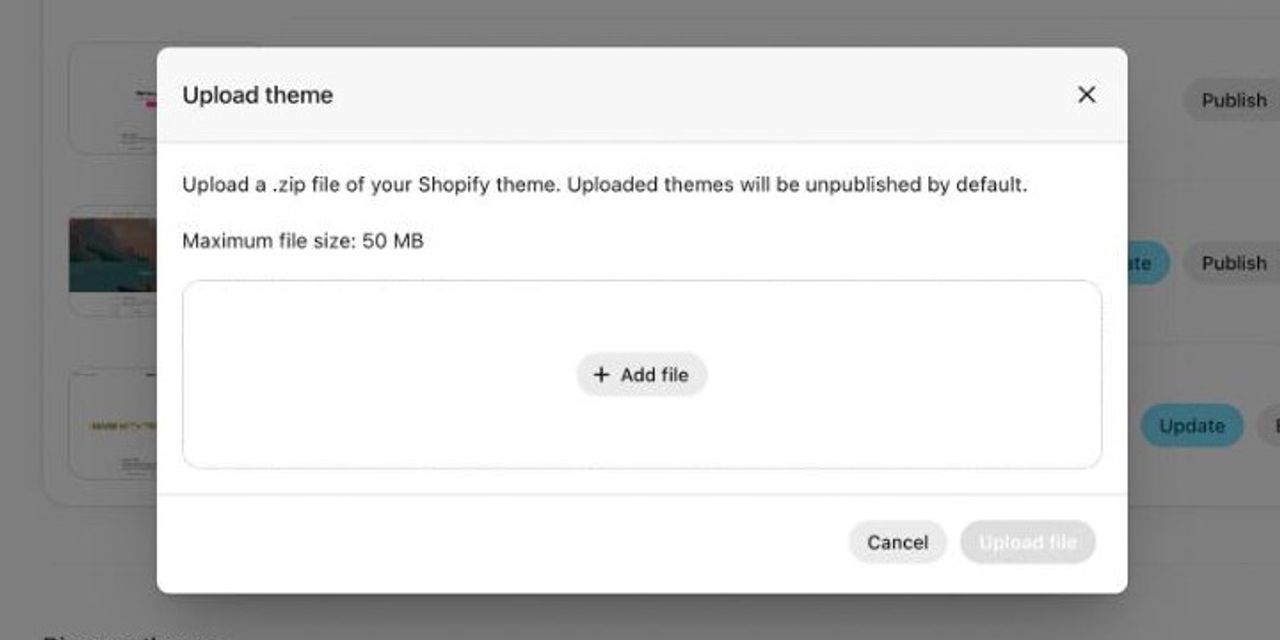
What you lose by buying outside the Theme Store
- Shopify’s review. The performance and accessibility thresholds above only apply to themes sold on the Theme Store. On the Shopify Community(opens in a new tab), a support staff member puts it plainly: “Themes available for purchase in the Theme Store are vetted and approved for sale by Shopify.”
- Help from Shopify Support. In the same thread, they warn that if something goes wrong with a theme bought elsewhere, “our team is not able to assist as these are not approved themes”.
- Updates from the admin. Shopify’s Help Center(opens in a new tab) states that updates are not supported for third-party themes bought outside the Theme Store. You get each new version from the vendor and carry your settings over by hand, unless the vendor has built its own update tool.
- The free trial with your products. The “Try theme” button only exists on the Theme Store. Elsewhere, you judge from a demo, then you pay.
- Reviews the vendor does not control. On the Theme Store, negative reviews stay visible on the theme listing. A vendor’s site shows the testimonials it chooses.
What Trustpilot reviews say about third-party theme vendors
We read these vendors’ negative reviews on Trustpilot in October 2026. Several describe problems that buying on the Theme Store would have avoided, or at least made visible before paying.
- Shrine (3.9 out of 5 from 54 reviews(opens in a new tab)): in December 2025, Marco Ianneci reported that “Shrine has been down for 2 days and customers can't checkout on stores.(opens in a new tab)” Meng Qiu (August 2024) had paid for lifetime support: “they stopped responding to my emails 1 month ago(opens in a new tab)”. Another customer, Ben B, concludes: “I don’t feel this theme offers enough value compared to Shopify Theme Store themes(opens in a new tab)”.
- Debutify (4.4 out of 5 from 9,620 reviews(opens in a new tab)): the rating is good, but the negative reviews target the subscription. Theo Mokibe (April 2026) was charged $261 at the yearly renewal, with no refund: “Their entire business model seems to depend on customers forgetting to cancel before the yearly auto-renewal hits.(opens in a new tab)” Troveo (September 2026) calls it the “WORST theme in loading speed(opens in a new tab)” and says they paid a developer another $150 to speed it up.
A vendor outside the Theme Store is not bad by default, but the checks Shopify runs on the Theme Store become your job. On the Theme Store too, a paid theme cannot be refunded. The difference: you tried it with your products before paying, you pay once, and Shopify has checked its speed and accessibility.
Criterion | Shopify Theme Store | ThemeForest and vendor sites |
|---|---|---|
Reviewed by Shopify | Yes: performance, accessibility, JSON templates | No |
Try before you buy | Free, with your own products | Usually a demo only |
Updates | From the Shopify admin | Downloaded from the vendor |
Help from Shopify Support | Possible | No: vendor only |
Payment | One-time, $150 to $500 | One-time or subscription, depending on the vendor |
Reviews | On the listing, negative ones included | Picked by the vendor on its own site |
If you still buy a third-party theme
- Check that it is an Online Store 2.0 theme (JSON templates, app blocks) and look at the date of its last update.
- Read the refund, license (one store or several) and support terms: duration, renewal price, subscription or one-time payment.
- Read its one- and two-star Trustpilot reviews, not just the overall rating.
- Test the speed of a live store already using it with PageSpeed Insights, not the demo.
- Stay away from “cracked” or “nulled” versions sold at a discount: see below for what Shopify does with unlicensed themes.
Free vs paid Shopify themes: which should you choose?
Free Shopify themes
The 24 free Shopify themes(opens in a new tab) are all made by Shopify. About ten of them form the Horizon family, launched with the Summer ’25 Edition: Horizon, Atelier, Tinker, Fabric, Heritage, Dwell, Pitch, Savor, Ritual… They share the same code, based on theme blocks, which nest inside each other and can be reused on every page. Dawn, the former default theme, is still available and maintained.
Their weak spot: reviews. Horizon shows 36% positive reviews out of 210(opens in a new tab), Dawn 36% out of 290(opens in a new tab). Read the recent negative reviews: they show what the theme lacks for a store like yours.
Premium (paid) Shopify themes
A premium theme costs $150 to $500 on the Theme Store, as a one-time payment: no subscription. In return, you get more built-in features (so fewer apps to pay for every month), several presets and support from the developer. To see where that amount sits in your total budget, use our Shopify cost calculator.
Free theme | Paid theme | |
|---|---|---|
Price | $0 | $150 to $500, one-time |
Made by | Shopify | An independent developer |
Number on the Theme Store | 24 | 1,288 |
Built-in features | The essentials | More: fewer apps to add |
Presets | One per theme | Often two to five |
Support | Shopify | The theme developer |
Before publishing | Nothing to pay | Free trial, purchase required to publish |
Refund | Not applicable | No: final sale |
Our advice: a free theme is enough to validate an idea. Move to a paid theme once you start adding apps to make up for what the theme lacks: two or three $10-a-month subscriptions cost more than a theme within a year or two.
How to choose a Shopify theme on the Theme Store: 7 criteria
A note on the numbers below: the Theme Store counts each preset (a style variant of the same theme, with its own colors, fonts and layout) as a separate theme. Its 1,312 listings add up to about 350 distinct themes, 354 as of October 12, 2026 according to the shopinfo.app directory(opens in a new tab). The theme counts shown by the filters include presets too.
1. Start from the size of your catalog
The Theme Store’s “Catalog size” filter on the Theme Store(opens in a new tab) sorts themes by number of products: a single product (27 themes), 2 to 10 (101), 11 to 100+ (867), more than 500 (317). A one-product store needs a long product page that tells the product’s story. A 500-SKU catalog needs filters, a mega menu and fast search.
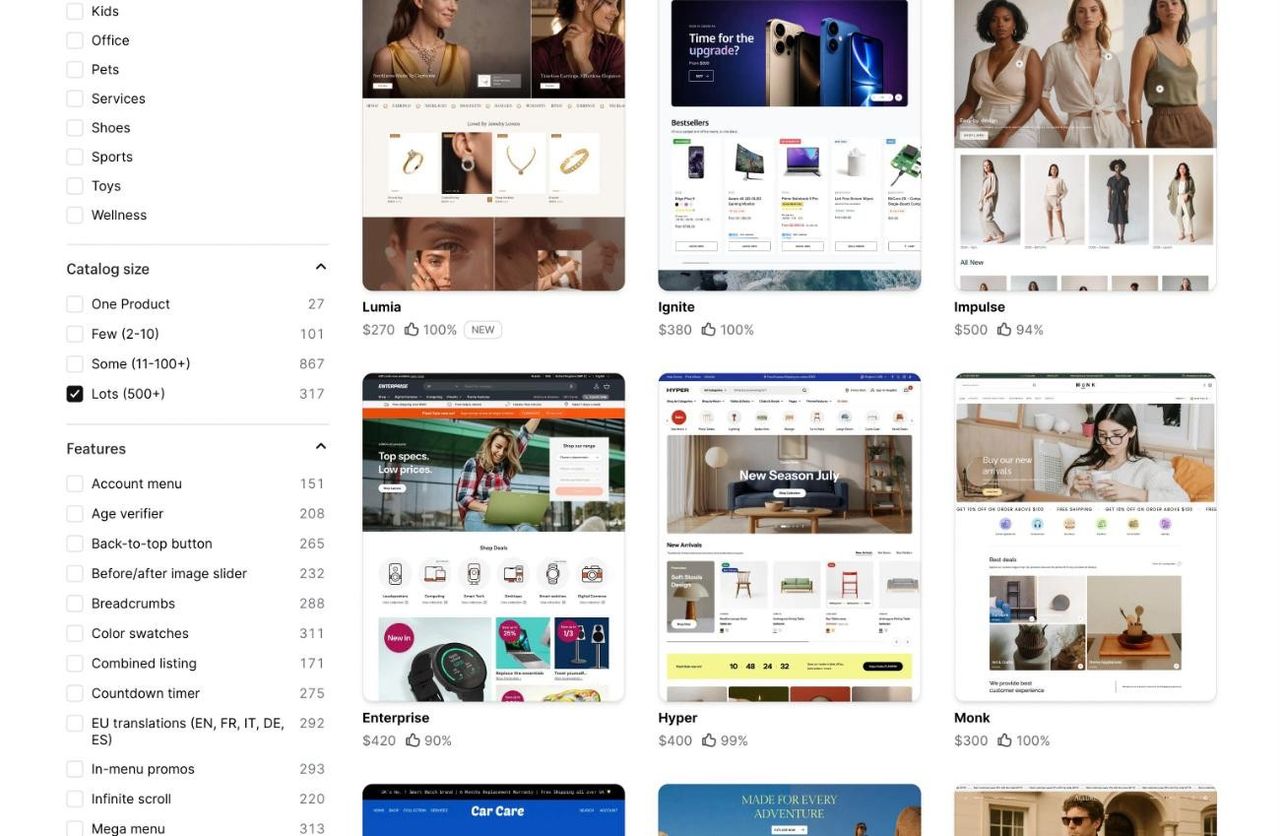
Your industry matters too: the “Industry” filter offers 20 industries. For examples by industry, see our picks of themes for beverage brands and our Pops vs Shapes comparison for food and beauty.
2. Filter by the features you need
List what your store must do at launch, then tick those features in the “Features” filter. In October 2026, 1,262 themes offer a mega menu and 1,119 offer swatch-based collection filters, but only 433 handle quantity discounts (“Quantity pricing”) and 329 a quick order list for B2B customers.
Selling across Europe? Tick “EU translations (EN, FR, IT, DE, ES)”: 1,184 themes ship with their buttons and messages already translated.
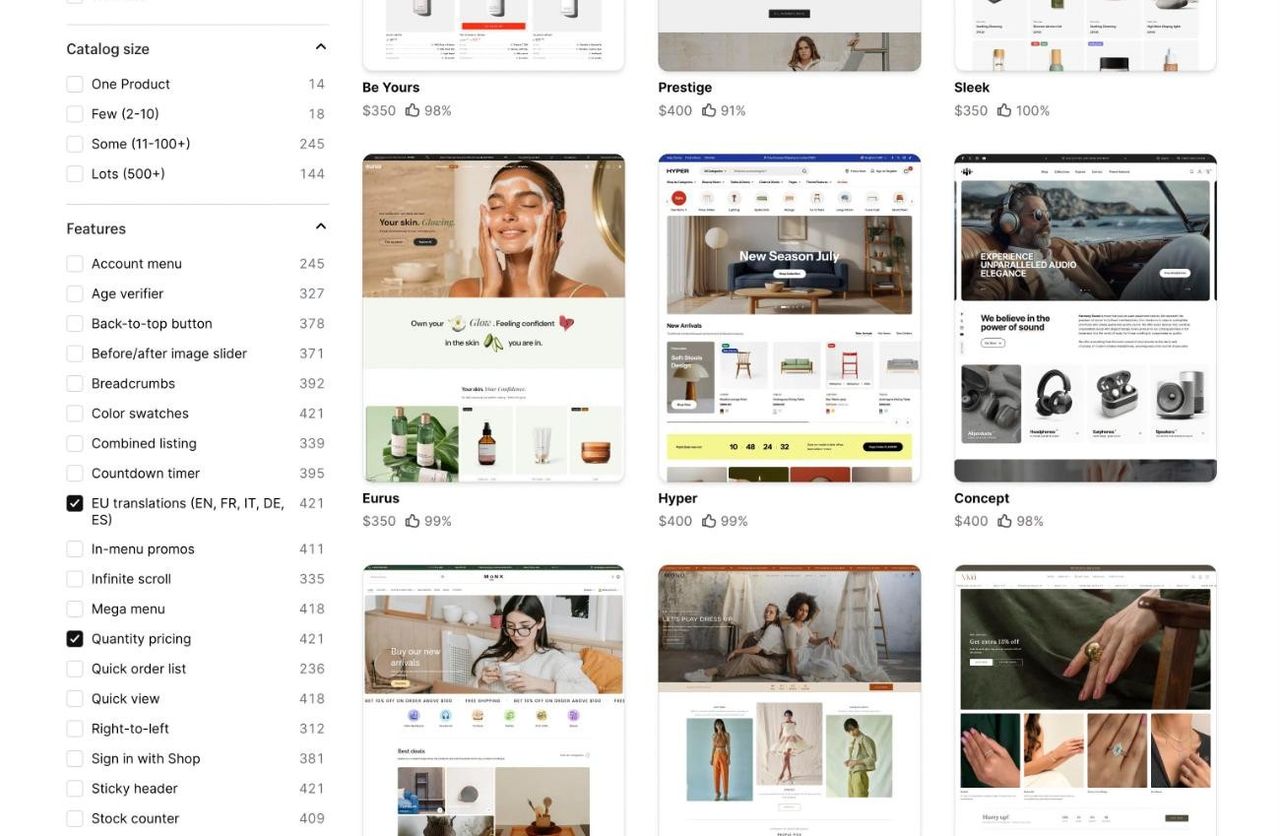
Every feature built into the theme, like a sticky add-to-cart bar or predictive search, is one less app to install: fewer subscriptions and a faster store.
3. Read the reviews, especially the negative ones
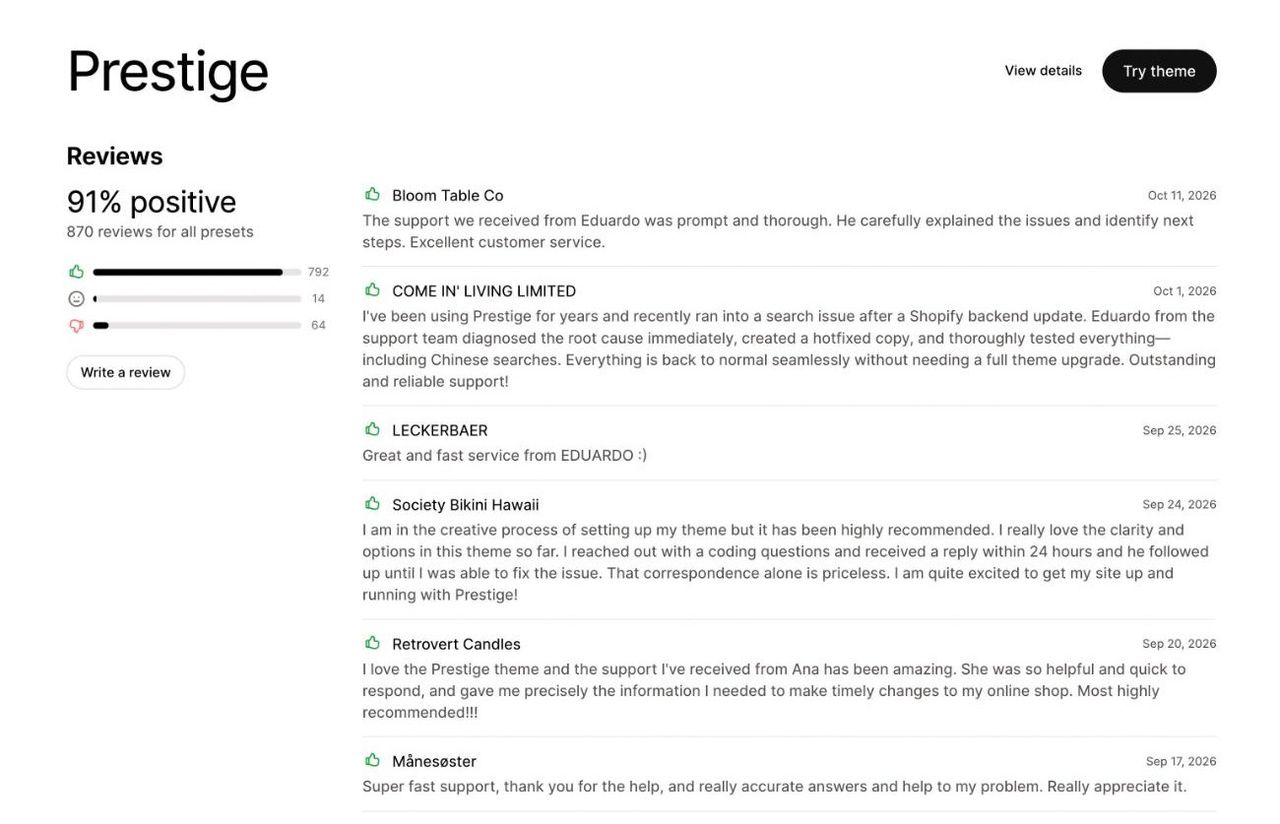
Each listing shows a percentage of positive reviews and the number of reviews. 94% out of 1,303 reviews carries more weight than 100% out of 5. Then read the negative reviews: if they mention unfixed bugs or unresponsive support, move on. Also check whether the developer replies to criticism.
4. Check that the theme is maintained
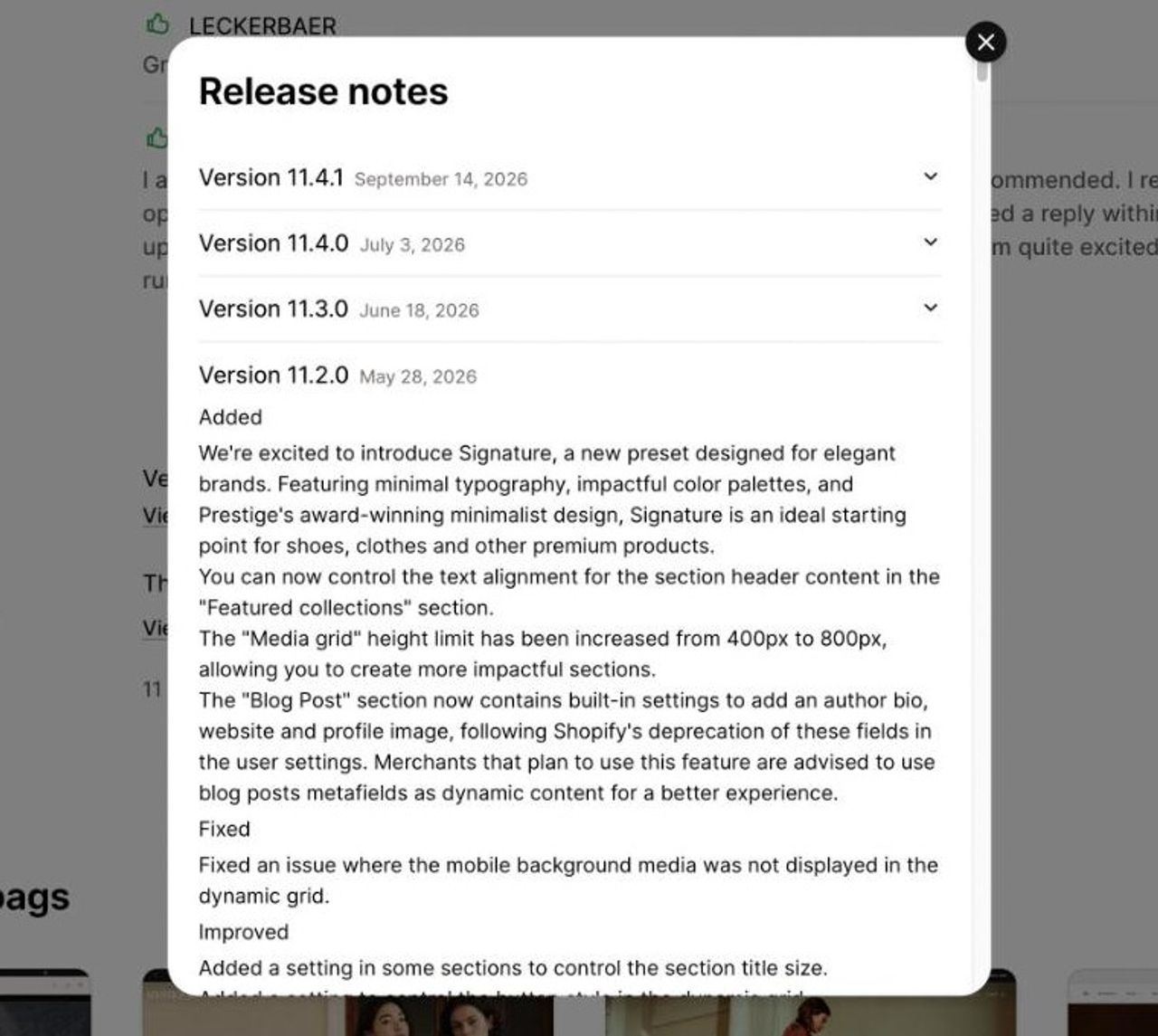
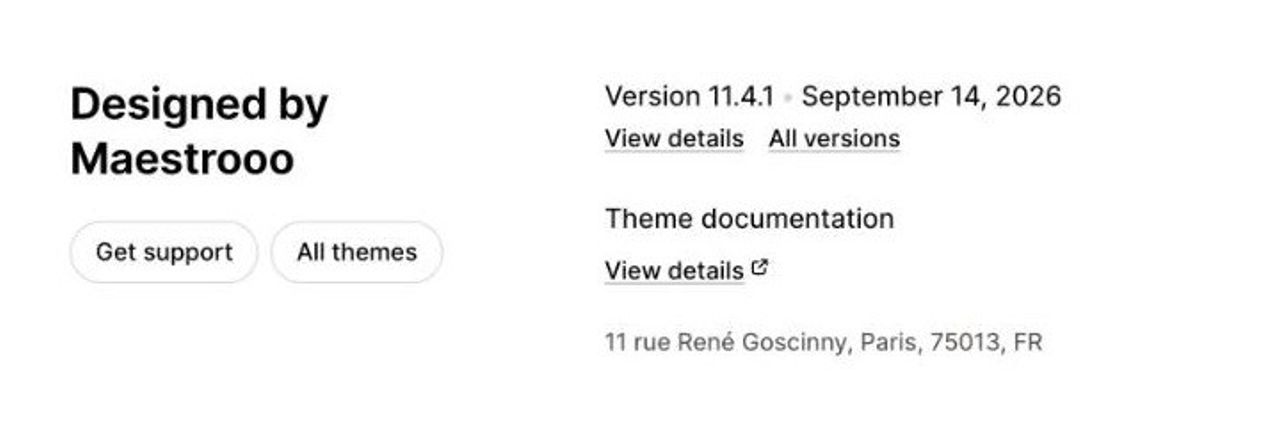
The listing shows the latest version number and its date. Prestige(opens in a new tab) moved to version 11.4.1 on September 14, 2026, Impulse(opens in a new tab) to version 10.0.0 on October 9, 2026. A regularly updated theme keeps up with Shopify’s new features and fixes its bugs.
To compare at a glance, the shopinfo.app(opens in a new tab) directory lists Theme Store themes with their current version and the date of their last update. Sort by update date and filter by catalog size, minimum rating or feature: themes that have not moved in over a year, or are marked “Retired”, stand out.
5. Test the theme with your own content
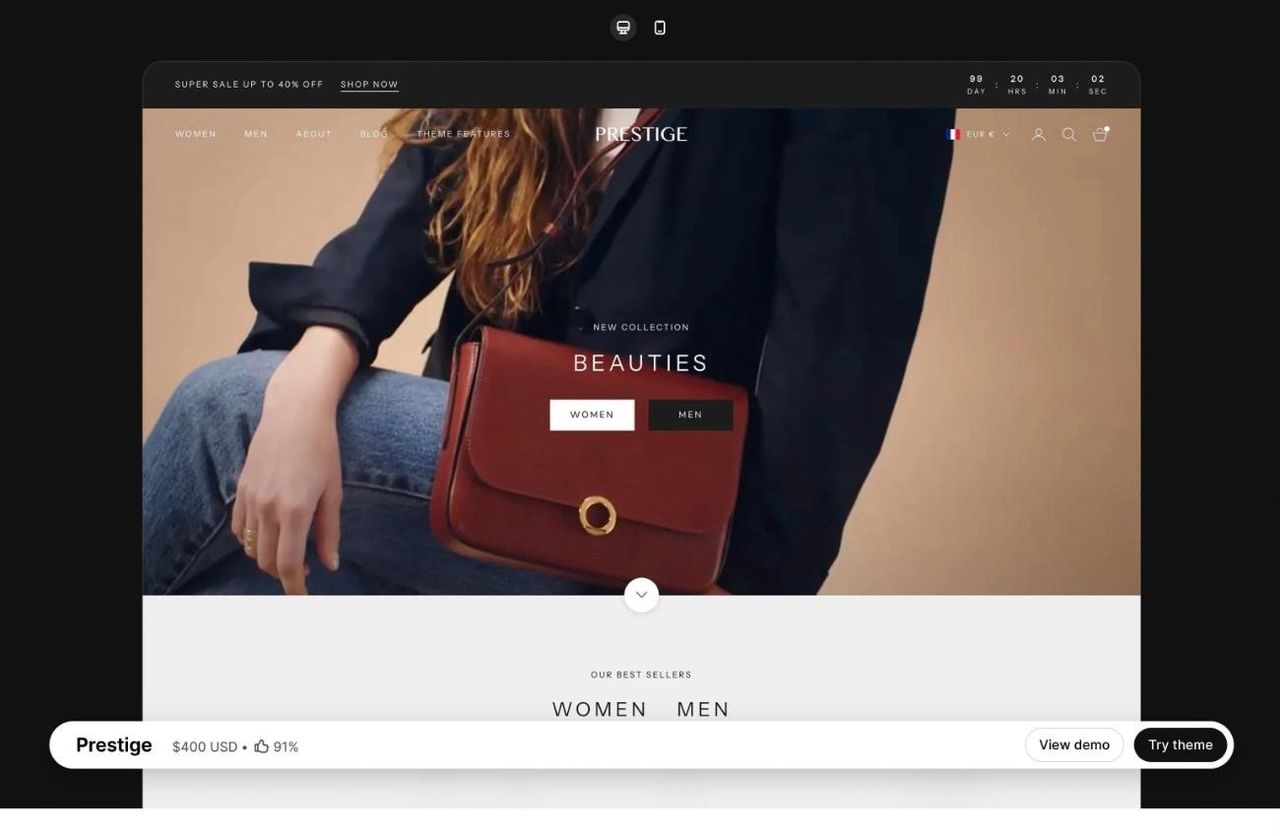
The performance threshold Shopify requires is measured on the demo store, with its professional photos. Your images, videos and apps will change the result. During the trial, add your real products and check the preview on your phone: that is where most of your customers will see it. Once the theme is live, measure real-world speed with PageSpeed Insights(opens in a new tab).
6. Look at the documentation and support
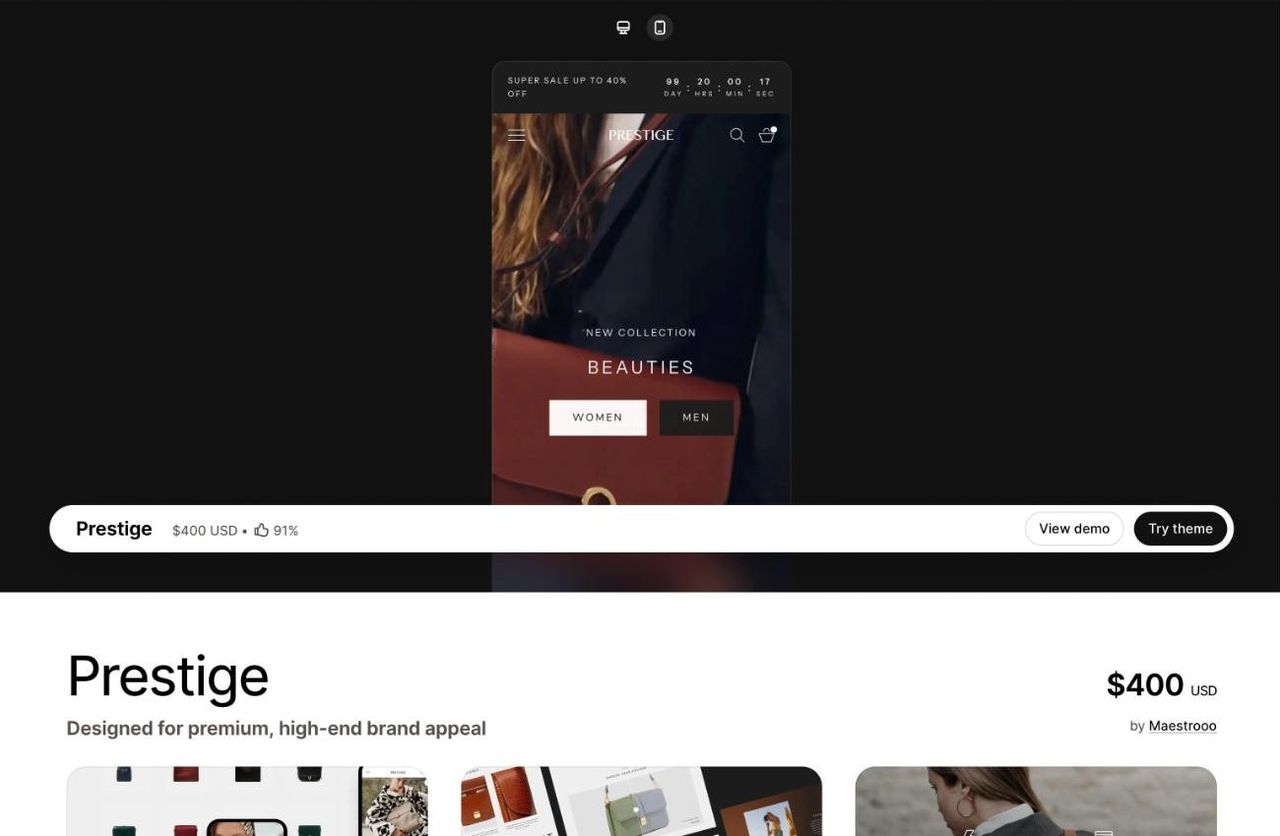
Support for a paid theme is provided by its developer, not by Shopify, as Shopify’s Help Center(opens in a new tab) points out. Open the documentation before buying: if it is clear and up to date, you will find most answers on your own. Theme developers do not do custom work. For that, you need a Shopify developer or agency.
7. Try the theme before you buy it
This is the criterion that settles it between finalists, and it is free. The steps are right below.
How to try a paid Shopify theme before buying it
- On the theme’s Theme Store listing, click “Try theme”. The theme is added to your theme library, marked as a trial.
- Open the editor and replace the demo content with your products, photos and logo.
- Compare several themes: Shopify lets you try up to 19 at the same time.
- Buy the theme you pick. You can only publish it after purchase.
Three rules to know before paying, all from Shopify’s Help Center(opens in a new tab):
- theme purchases are final sales: the developer cannot refund you.
- a theme is licensed for the single store you bought it for.
- during the trial, you cannot edit the theme’s code.
Your theme library holds up to 20 themes on the Basic, Grow and Advanced plans, and 100 on Shopify Plus. Delete abandoned trials to make room.
The best Shopify themes in 2026: our picks
We picked six themes based on their Theme Store listing data as of October 13, 2026: two free and four paid. On a tight budget, also see our selection of Shopify themes for small businesses.
Theme | Price | Positive reviews | Developer | Best for |
|---|---|---|---|---|
Horizon | Free | 36% (210 reviews) | Shopify | Launching a store with no theme budget |
Dawn | Free | 36% (290 reviews) | Shopify | Stores already built on Dawn |
Cama | $240 | 86% (7 reviews) | Trafik Plus | DTC brands getting started |
Impact | $400 | 85% (200 reviews) | Maestrooo | Bold, visual brands and large catalogs |
Prestige | $400 | 91% (870 reviews) | Maestrooo | Premium brands: fashion, beauty, jewelry |
Impulse | $500 | 94% (1,303 reviews) | Archetype Themes | Varied catalogs and frequent promotions |
Horizon: the best free Shopify theme
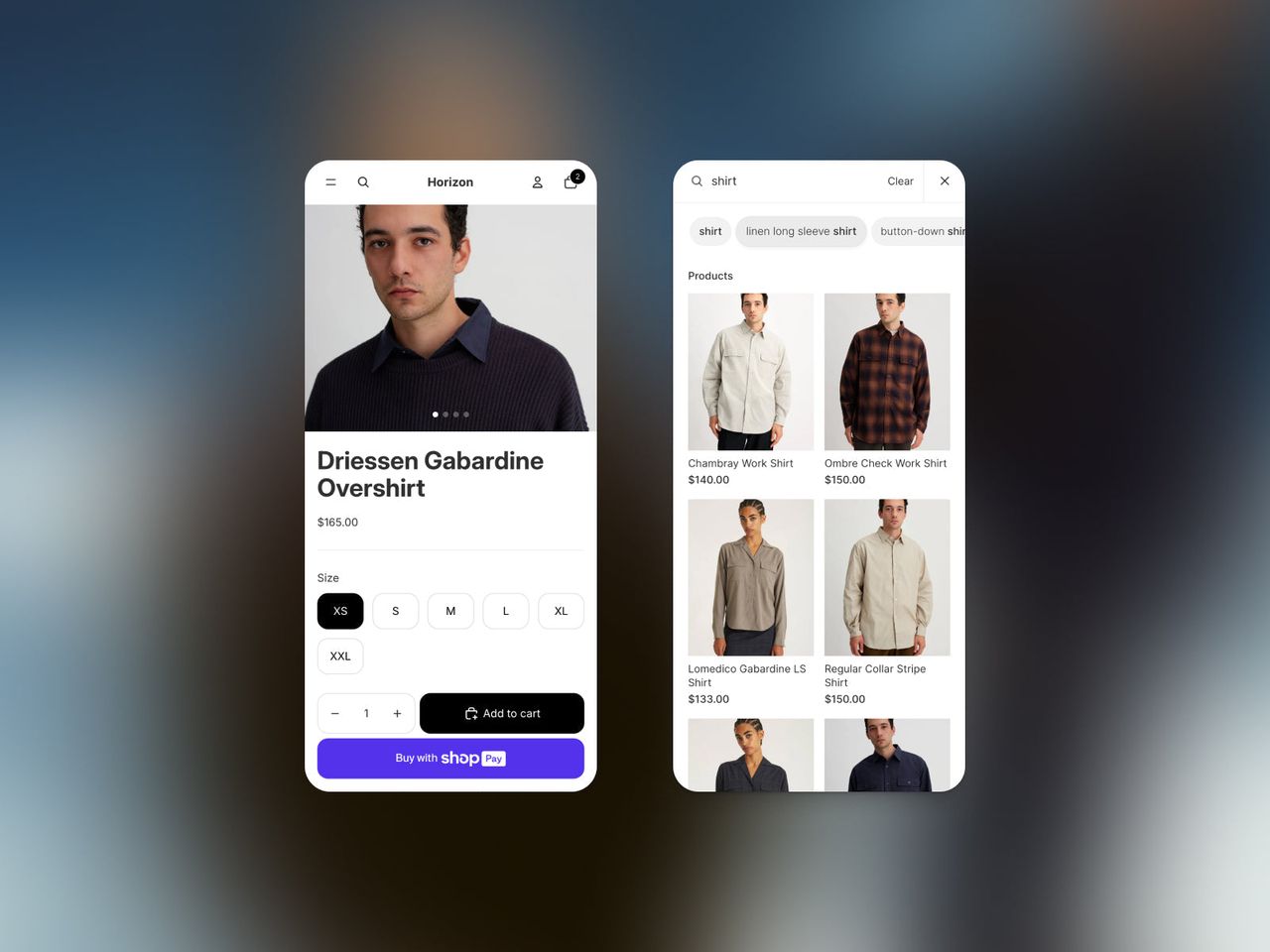
Horizon(opens in a new tab) is the base of the free theme family Shopify launched in 2025. Everything is built with theme blocks: you compose each section in the editor, without code. According to StoreLeads data cited by GemPages(opens in a new tab), 42,736 active stores were using it two months after launch. Shopify updates it often (version 4.3.0 on October 9, 2026). To see which paid themes also use this system, check our list of Theme Blocks compatible themes.
Its 36% positive reviews are a reason to test it before building your whole store on it.
Dawn: the former default theme
Dawn(opens in a new tab) was for a long time the theme installed by default on every new store. It is simple, fast and well documented, and Shopify still maintains it (version 16.1.0 on October 9, 2026). For a new store, go with Horizon. If yours already runs on Dawn, there is no rush.
Cama: our theme for DTC brands
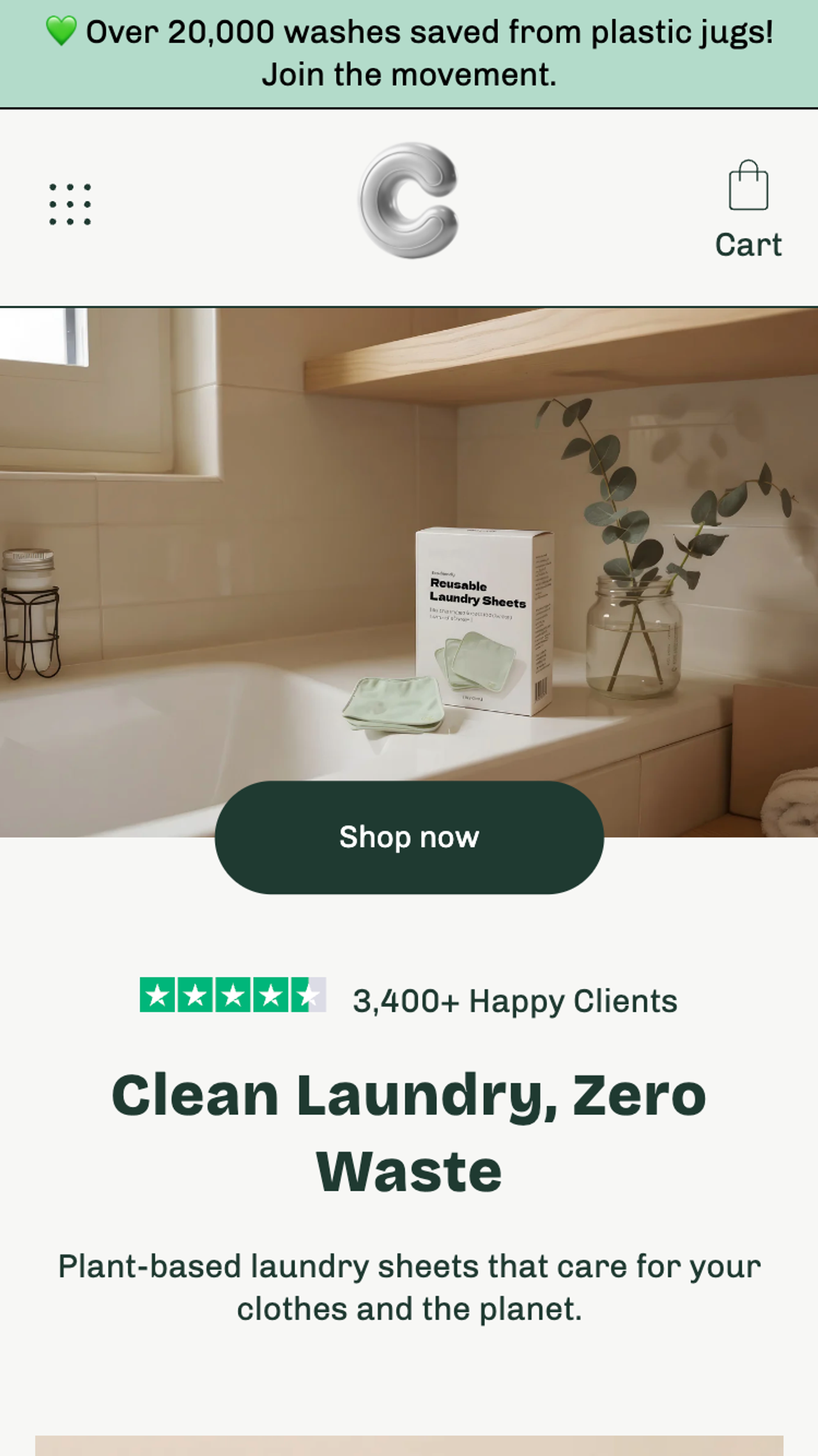
Cama(opens in a new tab) is Trafik Plus’s theme, sold for $240. It targets direct-to-consumer (DTC) brands getting started, with three presets (Cama, Vanity, Critter) and more than 20 reusable sections. Around a hundred brands have used it since 2023. Its limit: only 7 reviews on the Theme Store (86% positive), too few to judge on the rating alone. Try it for free from its overview page, or browse all our themes.
Impact Shopify theme: for bold, visual brands
Impact(opens in a new tab) is made by Maestrooo, the studio behind Prestige, and costs $400. Its 85% positive reviews out of 200 and its latest update in July 2026 (version 7.2.0) make it a safe bet for a brand that relies on large images and big headlines.
Prestige Shopify theme: for premium brands
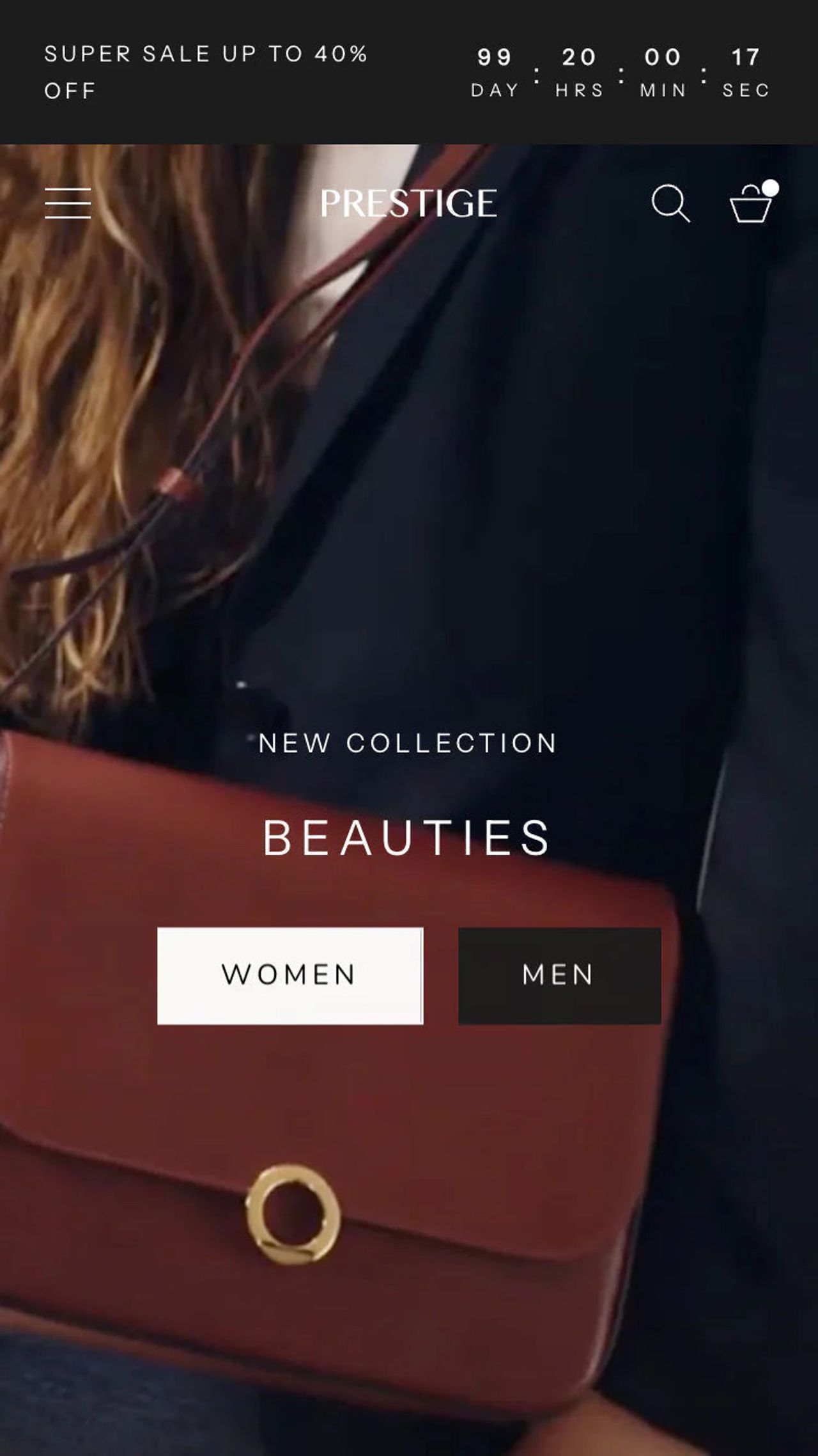
Prestige(opens in a new tab) is one of the most searched-for paid themes by name. Sold for $400 by Maestrooo, it has 91% positive reviews out of 870 and several presets designed for fashion, beauty and jewelry (Couture, Vogue, Strass, Signature…).
Impulse Shopify theme: the highest-rated pick
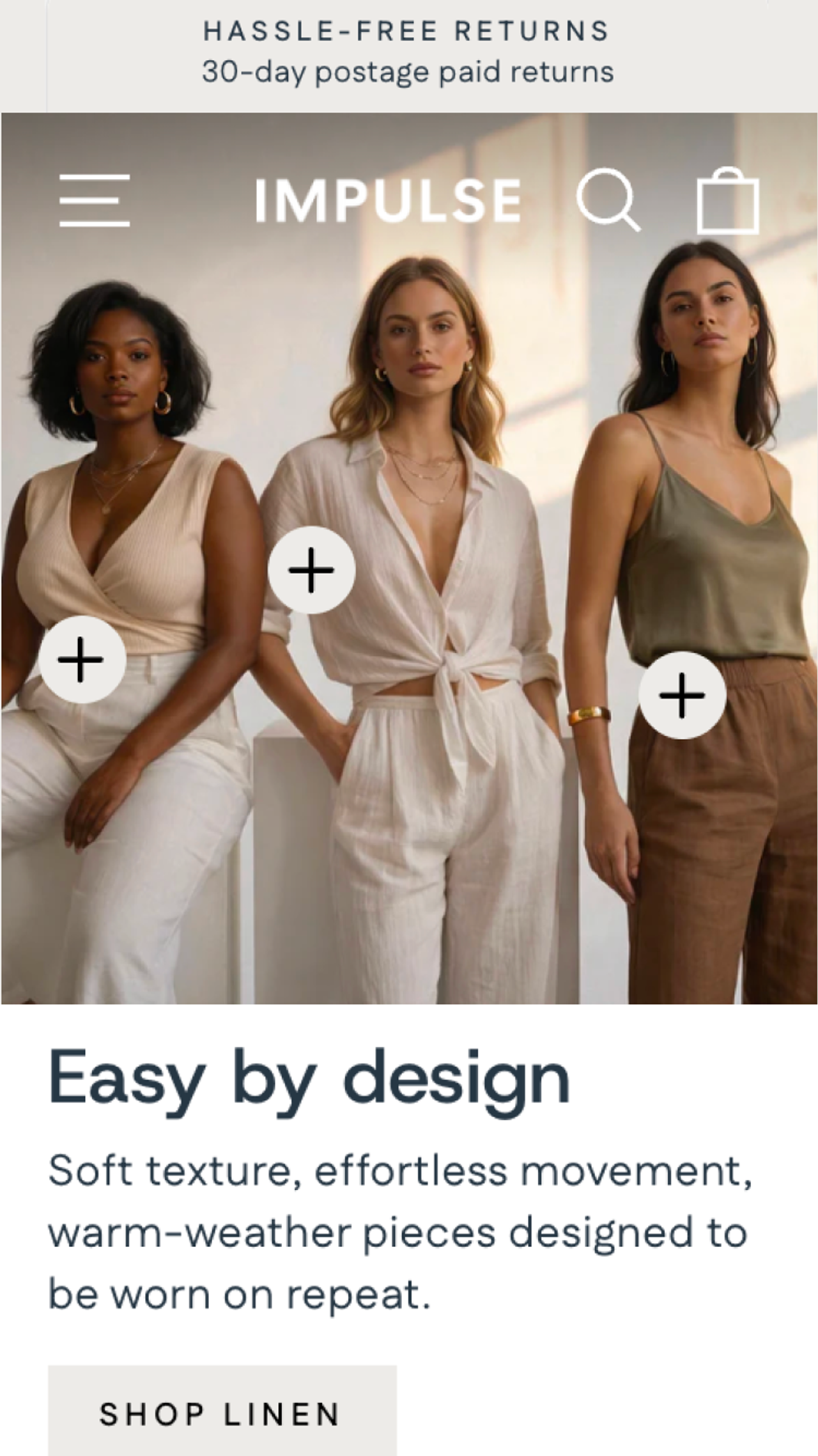
Impulse(opens in a new tab), by Archetype Themes, is the most expensive theme in the selection ($500) and the highest rated: 94% positive reviews out of 1,303. It suits varied catalogs and stores that run frequent promotions.
Shopify theme detector: how to find out which theme a store uses
Spotted a store whose design you like? Open it in your browser, view the page source (Ctrl+U, or Cmd+Option+U on a Mac) and search for “Shopify.theme”.
That line holds two useful pieces of information: schema_name, the original theme’s name, and theme_store_id, its Theme Store number. The “name” field is not enough, because merchants often rename their theme. For example, a store whose theme is called “PUREPOUSSE // KNR” shows schema_name “Dawn”: it is Shopify’s free theme, customized.
Browser extensions such as Koala Inspector(opens in a new tab) do the same in one click and also list the apps they detect.
Mistakes to avoid
- Downloading a “free” or “cracked” paid theme. Shopify detects unlicensed themes(opens in a new tab): you cannot customize or publish them, they get no updates, and the account can be temporarily restricted.
- Choosing from the demo. Demo stores use studio photos. Judge the theme with your own images.
- Making up for a feature-poor theme with apps. Each app adds a subscription and more code to load.
- Switching themes every six months. Sections and settings do not carry over from one theme to another: every switch means rebuilding your pages.
Frequently asked questions
What is the best free Shopify theme?
Horizon, for a new store: it is the base of the free theme family Shopify launched in 2025, built on theme blocks. Dawn is still a good choice if your store already runs on it.
How much does a Shopify theme cost?
Themes made by Shopify are free. Paid themes on the Theme Store (1,288 listings, presets included) cost $150 to $500, paid once rather than every month.
Can I install a theme bought on ThemeForest or from Shrine?
Yes: you upload its .zip file to your theme library. But Shopify has not reviewed it, its updates do not come through the Shopify admin, and Shopify Support cannot help if something goes wrong. Check the license, the refund terms and the vendor’s Trustpilot reviews before you pay.
Can I change my Shopify theme without losing my products?
Yes. Products, collections, customers and orders stay in the Shopify admin. The layout, sections and theme settings do not carry over, though: you have to rebuild your pages in the new theme.
Can I get a refund on a Shopify theme?
No. Shopify’s Help Center states that theme purchases are final sales and that the developer cannot refund them. That is why you should try the theme with your own products before paying.
Can I use a purchased Shopify theme on several stores?
No. A theme is licensed for the single store it was bought for. A transfer is possible if you own both stores, with the same email address, and close the original store.
How many Shopify themes can I try at the same time?
Up to 19 paid themes in trial at once. Your theme library is limited to 20 themes on the Basic, Grow and Advanced plans, and to 100 on Shopify Plus.
How can I tell which theme a Shopify store uses?
Open the store’s page source and search for “Shopify.theme”. The schema_name value is the original theme’s name and theme_store_id is its Theme Store number. Browser extensions such as Koala Inspector do the same in one click.

Keep reading

Shrine Theme Alternative: Pops vs Shrine vs Shrine Pro (2026)
Shrine vs Shrine Pro vs Pops: what $149 and $349 buy you, where Shrine wins, and why a Theme Store theme built on theme blocks can be the better Shrine alternative.

Pops vs Shapes: Shopify Theme Review and Comparison for Food, Drink and Beauty Brands (2026)
Our Shapes Shopify theme review next to Pops, its closest rival: pros and cons, features and price, with a full comparison table.

Top 5 Shopify themes for beverage brands (2026)
Which Shopify theme suits a drinks or canned beverage brand in 2026? Our top 5, from Pops and Local to Shapes, Savor and Release, with prices and features.