
Black Friday Cart Optimization: 12 Ways to Turn Your Shopify Cart Drawer Into a Sales Tool

Summarize this article with AI


How to set up your Shopify cart for Black Friday: a tiered rewards bar, automatic discounts, in-cart upsells, add-ons, honest urgency and a pre-launch test plan.
On Black Friday, most shoppers arrive already knowing what they want. The cart decides two things: how much they add to it, and whether they finish. Over Black Friday Cyber Monday 2025, Shopify merchants sold a record $14.6 billion(opens in a new tab) with an average order of $114.70. On a normal day, Baymard Institute puts the average cart abandonment rate at 70.22%(opens in a new tab).
This guide covers 12 changes to make to your Shopify cart before the sale, most of them in the cart drawer. Each one is shown on a live Shopify store that already does it.
Why the cart matters more on Black Friday
Black Friday traffic is mostly mobile. Adobe measured 52.8% of US online sales on mobile(opens in a new tab) between 1 November and 1 December 2025, and 57.5% on Cyber Monday. On a phone, a full cart page means a new page load and a trip back to the product. A drawer keeps the shopper where they are.
The reasons people abandon are also the ones a cart can fix. In Baymard’s survey of US shoppers(opens in a new tab), excluding people who were only browsing:
- 40% left because extra costs (shipping, taxes, fees) were too high.
- 19% didn’t trust the site with their card details.
- 12% couldn’t see or calculate the total cost up front.
- 9% didn’t find enough payment methods.
Your Black Friday discount is already decided. The cart is where you show it, add to it and remove the reasons to leave.
1. Use a cart drawer instead of a cart page
A cart drawer slides in over the page when a product is added. The shopper sees the cart, a reason to add one more thing and a checkout button, without leaving the product. If your theme still sends people to /cart, switch to the drawer for the sale. We compare both in Cart Drawer vs Cart Page on Shopify.
Keep the drawer light. It opens on every add to cart, so a drawer that loads slowly on 4G costs you on your busiest day.
2. Turn your offer into a tiered rewards bar
A flat 20% off gives every order the same reward. A tiered offer, "spend more, get more", saves the biggest discount for the biggest orders. A progress bar in the cart makes it visible: "Spend $23 more, get 20% off."
You can start the same logic before the cart. With volume discounts on the product page, the shopper sees "buy 2, save 10%; buy 3, save 15%" next to the add to cart button and reaches the cart with a bigger order already in it.
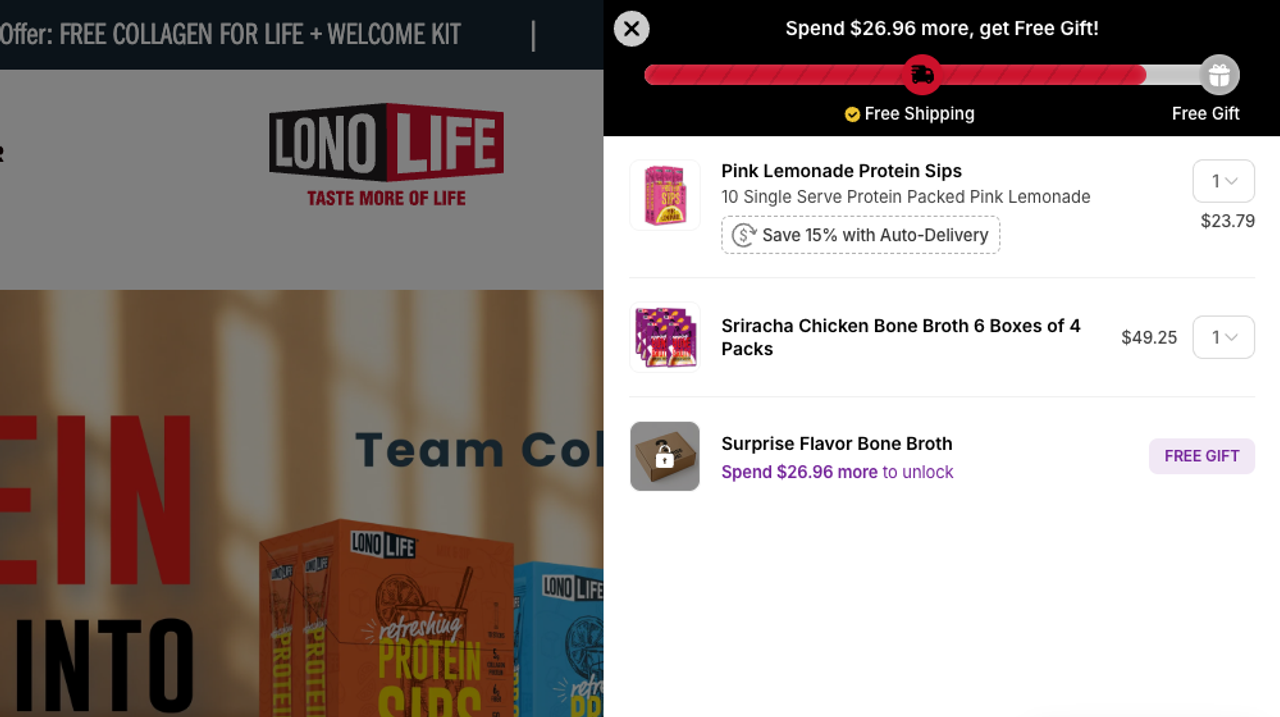
Set the steps from your average order value. Here is an example for a store whose average order is close to the 2025 Shopify BFCM average of $114.70:
Step | Cart value | Reward | What it costs you |
|---|---|---|---|
1 | $130 | Free shipping | Your average shipping cost |
2 | $160 | 10% off the cart | $16 at the threshold |
3 | $200 | 15% off the cart | $30 at the threshold |
4 | $250 | Free gift | The gift’s cost of goods |
- The first step sits just above your average order, so most carts are one product away from it.
- Space the steps further apart as they rise. Each one should take one more item, not three.
- Price each reward at its threshold. 15% of $200 is $30. If the margin on a $200 cart can’t absorb $30, lower the discount or move the step.
For more offer formats that protect your margin, see our Black Friday sale ideas.
3. Show the bar before the first add to cart
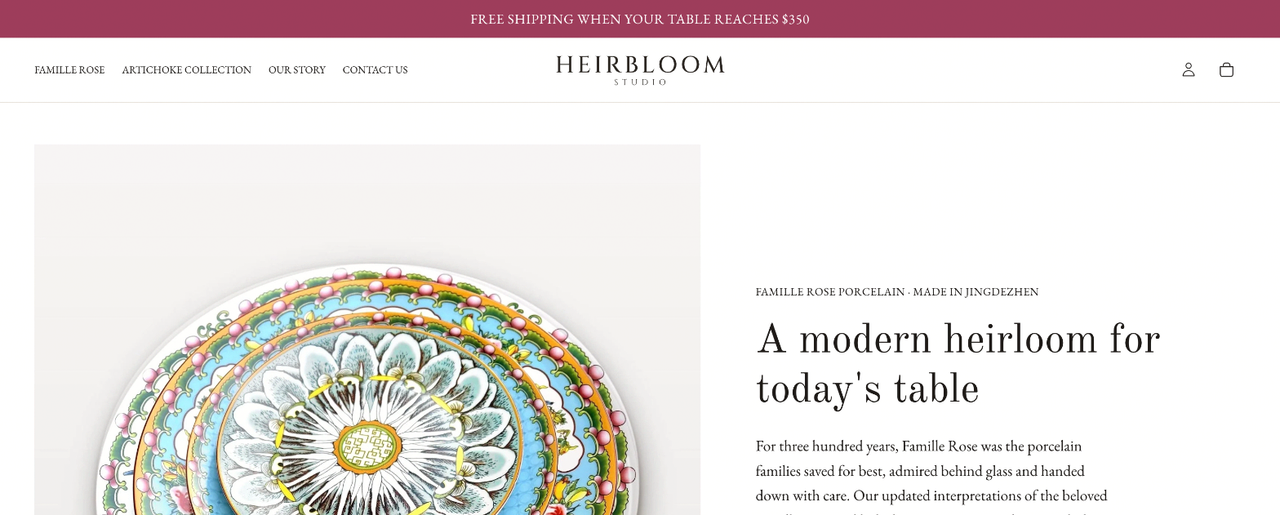
A bar that only appears inside the cart reaches people who have already added something. Showing it on every page, as a sticky bar at the bottom, tells shoppers how the offer works while they are still browsing collections.
4. Apply discounts automatically, without codes
A code that has to be typed is a code that can be mistyped, forgotten or looked up on a coupon site. With automatic discounts(opens in a new tab), Shopify applies the offer in the cart and at checkout as soon as the conditions are met. You can run up to 25 at once, and discounts created by apps count toward that limit.
Once the Black Friday offer applies on its own, decide what to do with the discount code field in the cart. Hide it if nobody has a code, so shoppers don’t leave to go looking for one. Keep it if you send codes to your email list or creators.
5. Make free shipping the first step
Extra costs are the first reason shoppers abandon, so free shipping belongs in the bar, usually as the first and cheapest step. Our guide to the Shopify free shipping bar covers how to set the threshold. Many themes, ours included, ship a free shipping progress bar in the cart drawer.
6. Put a free gift at the top
A free gift as the last step gives the biggest orders something a percentage can’t: an extra item, which costs you its cost of goods and not its retail price. Add it to the cart automatically when the step is reached, so the shopper doesn’t have to find it. Snap Bundle can attach a free gift to a quantity tier.
7. Add one upsell that reads the cart
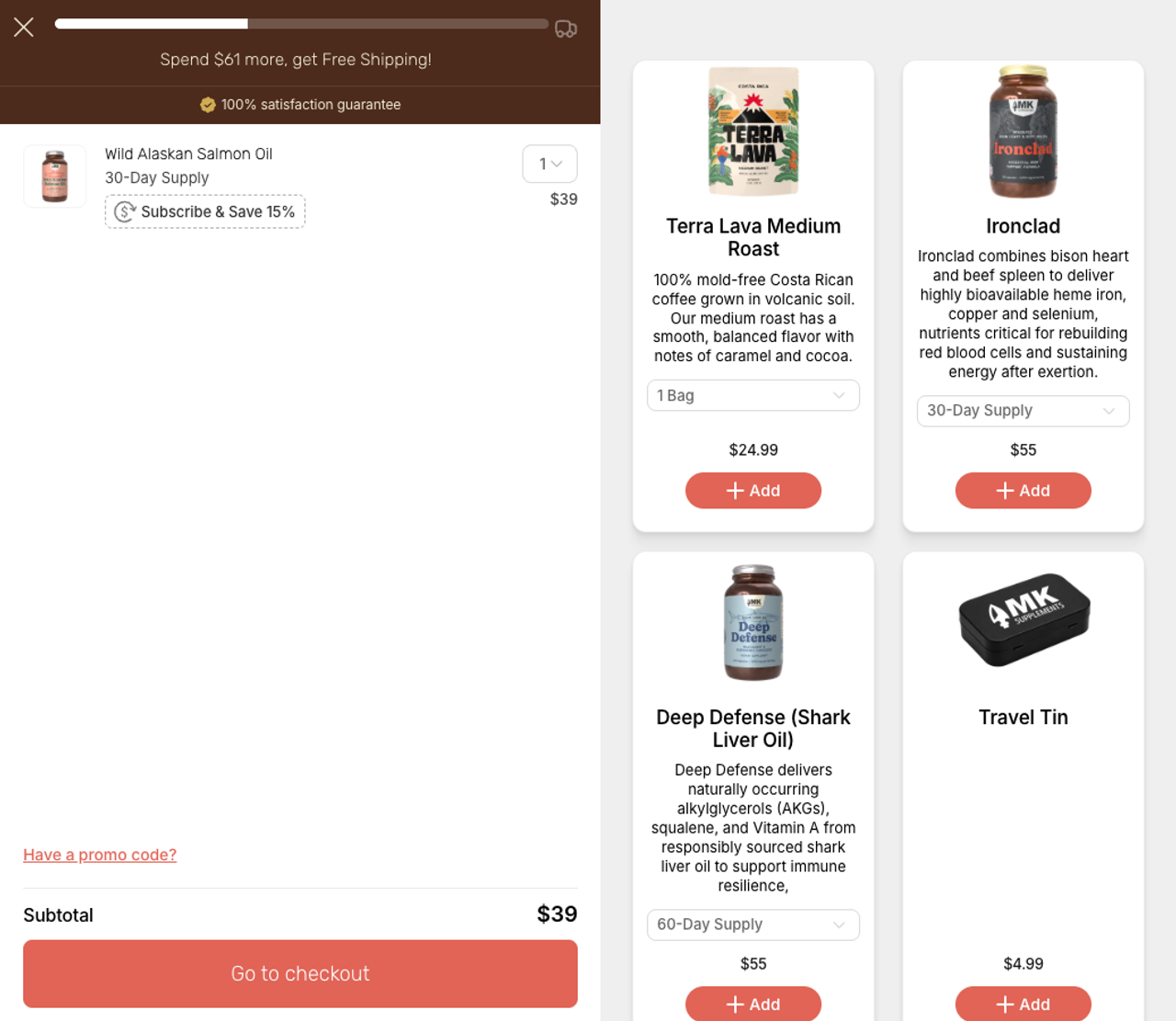
The cart is the last place a shopper decides what to buy. A recommendation there should follow what is already in it: the refill for the product they picked, the larger size, the item people usually buy with it. One relevant suggestion with a one-tap add works better than a carousel of best sellers. Upsell vs cross-sell explains which to use where, and our themes include upsells in the cart drawer.
8. Offer gift wrap and other one-tap add-ons
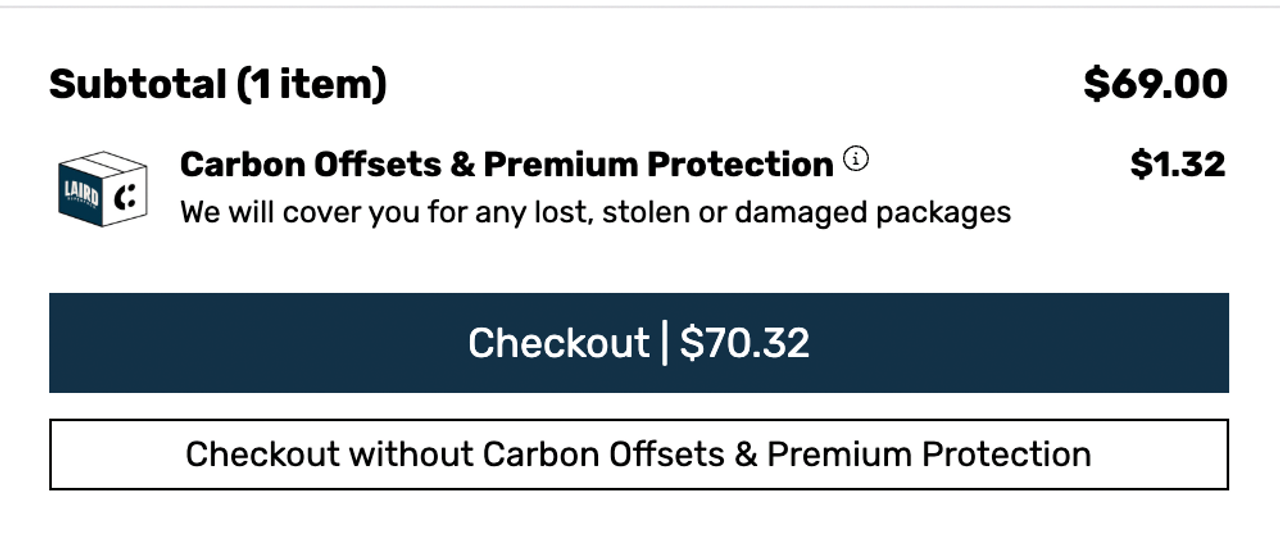
Black Friday opens the gift season. A gift wrap toggle at a few dollars is an easy yes for a shopper buying a present, and it needs no product page. The same works for shipping protection, a gift note or an extended warranty. On the product page, product add-ons let the shopper tick the extra before adding to cart.
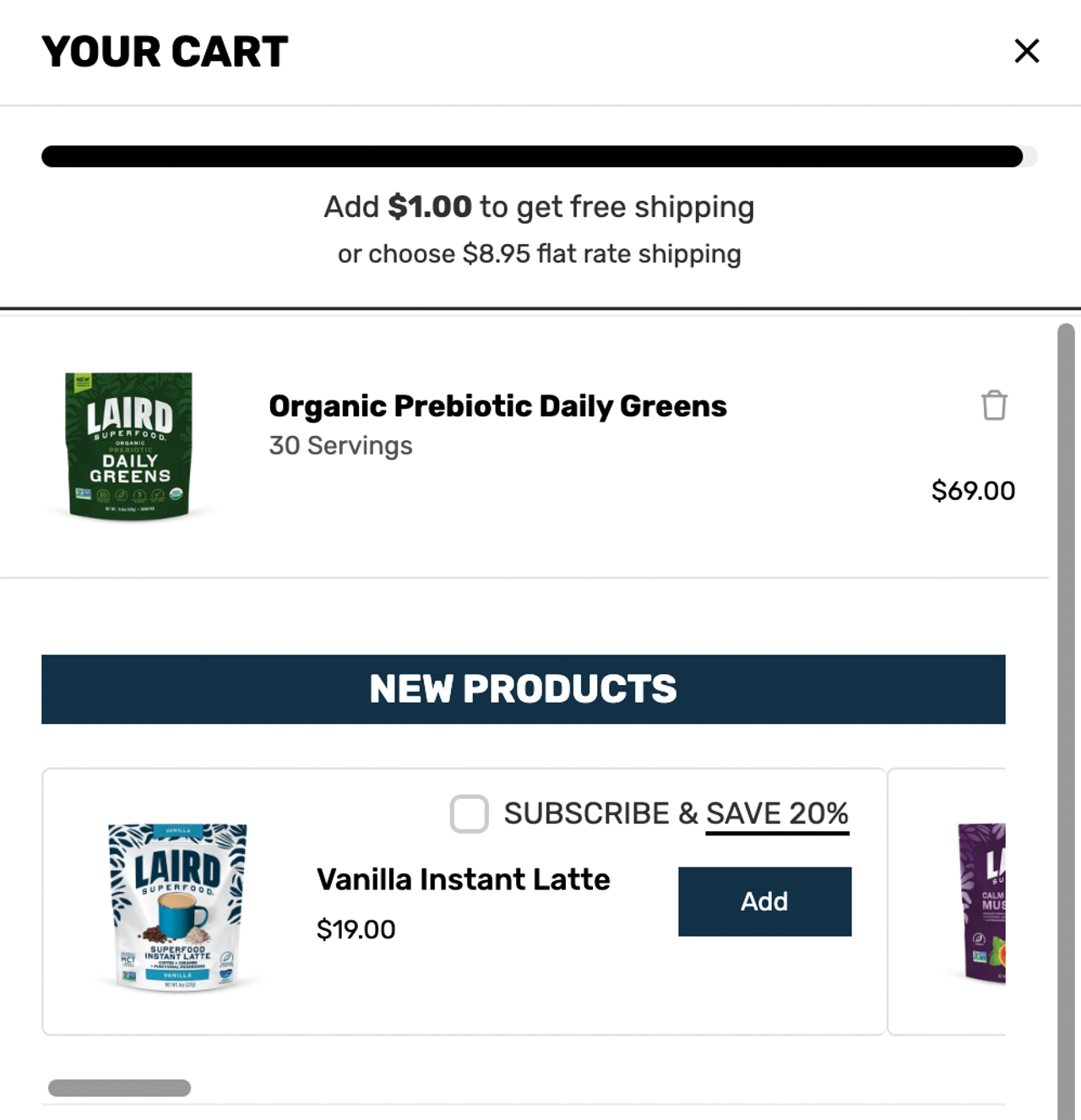
9. Offer subscribe-and-save in the cart
If you sell consumables (coffee, supplements, pet food, skincare), Black Friday brings in buyers you’d like to keep. A one-tap switch to subscribe-and-save on each line of the cart turns some of them into recurring customers.
10. Use honest urgency
Black Friday has a real deadline, so use it. A timer counting down to the end of your sale, or a line such as "Offer ends Monday at midnight," gives a true reason to finish now. Set the same end date on the discount in Shopify, so the bar stops promising a discount once the sale is over.
Avoid timers that restart every visit. Shoppers see through them, and consumer protection rules in many countries treat fake urgency as misleading. Our themes have a countdown timer for sales set to a fixed end date.
11. Show trust signals and fast payment options
19% of shoppers in Baymard’s survey left because they didn’t trust the site with their card details. Put payment icons, your return policy and a short line on delivery times under the checkout button.
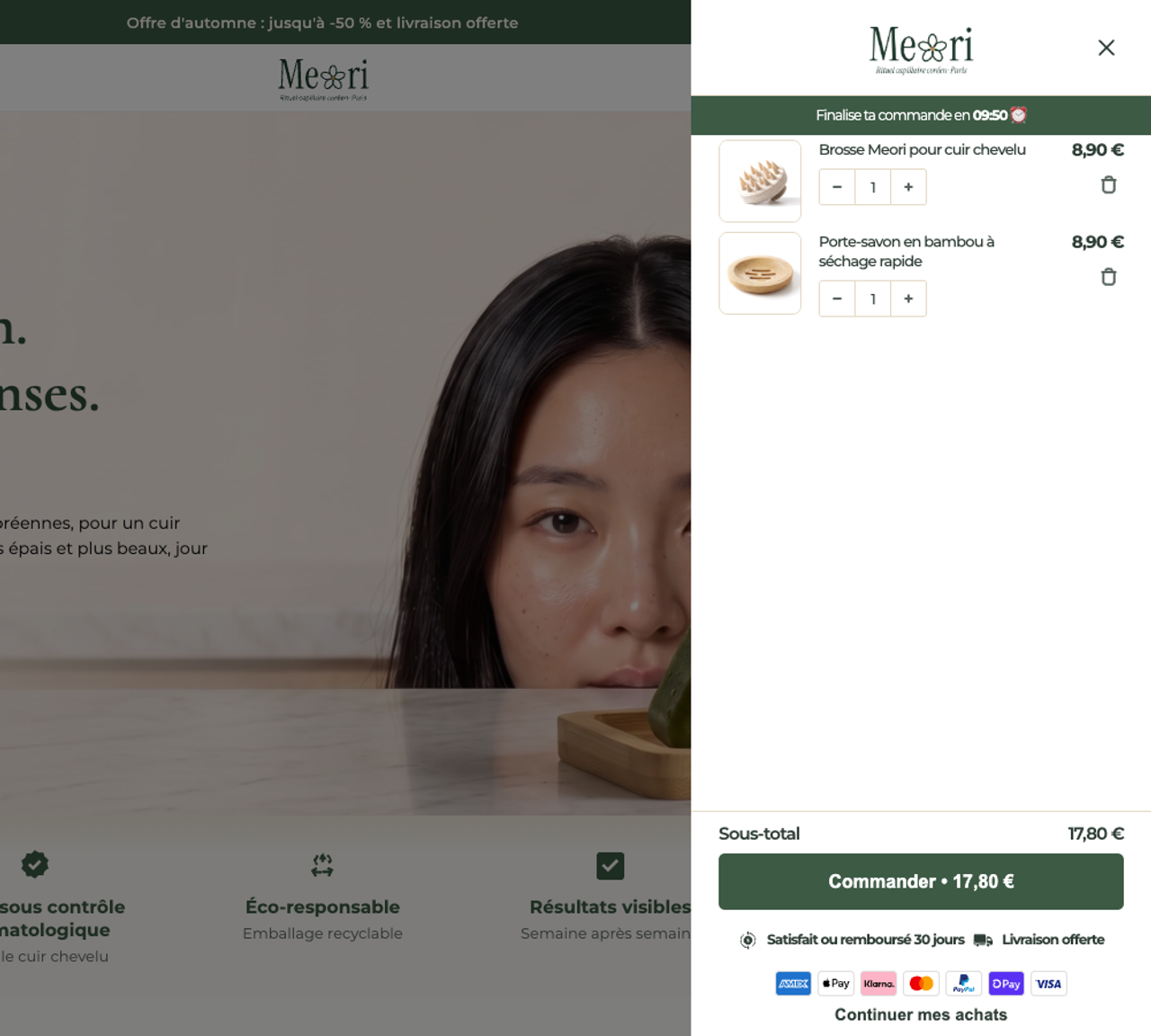
Then shorten the path to payment. Over BFCM 2025, 32% of orders on Shopify went through Shop Pay(opens in a new tab). Adobe counted $10.1 billion of buy now, pay later spending(opens in a new tab) over the season to 1 December. Show express checkout buttons in the drawer if your theme supports them.
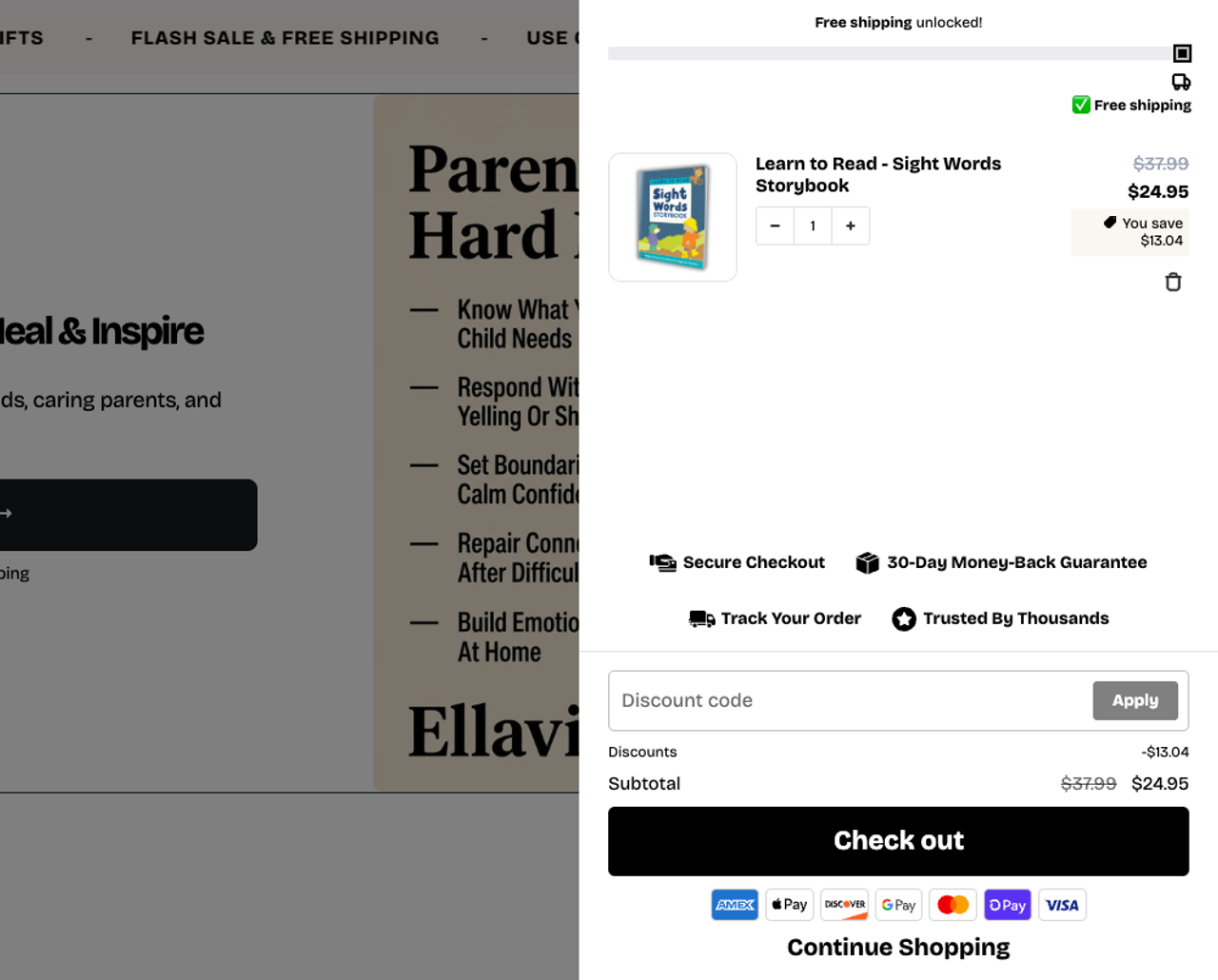
12. Show savings and the total before checkout
12% of shoppers left because they couldn’t see the total up front. Show the compare-at price struck through on each line, a "You’re saving $X" line, and an estimate of shipping or the note "Free shipping unlocked." Nobody should discover the real total on the checkout page.
Test the cart before the sale starts
Set everything up a week ahead and test on a phone, on mobile data:
- Add products one at a time and check that every step of the bar unlocks at the right amount.
- Check how your Black Friday discount combines with other discounts, gift cards and existing codes.
- Check thresholds in each currency if you sell in several markets.
- Check that the free gift is added, and removed when the cart drops below the step.
- Place a real test order and check the discounts on the order.
- Check that the offer ends on time and the bar returns to normal.
Our Shopify Black Friday checklist covers the rest of the store.
Where Snap Bundle fits
Snap Bundle is our Shopify app. It isn’t a cart drawer: it works on the product page, so the order is already bigger when the cart opens. It pairs with the cart drawer your theme already has.
- Volume discounts and quantity breaks: a discount per tier ("buy 2, save 10%"), with a free gift on any tier.
- Bundles: mix and match, fixed bundles and build-a-box pages.
- Product add-ons: gift wrap or an accessory ticked on the product page.
- Post-purchase upsell: one more offer after payment, with no new checkout.
Snap Bundle(opens in a new tab) is free until its offers bring in $500 a month, then $12.99 a month with no cap (the first month is $8.99). It is rated 4.9 from 48 reviews on the Shopify App Store. For other options, see the best Shopify upsell apps.
After Black Friday
Compare your average order value during the sale with the month before, step by step: how many carts reached each step, and which ones stopped just below. Follow up on carts that didn’t finish with abandoned cart emails, and offer a post-purchase upsell to the buyers who did.
Our method
Trafik Plus makes Shopify themes and the Snap Bundle app, linked above. The store screenshots were taken on the live stores on 16 October 2026; we have no tie to those stores. Snap Bundle prices come from its Shopify App Store listing(opens in a new tab), viewed the same day, in US dollars excluding tax. The tier example is illustrative: set your own from your margins.
FAQ
What is the best way to optimize a Shopify cart for Black Friday?
Replace the cart page with a cart drawer, add a tiered rewards bar (free shipping, then a discount, then a free gift), apply discounts automatically instead of with codes, offer one relevant upsell and a gift wrap add-on in the cart, and test the whole flow on a phone before the sale starts.
Should I remove the discount code field from my cart on Black Friday?
If your Black Friday offer applies automatically, hiding the field keeps shoppers from leaving to hunt for a better code. Keep it if you send codes to your email list or to influencers, because those buyers need somewhere to enter them.
How do I set free shipping and discount thresholds?
Start from your average order value. Put the first step a little above it, so most carts are one item away, and space the next steps further apart. Work out the cost of each reward at its threshold before you publish it.
Do countdown timers in the cart work?
A timer that counts down to the real end of your sale gives shoppers a true reason to finish now. A timer that resets every visit is fake urgency, which shoppers notice and consumer protection rules in many countries treat as misleading.
How many automatic discounts can a Shopify store run?
Shopify allows up to 25 active automatic discounts(opens in a new tab) at once, and discounts created by apps count toward that limit.

Keep reading

12 Black Friday Sale Ideas That Protect Your Margin (Shopify Examples)
A flat 30% off is the easiest Black Friday offer and often the least profitable. Here are 12 offer ideas for Shopify stores that move more units without giving away the margin.

BFCM 2026: Meaning, Dates and a Shopify Black Friday Checklist
BFCM means Black Friday Cyber Monday. Here are the 2026 dates and the Shopify checklist we use from October to December: offers, theme, cart, checkout and follow-up.

Shopify Checkout Hijack: What Happened and How to Check Your Store
Fake checkout pages injected through Shopify apps stole card details in October. What happened, which apps were hit, and the five-minute test every merchant should run.