
Shopify Post-Purchase Upsells: How One-Click Offers Work (+ 7 Examples)

Summarize this article with AI


A post-purchase upsell is a one-click offer shown after payment. It cannot cost you the order. Here is how it works on Shopify, what to offer and how to measure it.
A post-purchase upsell is an offer shown right after the customer pays and before the order confirmation page. It is a one-click upsell: the customer accepts without entering their card again, and the item is added to the order they just placed.
What makes it different from every other upsell: it cannot cost you the original order. The first sale is already done. That is why post-purchase offers are often the first upsell we recommend to Shopify merchants. Disclosure: we make Snap Bundle, which includes post-purchase upsells.
How post-purchase upsells work on Shopify
- The customer completes checkout and pays.
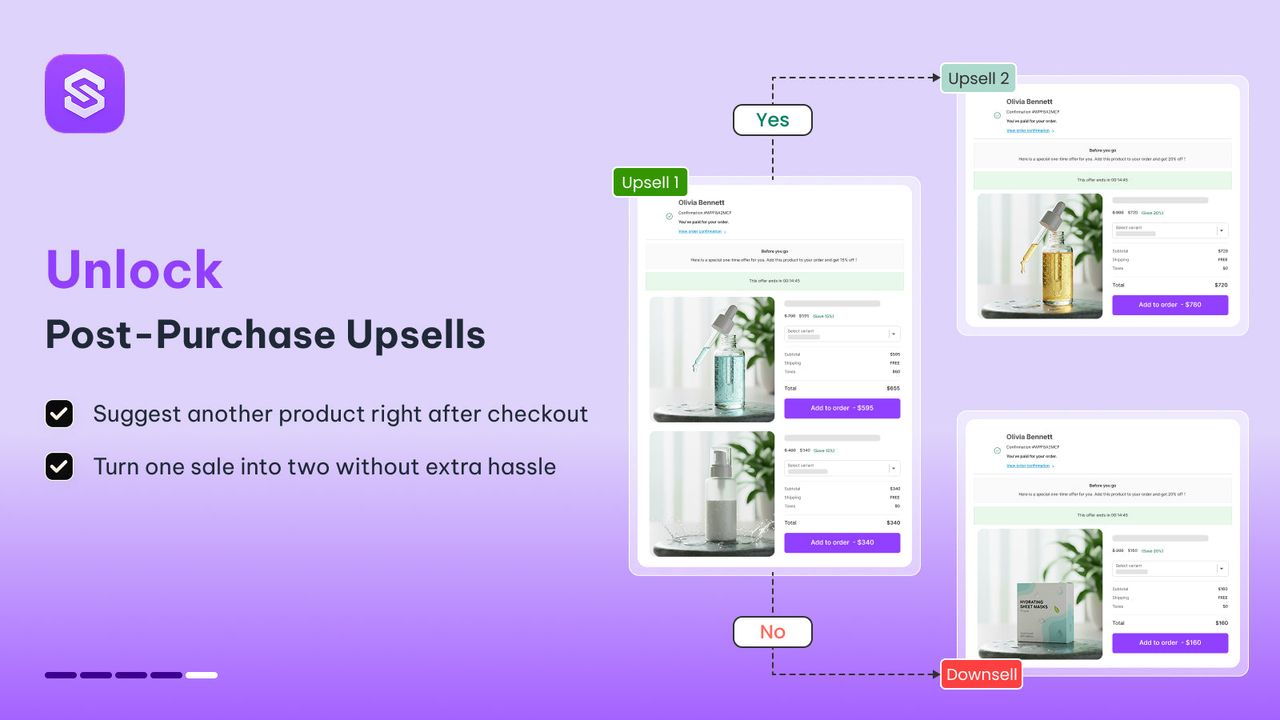
- Instead of going straight to the thank-you page, Shopify shows a post-purchase page from your upsell app.
- If they accept, the product is added to the order and charged with the same payment method. If they decline, they continue to the thank-you page.
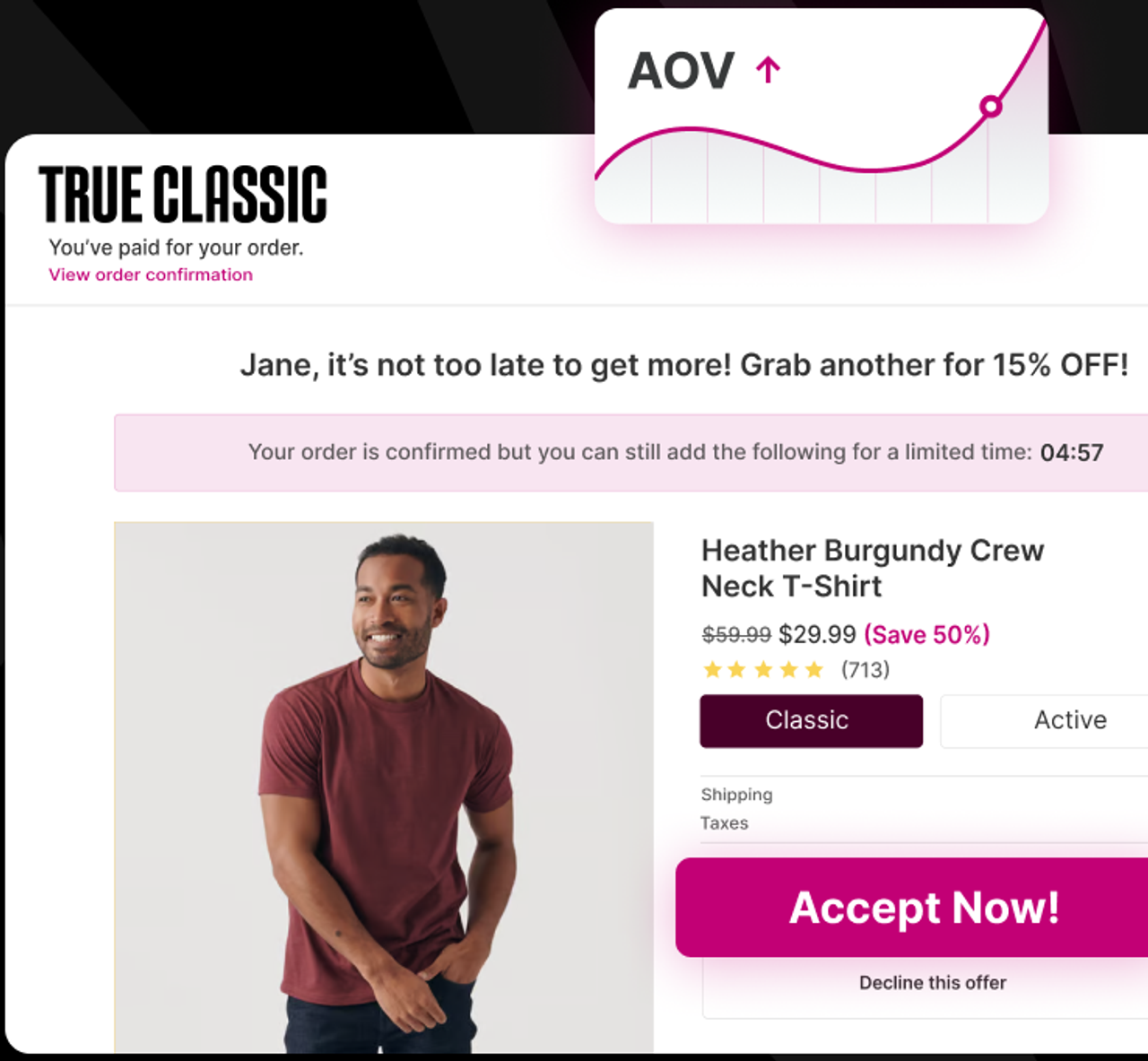
Two limits to know: the offer page needs an app that supports it, and it only appears when the payment method allows an additional charge after the order.
Post-purchase vs cart vs checkout upsells
Cart upsell | Checkout upsell | Post-purchase upsell | |
|---|---|---|---|
When | Before checkout | During checkout | After payment, before the thank-you page |
Shopify plan | Any | Shopify Plus | Any, through an app |
Risk to the main order | Low | Medium: adds a decision before paying | None: the order is already placed |
Payment | Part of the order | Part of the order | One click, no card re-entry |
The three work together. A cart upsell catches customers who are still building the order; a post-purchase upsell catches those who have just committed. For product-page offers, see our roundup of volume discount apps.
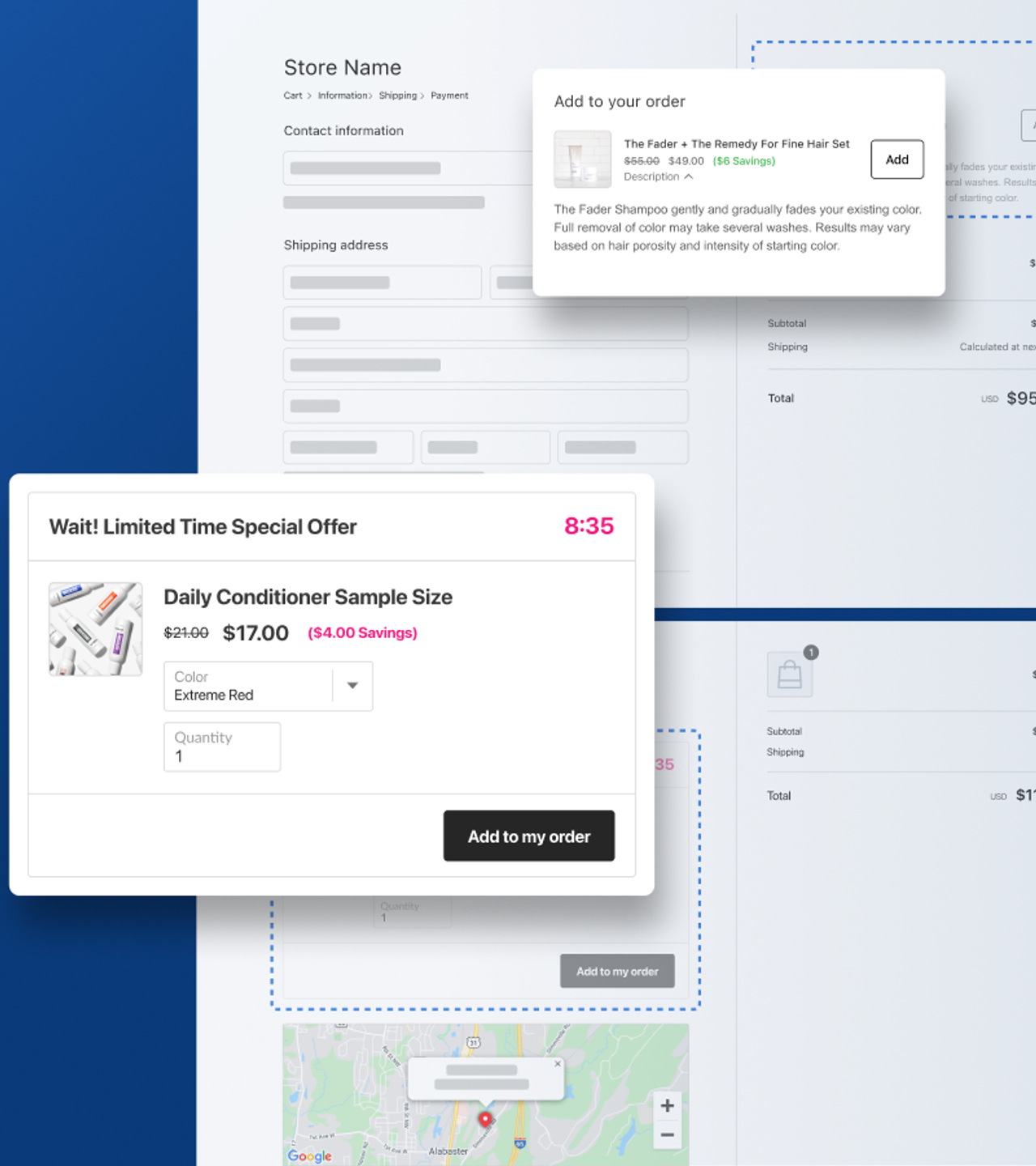
7 post-purchase upsell examples that convert
1. A second unit at a discount
"Add another one for 20% off." It works best for consumables and gifts: the customer has already decided they want the product.
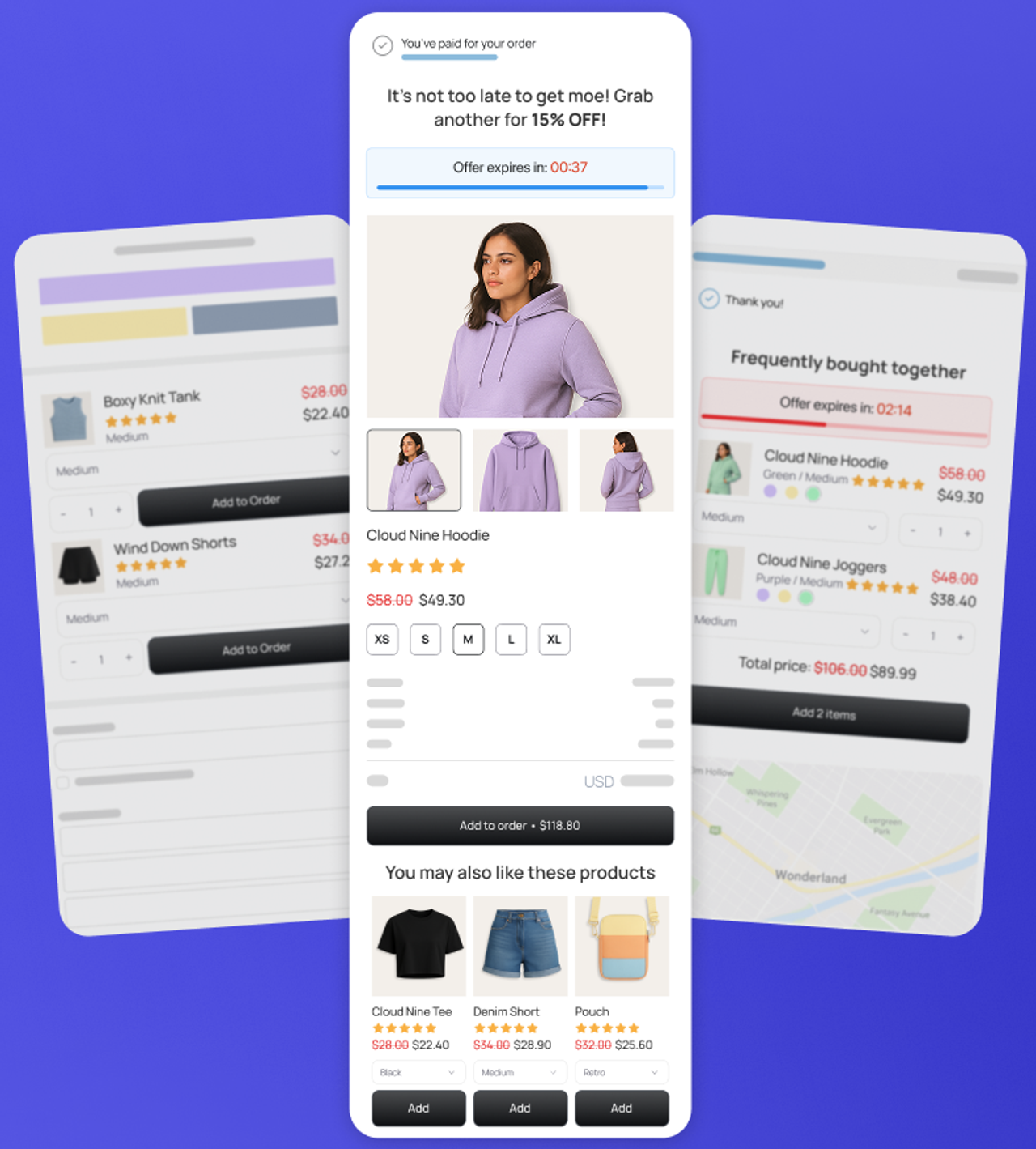
2. The refill or consumable
Bought a razor? Offer blades. Bought a coffee machine? Offer a bag of beans. The pairing is obvious, so the decision is quick.
3. The accessory they forgot
Case, cable, cleaning kit, care product. Choose the item most often bought in a second order.
4. A smaller, cheaper item
Keep the post-purchase price well below the original order. A $15 offer after a $60 order is easy to accept; a $60 offer after a $60 order is a new purchase decision.
5. A gift option
Gift wrap or a gift card for someone else. It works especially well from November to December, and for birthdays or special occasions such as Valentine’s Day and Mother’s Day.
6. An upgrade to a bundle
"Turn your 1 bottle into a 3-pack and save 20%." It moves the customer onto your best volume discount tier after the fact.
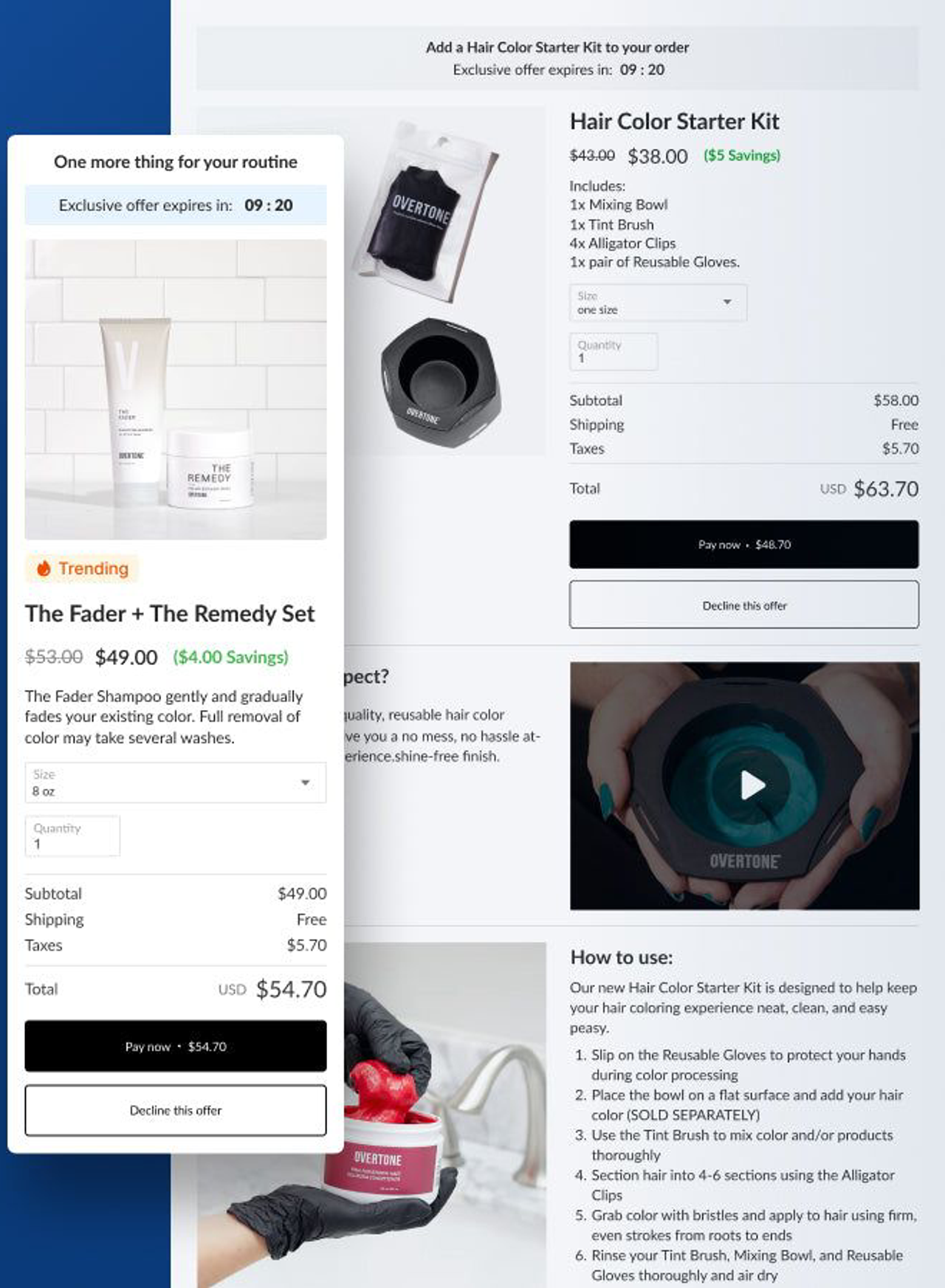
7. A fallback (downsell)
If they decline the first offer, show one cheaper alternative, then stop.
How to set up a post-purchase upsell
- Pick the trigger. Show the offer based on what is in the order: the refill for the product they bought, not a random bestseller.
- Keep the discount real but modest. 10–20% is usually enough, because the customer saves on shipping too.
- Write one clear headline. "Add a second for 20% off, it ships in the same box."
- Show one product, one button to accept and one to decline.
- Check that the offer ships in the same parcel, or say clearly if it doesn't.
How to measure it
Track three numbers per offer:
- Take rate: the share of customers who accept.
- Revenue per offer shown: total upsell revenue divided by the number of times the offer was shown.
- Change in average order value across all orders. Our AOV guide covers the other levers.
Change one thing at a time (product, discount or headline) and give each version enough orders before deciding.
Post-purchase upsell apps for Shopify
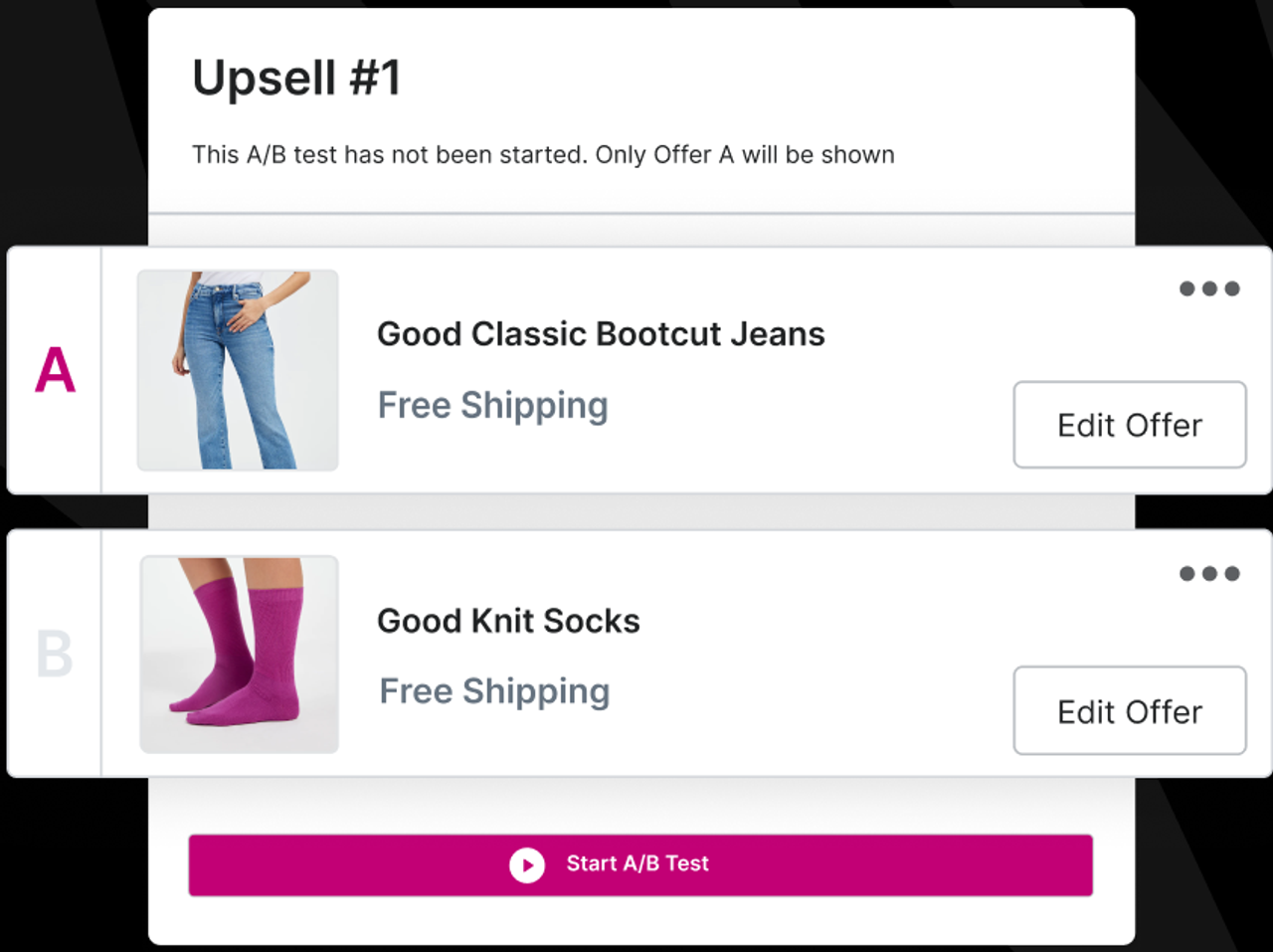
Snap Bundle(opens in a new tab) includes post-purchase upsells alongside volume discounts, bundles and add-ons on the product page, free up to $500 a month of revenue generated through the app, then $12.99/month. Specialist apps such as AfterSell, ReConvert and Zipify OCU go further on multi-step funnels and testing.
FAQ
What is a post-purchase upsell?
An offer shown right after the customer pays, before the order confirmation page. They can add it to their order in one click, without re-entering payment details.
Do post-purchase upsells need Shopify Plus?
No. Post-purchase offer pages are available on all Shopify plans through apps that support them. Offers placed inside the checkout steps themselves need Shopify Plus.
Can a post-purchase upsell lose me the original order?
No. The first order is already paid and created when the offer appears. If the customer declines, they simply continue to the thank-you page.
Why do some customers not see the post-purchase offer?
Not every payment method supports charging an extra amount after the order. Customers who pay with a method that doesn't support it go straight to the thank-you page.
How many post-purchase offers should I show?
One, possibly followed by a cheaper fallback if they decline. A long chain of offers starts to feel like a trap.

Keep reading

BFCM 2026: Meaning, Dates and a Shopify Black Friday Checklist
BFCM means Black Friday Cyber Monday. Here are the 2026 dates and the Shopify checklist we use from October to December: offers, theme, cart, checkout and follow-up.

Snap Bundle vs BOGOS: The BOGOS Alternative for Volume Discounts & Quantity Breaks (2026)
Snap Bundle vs BOGOS compared on pricing, order caps, bundle types and BOGO offers, with a side-by-side look at both Shopify App Store listings.

Shopify Canvas: What It Is and What It Means for Your Theme
Shopify Canvas is a new visual workspace where you design your store with Sidekick. Here is what it does, what it can't do yet, and what it means for your theme.