
Best Shopify Themes for a Single Product Store: 7 Picks Compared

Summarize this article with AI


The best Shopify themes for a one-product store, from Cama to Horizon: prices, Theme Store reviews and the sections that sell a single product.
A single product store lives on one page: the homepage has to explain the product, answer objections and let visitors buy without leaving it. The right Shopify theme for one product gives you those sections ready to use (featured product, benefits, before/after, comparison, reviews, FAQ) and keeps the buy button within reach on mobile. Here are the seven Shopify Theme Store themes we recommend for selling a single product, or a small range built around a hero product.
Disclosure: we build Cama, the theme ranked first. Prices, reviews and features for the other themes come from their Shopify Theme Store listings, checked on 4 November 2026; Cama’s come from its code.
What to look for in a single product Shopify theme
- A homepage that sells: a featured product section with the variant picker and buy button right on the homepage, so visitors buy without going through a collection page.
- A sticky add to cart bar: on a long sales page, it keeps the price and buy button under the thumb while the visitor scrolls.
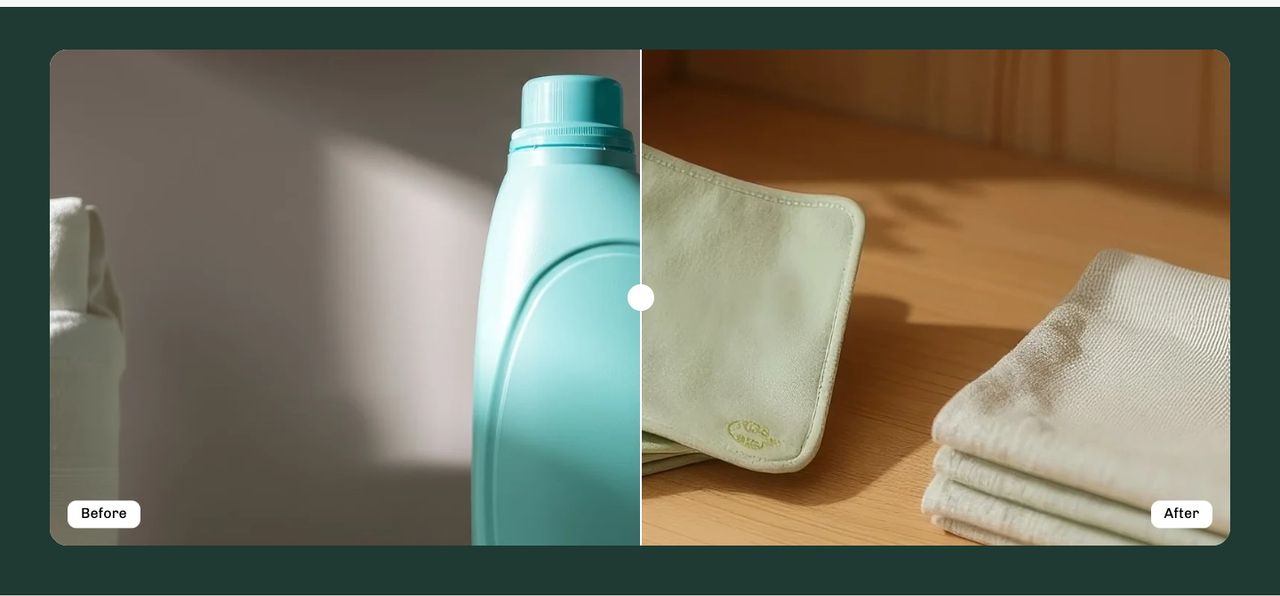
- A before and after slider: for products whose result shows (skincare, cleaning, renovation), a slider convinces better than a paragraph.
- A comparison table: your product against the usual alternative, row by row. It answers “why this one?”.
- Reviews and an FAQ: with one product, every unanswered objection is a lost sale. Look for a testimonials section and question accordions.
- A cart that grows the order: a cart drawer with a free shipping progress bar and complementary products (refill, accessory, two-pack) on the product page.
- Mobile speed: most visits arrive from an ad or social post, on a phone. A light theme saves you from stacking apps to get these sections.
Comparison: the 7 best single product Shopify themes
Rank | Theme | Developer | Price | Theme Store reviews | Best for |
|---|---|---|---|---|---|
1 | Cama | Trafik Plus | $240 | 86% (7 reviews) | A homepage that sells one product, ready out of the box |
2 | Mono | Slash Themes | $300 | 98% (119 reviews) | A minimal small catalog, with a stock counter |
3 | Wonder | NETHYPE | $390 | 99% (149 reviews) | DTC brands that want bundles, quizzes and subscriptions built in |
4 | Release | DigiFist | $420 | 95% (118 reviews) | A product launch with a bold design |
5 | Sleek | FoxEcom | $350 | 100% (624 reviews) | Beauty brands that sell with video |
6 | Startup | Pixel Union | $100 | 83% (103 reviews) | A small budget and a story-led homepage |
7 | Horizon | Shopify | Free | 36% (212 reviews) | Starting with no budget and adding apps |
The 7 best Shopify themes for a single product store
1. Cama (by Trafik Plus): the ready-made sales page
Cama is the Shopify theme we build at Trafik Plus, sold for $240 on the Shopify Theme Store(opens in a new tab) as a one-time payment with updates included. It is the only theme in this list whose default homepage is built as a sales page for one product: a hero banner, the featured product with its buy button, a before/after slider, benefit icons, a comparison table, testimonials, an FAQ in accordions and a newsletter signup. Swap the copy and images, and the store is ready to sell.
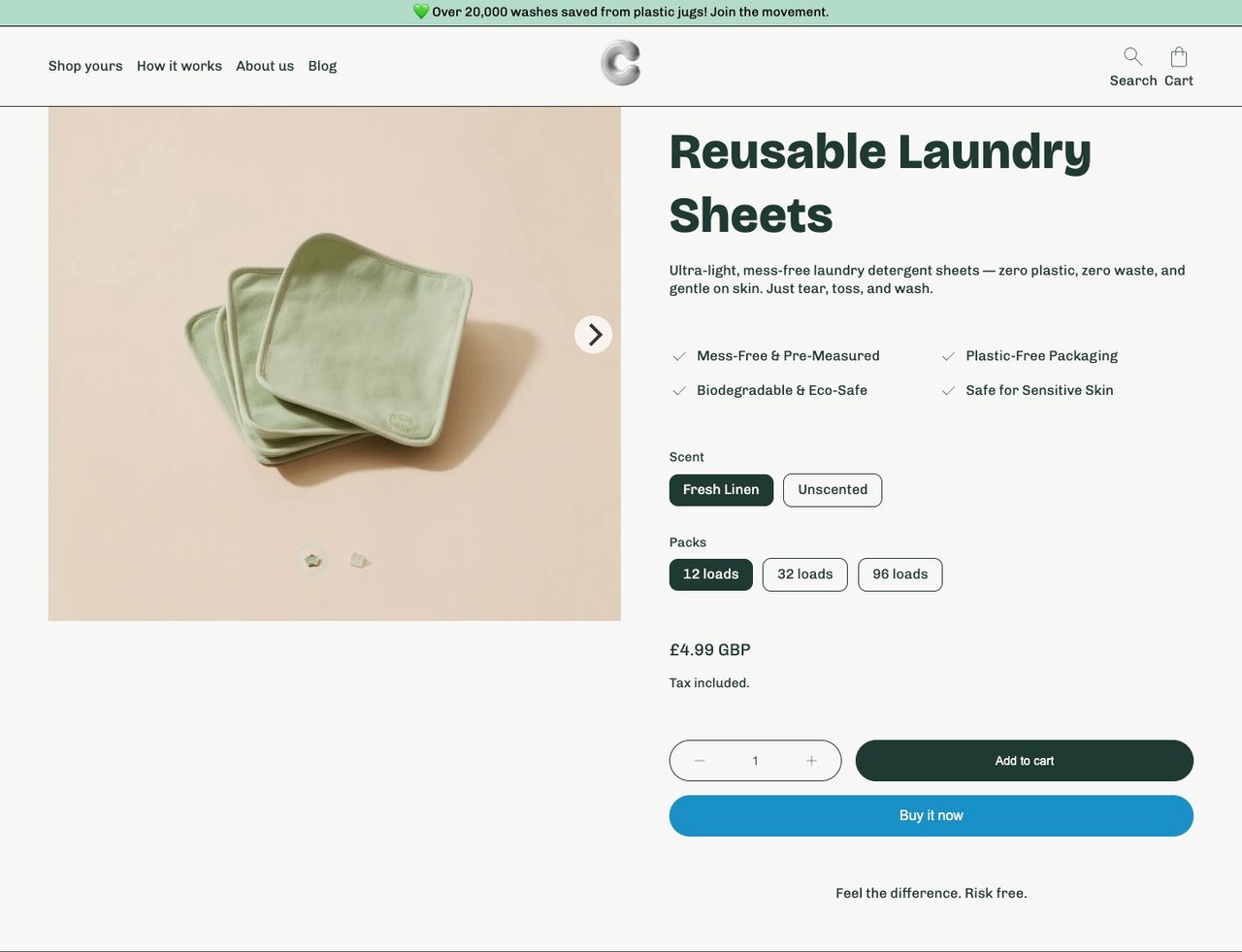
What Cama brings to a single product store:
- Sticky add to cart bar, on by default on the product page, with the title, price and buy button.
- Before/after slider and comparison table as native sections, no app needed.
- Benefits block on the product page: four icons with a label (shipping, warranty, returns…) right under the buy button.
- Complementary products on the product page, to offer the refill or accessory.
- Cart drawer with a free shipping bar, order notes and a discount code field before checkout.
- Countdown timer in the announcement bar for a launch offer, a newsletter popup and Trustpilot stars in testimonials.
- Three presets (Cama, Vanity, Critter) and a storefront translated into English, French, Italian, German and Spanish. The Critter preset adds “How it works” and “Reviews” page templates.
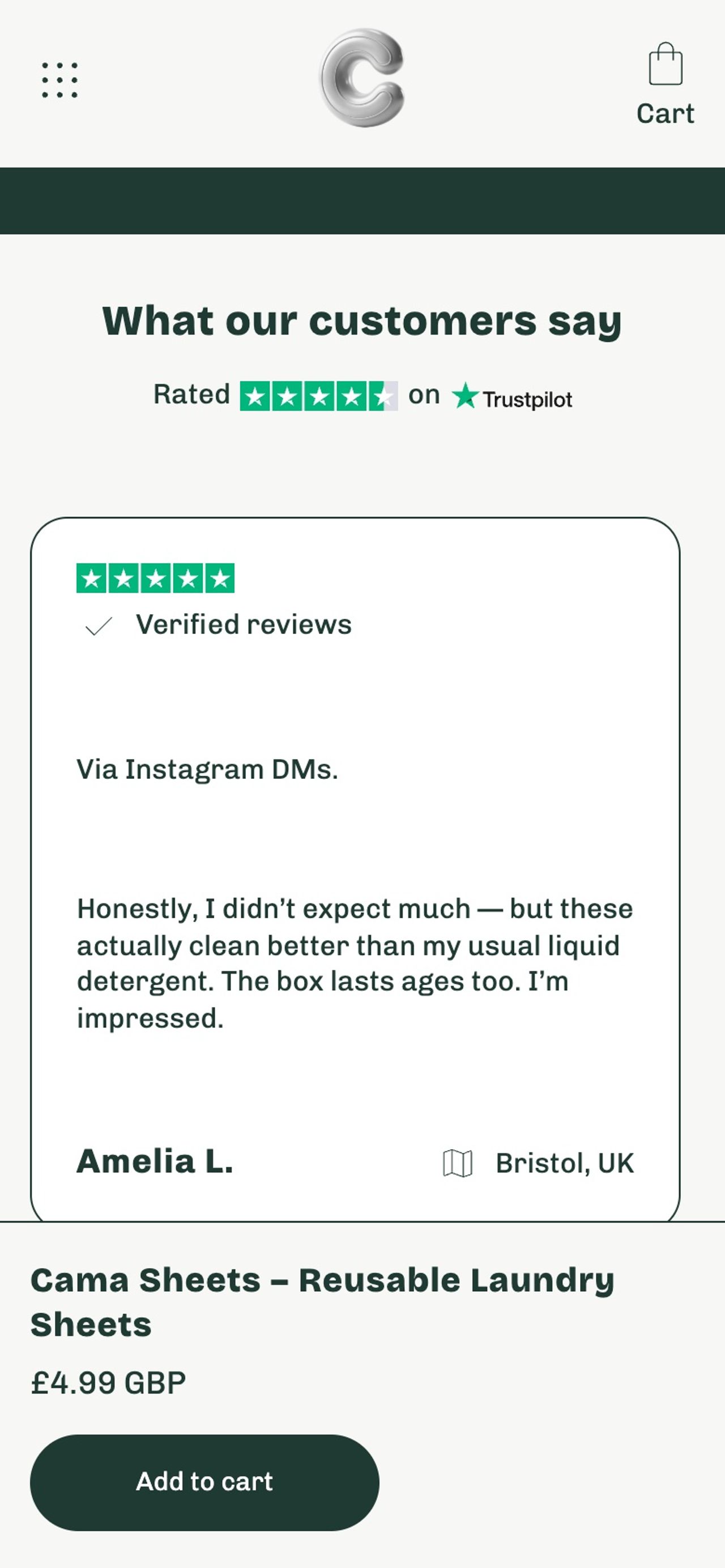
Its limits, to be transparent: 7 reviews on the Theme Store (86% positive, 1 neutral), against more than 100 for the other paid themes here; no stock counter or quantity-break pricing; no upsell in the cart drawer. Pick Cama if you want a complete sales page from install, for one product or a small range. Browse the demo store(opens in a new tab) before trying the theme.
2. Mono (by Slash Themes): minimalism for a small catalog
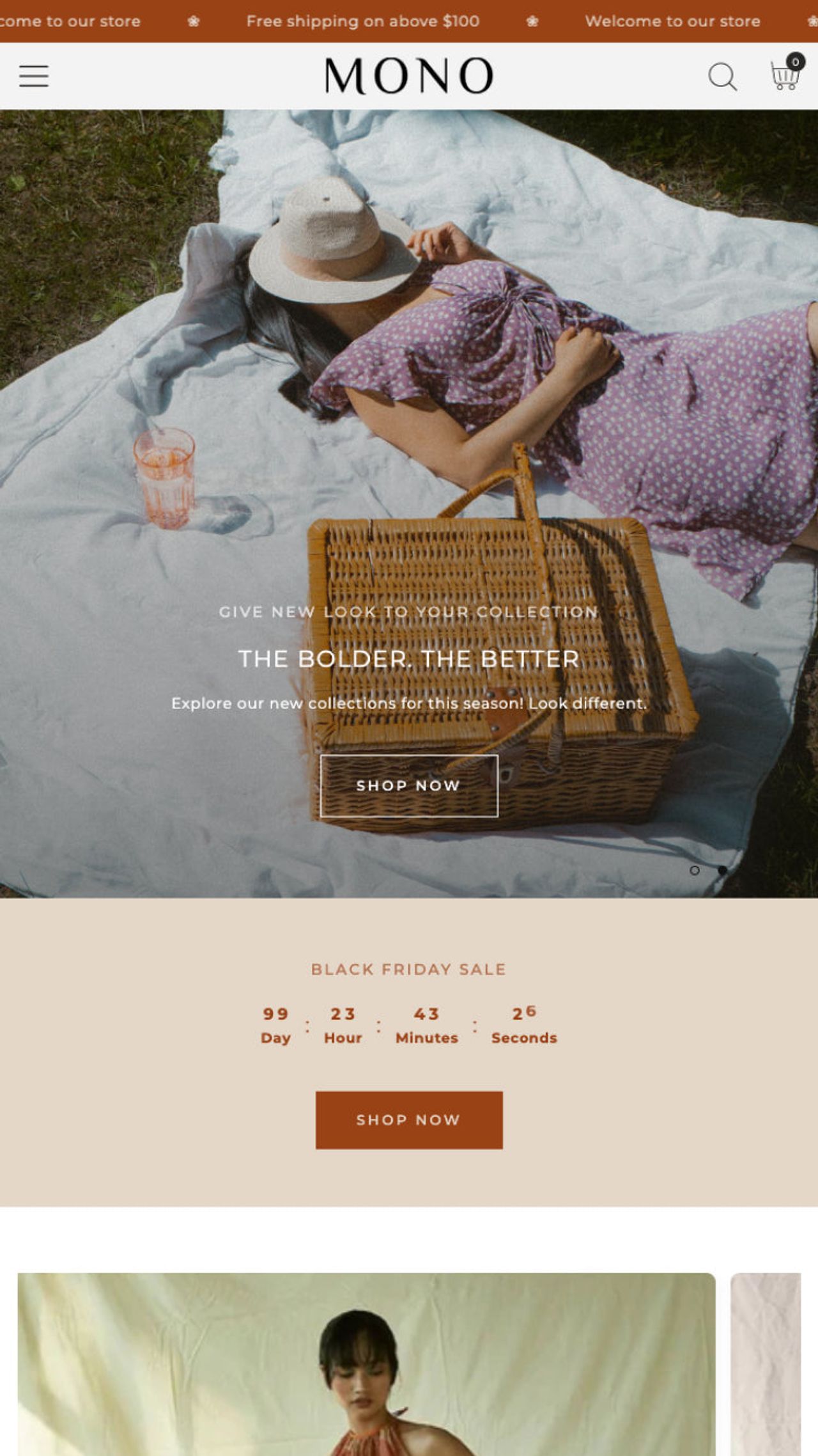
Don’t go by the name: Mono(opens in a new tab) is not a single product theme by definition but a paid theme by Slash Themes ($300) with a clean design that suits small catalogs. Its reviews are excellent: 98% positive out of 119. Its listing includes a sticky cart, a slide-out cart, a before/after slider, a countdown timer, a stock counter and an age verifier, with four presets (Mono, Folk, Clay, Tiny). A good pick if your range has a few products and you want a highly rated base, even if you compose the homepage yourself.
3. Wonder (by NETHYPE): the CRO theme with bundles and quizzes
Wonder(opens in a new tab) is built by NETHYPE, a Shopify Plus agency, and costs $390 (99% positive out of 149 reviews). Its listing highlights features you would usually buy as apps: a conversion-focused cart, bundles, product quizzes and a subscription widget. For a single product brand sold on subscription or in packs (supplements, coffee, skincare), it is the most complete option here. It takes more time to set up, and it costs almost twice as much as Cama.

4. Release (by DigiFist): for a launch with a bold design
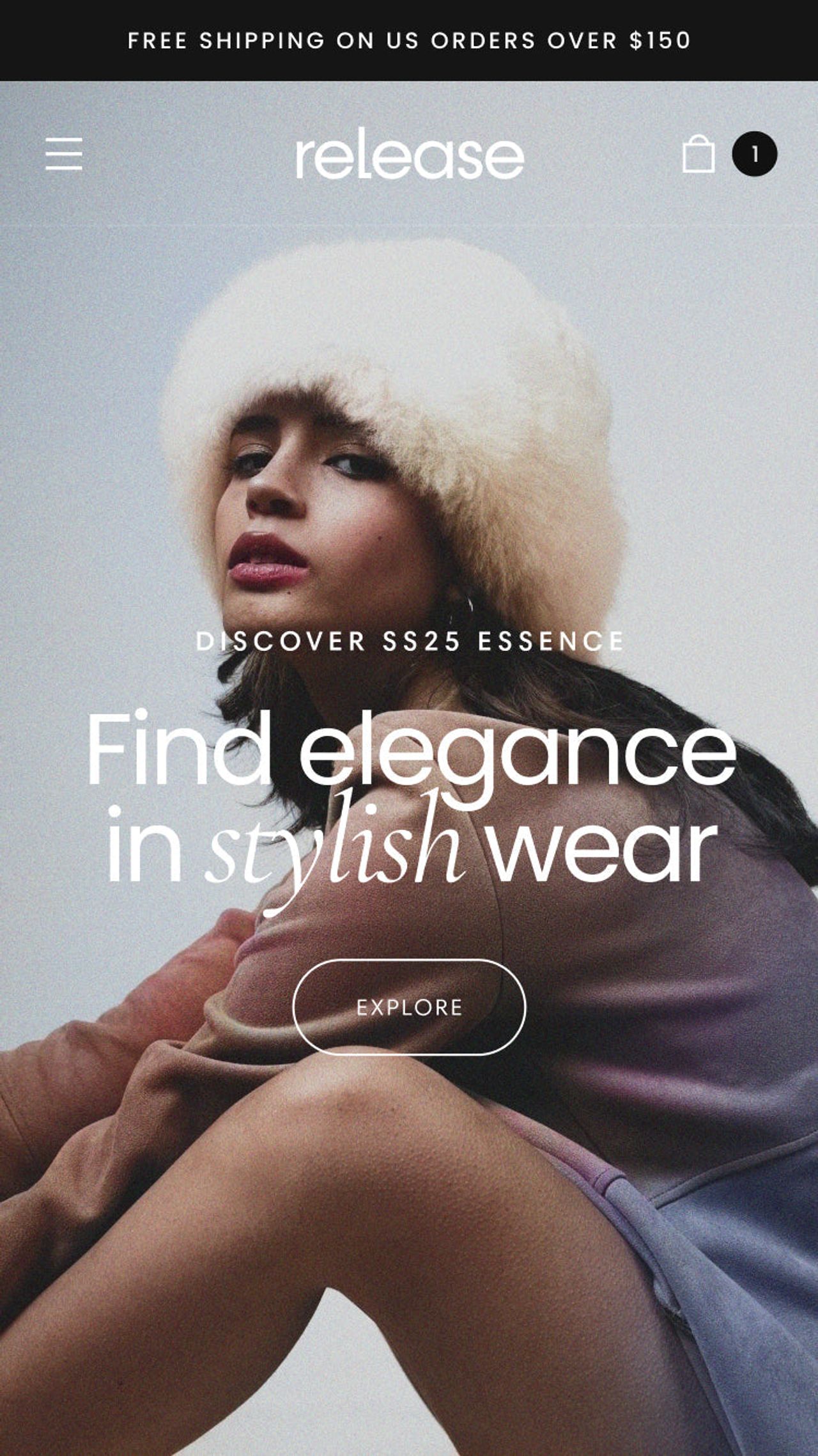
Release(opens in a new tab) by DigiFist ($420, 95% positive out of 118 reviews) bets on a bold design and 30+ sections: videos, sales points, quick view, sticky cart and a before/after slider. Its five presets (Release, Grasse, Serenity, Forest, Renaissance) suit a brand launching one product with a strong visual identity. It is the most expensive theme in the list.
5. Sleek (by FoxEcom): the beauty brand pick
Sleek(opens in a new tab) by FoxEcom ($350) has the largest review base in the list: 100% positive out of 624. It is built for modern beauty brands, with sections that blend images, text and shoppable video, a sticky cart, a before/after slider and a stock counter. Ideal if your hero product is skincare or makeup you show on video.
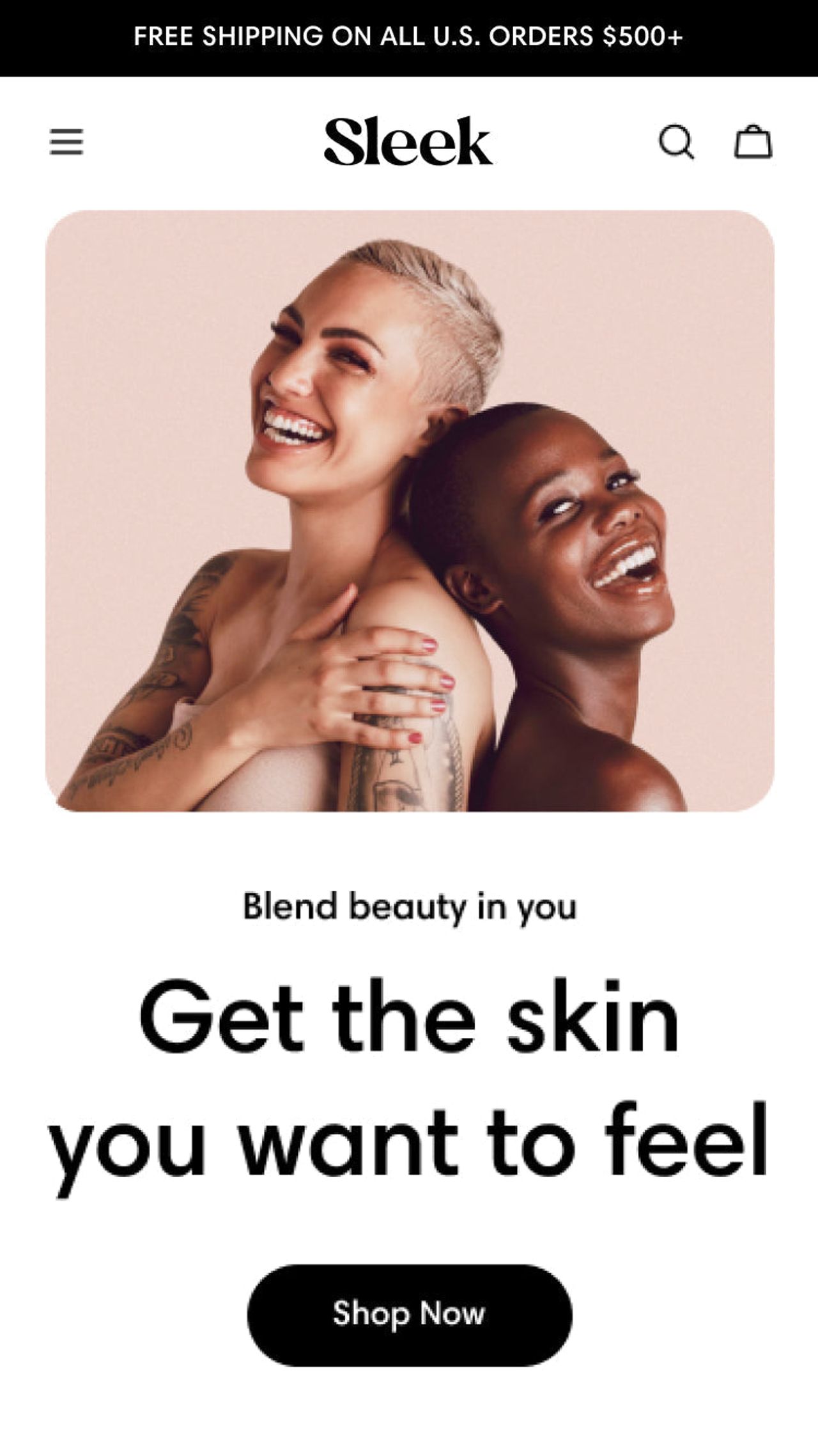
6. Startup (by Pixel Union): the long-standing budget pick
Startup(opens in a new tab) by Pixel Union has long appeared in single product theme lists, and its listing still describes it as made “for single products and small catalogs”. It now costs $100 (83% positive out of 103 reviews) and stands out with a highly customizable testimonials section and a story-led homepage. Its listing does not mention a sticky cart, a slide-out cart or cross-selling, though: check on mobile that the buy button stays easy to reach.
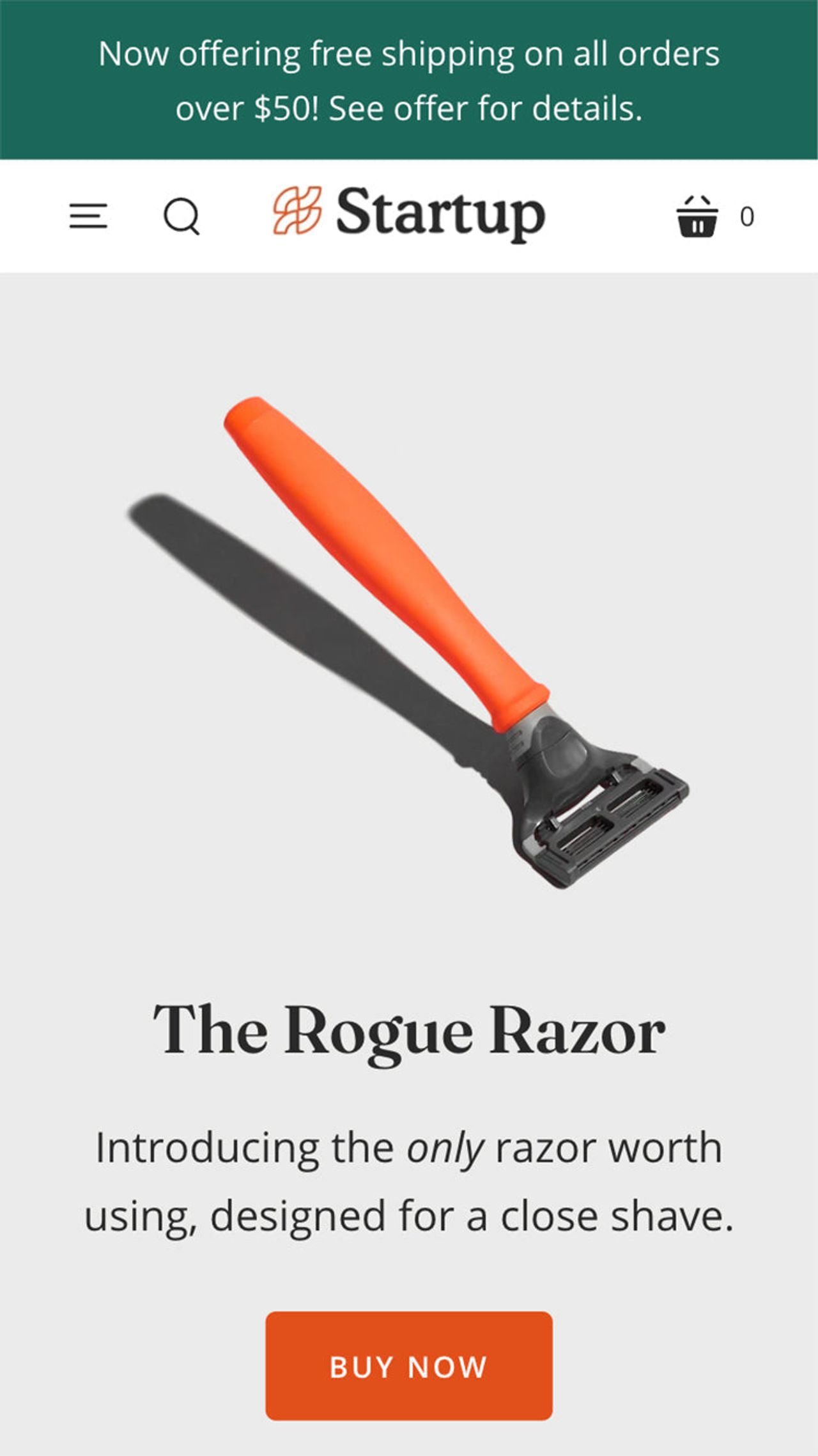
7. Horizon (by Shopify): the free base
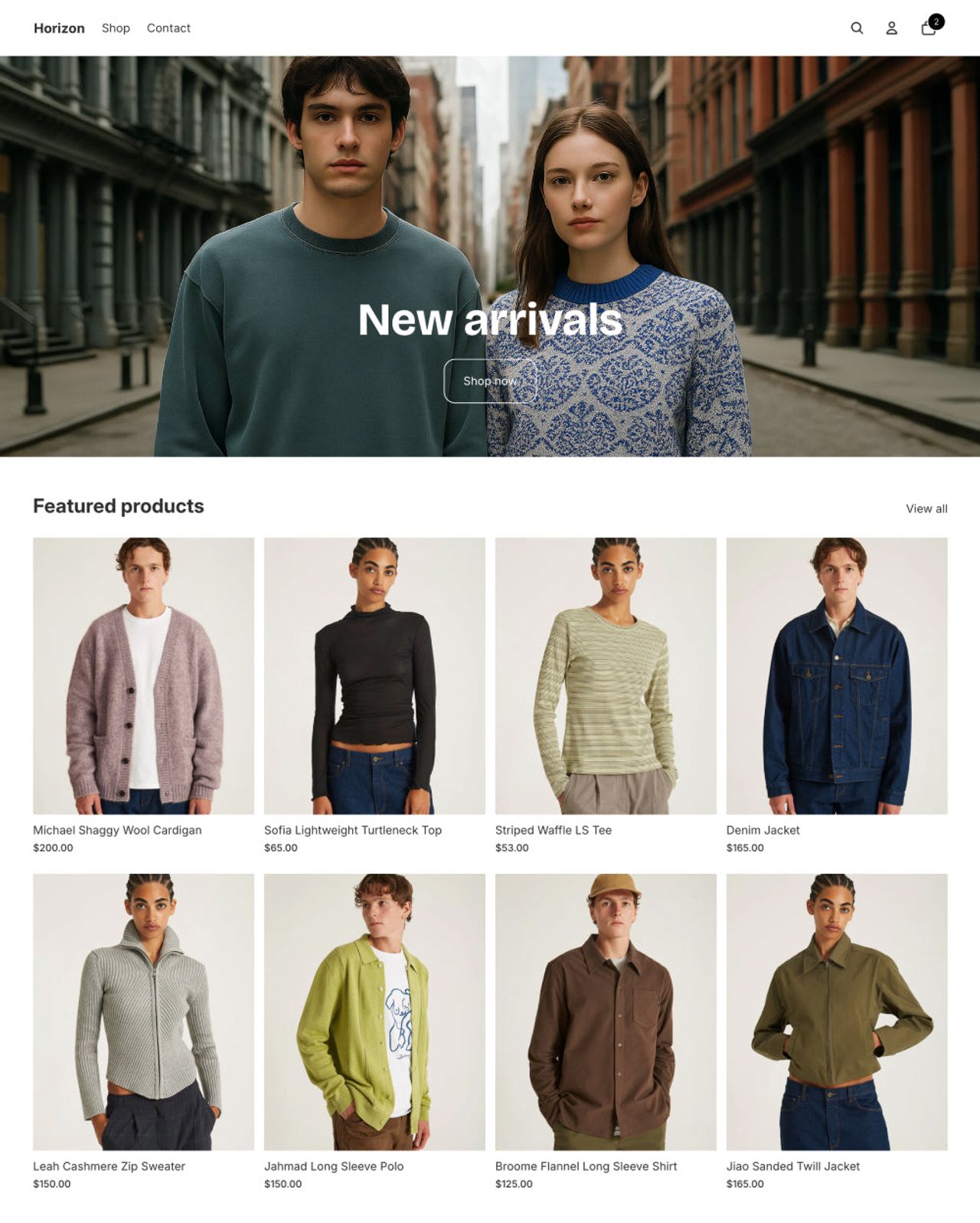
Horizon(opens in a new tab) is Shopify’s free theme, built on nested theme blocks. It has a cart drawer, cross-selling and a stock counter, but no sticky add to cart, before/after or comparison section, and its reviews are 36% positive out of 212. A sound base to test a product idea with no budget; plan apps for what is missing and watch their effect on speed. For more low-cost options, see our best Shopify themes for small business.
What about ThemeForest themes (Elomus, Votto, Fabulous)?
You will also find single product themes on ThemeForest, for $30 to $60. They are cheaper, but they are not reviewed by Shopify, support is often limited to 6 months and every update is installed by hand, carrying over your edits. Theme Store themes are paid once, can be tried free on your store and receive updates from the admin: for a store meant to last, the price gap pays for itself quickly.
How to build a single product store homepage
Whatever the theme, section order matters. Here is the order of Cama’s default homepage, which follows the path of a visitor arriving from an ad:
- Hero banner: the product’s promise in one sentence, with a button that scrolls to the buy box.
- Featured product: photos, price, variants and buy button, from the second screen.
- Before/after: visual proof of the result.
- Benefits: three or four icons that sum up why to buy.
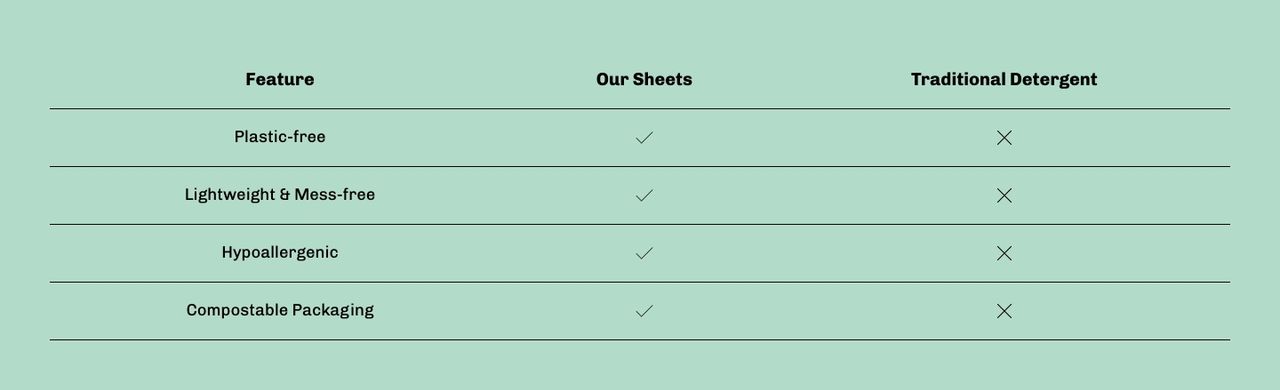
- Comparison table: your product against what the customer uses today.
- Testimonials: customer reviews, with your rating if you show it on Trustpilot.
- FAQ: shipping, returns, use. Every question answered here is one less support email.
- Newsletter: to catch visitors who aren’t ready to buy yet.
Then add a complete product page (visitors who click an image land there) and an About page that tells why you made the product.
Which single product Shopify theme should you choose?
- You want a ready-made sales page: Cama.
- You want the most reviews behind your choice: Sleek (beauty) or Mono (small catalog).
- You sell on subscription or in packs: Wonder.
- You are launching a brand with a strong design: Release.
- Your budget is tight: Startup at $100, or free Horizon.
On the Theme Store, click “Try theme”: it is added to your store at no cost, and your customizations carry over if you buy it. To go further, read our guide to choosing the best Shopify theme or our comparison of the highest-converting Shopify themes.
Frequently asked questions
What is the best Shopify theme for a single product store?
For a store that sells one product, Cama is our first pick: its default homepage is already a sales page (buyable featured product, before/after slider, comparison table, testimonials and FAQ), with a sticky add to cart bar, for $240. If you want more reviews behind your choice, Mono (98% of 119 reviews) and Wonder (99% of 149) are the strongest on the Theme Store.
Is there a free Shopify theme for a one-product store?
Yes: Horizon, Shopify’s free theme, has a cart drawer, a stock counter and complementary products. It lacks a sticky add to cart bar and sections like a before/after slider or a comparison table, which you would add with apps. Watch their effect on store speed.
Can I sell one product on Shopify without a single product theme?
Yes, any theme can feature one product on the homepage. A theme built for one product mainly saves you from rebuilding the sales sections (benefits, comparison, before/after, FAQ) by hand, or paying for apps to add them.
Should I buy a ThemeForest theme for a single product store?
We recommend staying on the Shopify Theme Store: themes there are reviewed by Shopify, update from the admin and come with support for a one-time price. ThemeForest themes are cheaper, but support is often limited to 6 months and updates are installed by hand. To make the right pick, follow our guide to choosing a theme on the Shopify Theme Store.

Keep reading

Shopify Horizon Theme: Review, Features, Image Sizes and Setup Guide
Horizon is Shopify's free flagship theme built on theme blocks. Features, the 10 sibling themes, image sizes, Horizon vs Dawn, honest limits and a safe setup guide.

Local Shopify Theme Review: Pops vs Local for Food, Drink and Local Retail (2026)
Local by Krown Themes or Pops by Trafik Plus? Local retail, in-store pickup, bundles, animations and price: our review and full comparison.

Best Shopify themes for food brands (2026)
Which Shopify theme suits a food or CPG brand in 2026? Our 6 picks, from Pops and Local to Shapes, Focal, Savor and Crave, with prices and food-specific features.