
Add a button to the Shopify header
Put a call-to-action button in the header, next to the menu.
Available in
The problem
The header is the one place every visitor sees, but most themes only offer menu links there. A link to a sale, a quiz or a booking page looks like any other menu item and gets missed.
The solution
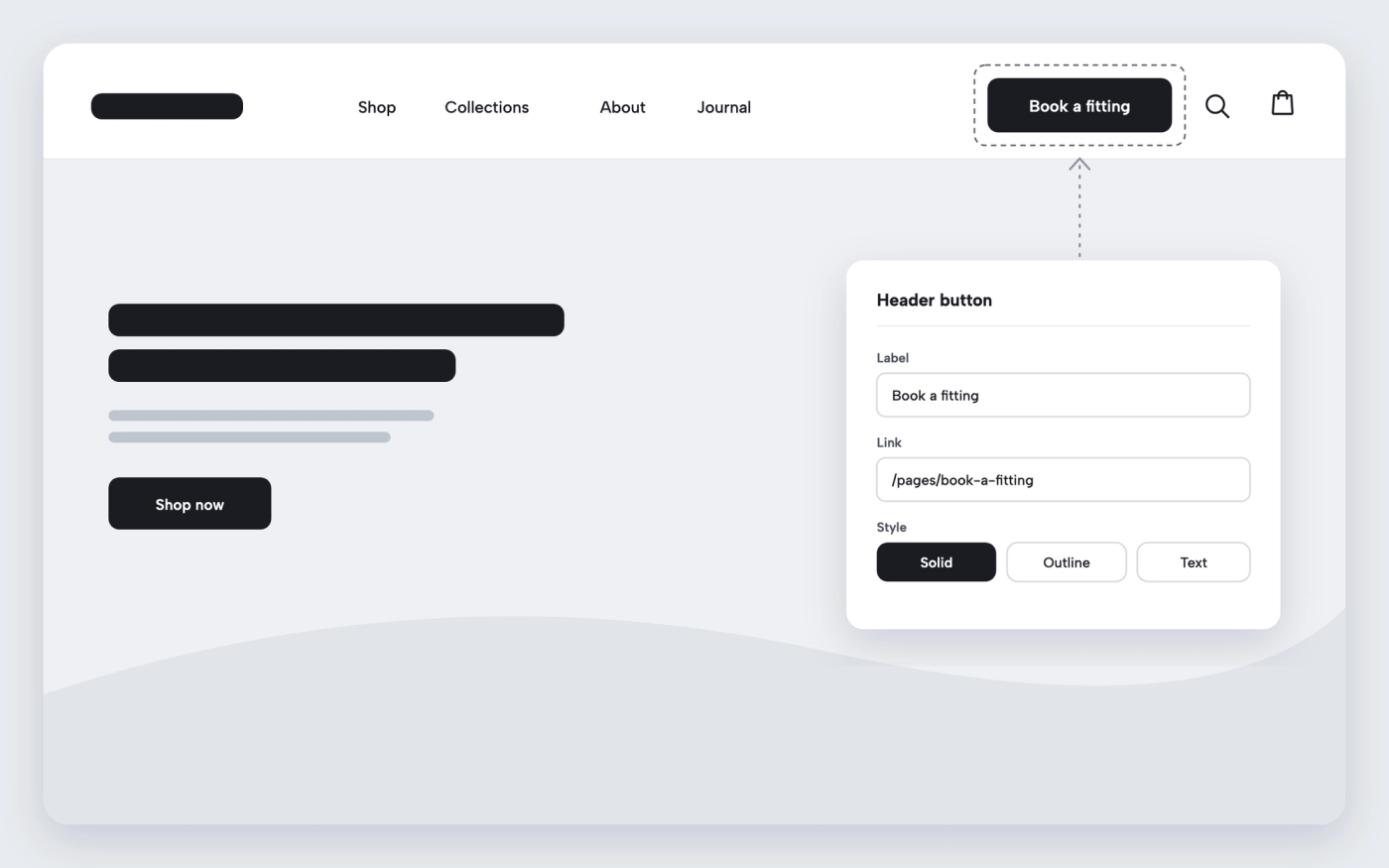
Pops has a featured button in the header. Add it from the theme editor, write the label, pick the link and place it at the start or the end of the navigation. It uses the theme’s button style, so it stands out from the menu links.
How it works
-
Open the header
In the theme editor, select the Header section.
-
Add the button
Add the featured button block, then set its label and link.
-
Choose its position
In the header settings, place the button at the start or the end of the navigation.
Questions merchants ask
Does the button show on mobile?
No. The featured button shows in the desktop navigation. On mobile, add the same link to the menu drawer.
What can the button link to?
Any page, collection, product or external URL, such as a sale, a booking page or a quiz.
Related features
 Saves €6/month
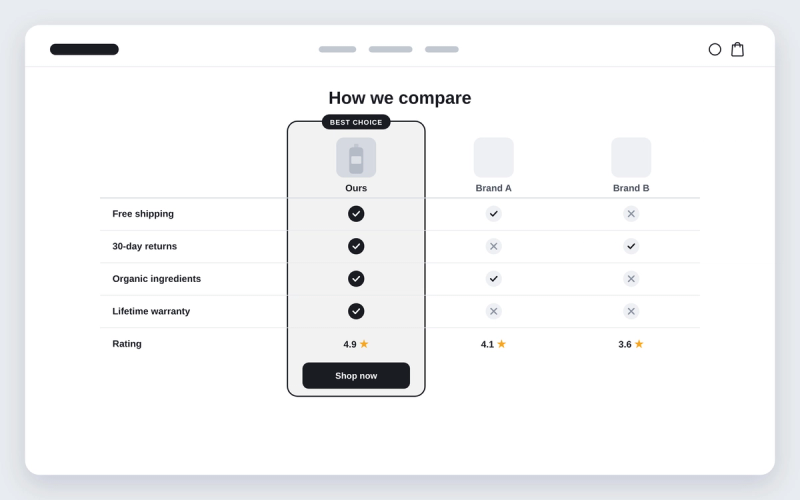
Shopify theme with a comparison table section
Compare your product with the alternatives, row by row, with ticks and crosses.
 Saves €3/month
Before and after image slider for Shopify
Shoppers drag a divider across two images to see the difference your product makes.
 Saves €17/month
Instagram-style stories for Shopify
Round story bubbles that open a viewer of image and video slides, like on Instagram.
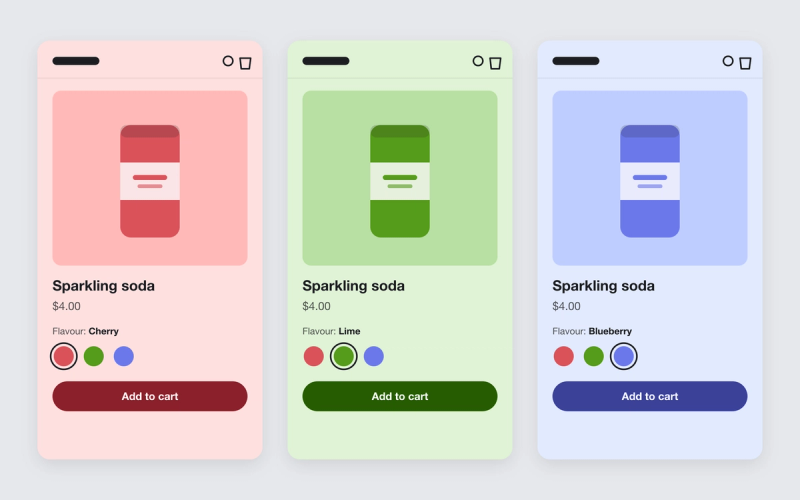
Shopify theme that changes the product page background color per variant
Give each variant a color. When a shopper picks another flavour or shade, the whole product page takes on that color.

Shopify theme that uses OKLCH colors
Pops turns every color in your color schemes into OKLCH, so one hue change recolors the store and contrast stays where you set it.

Shopify blog post template built from blocks
Lay out your blog posts with blocks: tables, sliders, accordions, newsletter forms and more, around the article text.