
Shopify theme that changes the product page background color per variant
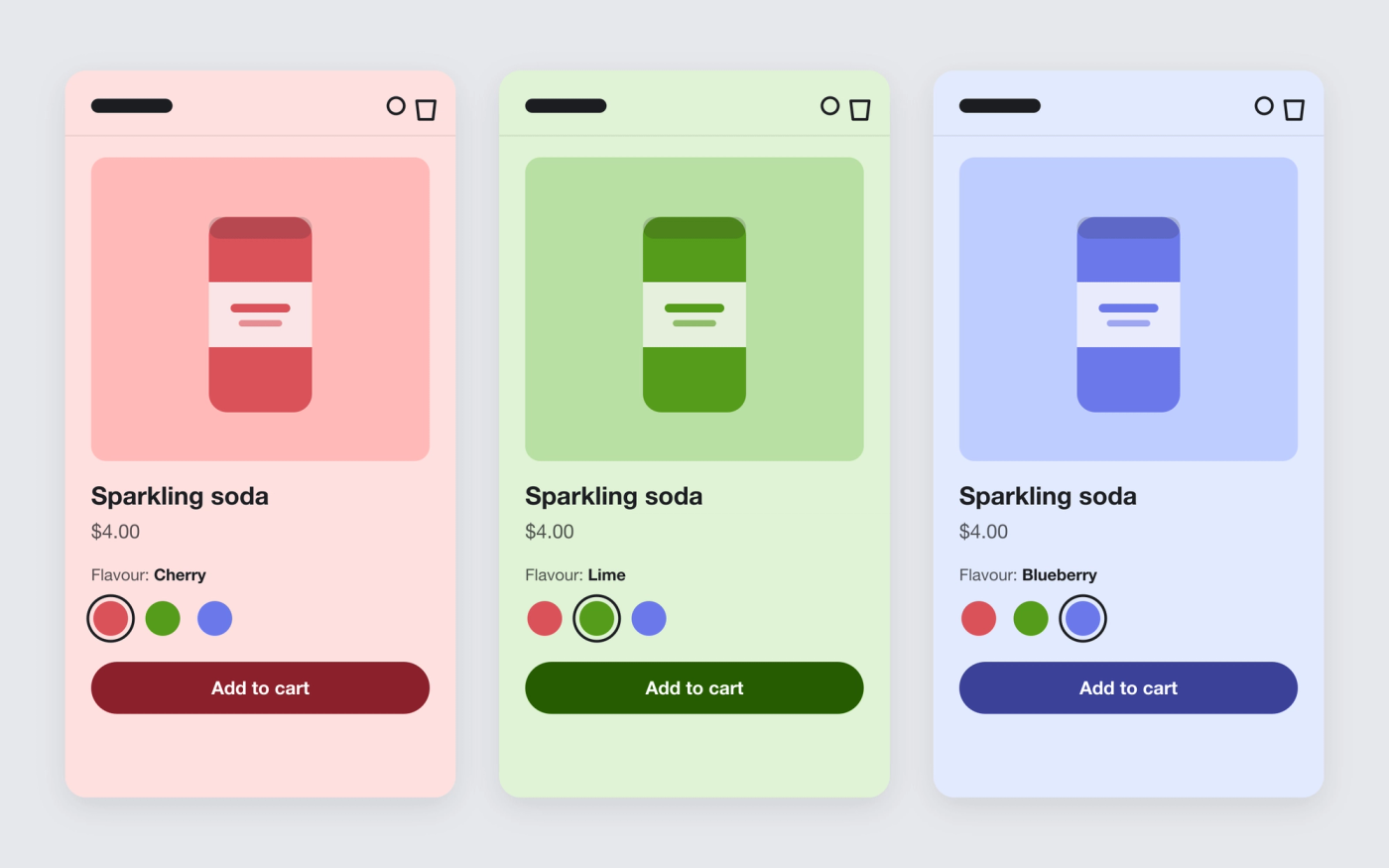
Give each variant a color. When a shopper picks another flavour or shade, the whole product page takes on that color.
Available in
The problem
Shopify color schemes are set per section, not per product. Giving each product or flavour its own page color usually means one template per color, custom CSS, or one look for the whole catalogue.
The solution
Pops reads a color metafield on each variant and applies its hue to the product page. Backgrounds, cards, buttons and gradients move to that hue and keep their lightness, so text stays as readable as in your color scheme. Black and grey stay neutral.
When the shopper picks another variant, the color changes with it, without reloading the page. In a featured product section on the home page, the color stays inside that section. It works because Pops builds every color in OKLCH.
How it works
-
Create the metafield
In the Shopify admin, go to Settings > Custom data > Variants and add a Color metafield with the namespace and key trafik-plus.theme_color.
-
Pick a color for each variant
Open a product and set the color on each variant, e.g. red for Cherry, green for Lime, blue for Blueberry.
-
Preview the product page
Switch variants and the page follows. Variants without a color keep the theme’s color scheme.
Questions merchants ask
How do I change the background color of a product page on Shopify?
Most themes let you pick a color scheme for the product template, and every product using that template gets the same color. In Pops, you set a color on each variant and the page takes on that color, with no extra template.
Does the color change when a customer picks another variant?
Yes, as soon as the variant changes, without a page reload. A variant with no color brings back the theme’s colors.
Will my text stay readable on a colored background?
Yes. Pops only swaps the hue. Each color keeps the lightness you set in the color scheme, so the contrast between background, text and buttons stays the same.
Can I use one color for the whole product?
Yes. Give every variant the same color. A product with a single variant needs it set once.
Related features

Shopify theme that uses OKLCH colors
Pops turns every color in your color schemes into OKLCH, so one hue change recolors the store and contrast stays where you set it.
 Saves €7/month
Shopify theme with a sticky add to cart bar
Keep the add-to-cart button on screen while shoppers scroll the product page.

Show complementary products on Shopify product pages
“Pairs well with” recommendations on the product page, from the pairings you set in Shopify.