
Shopify theme that uses OKLCH colors
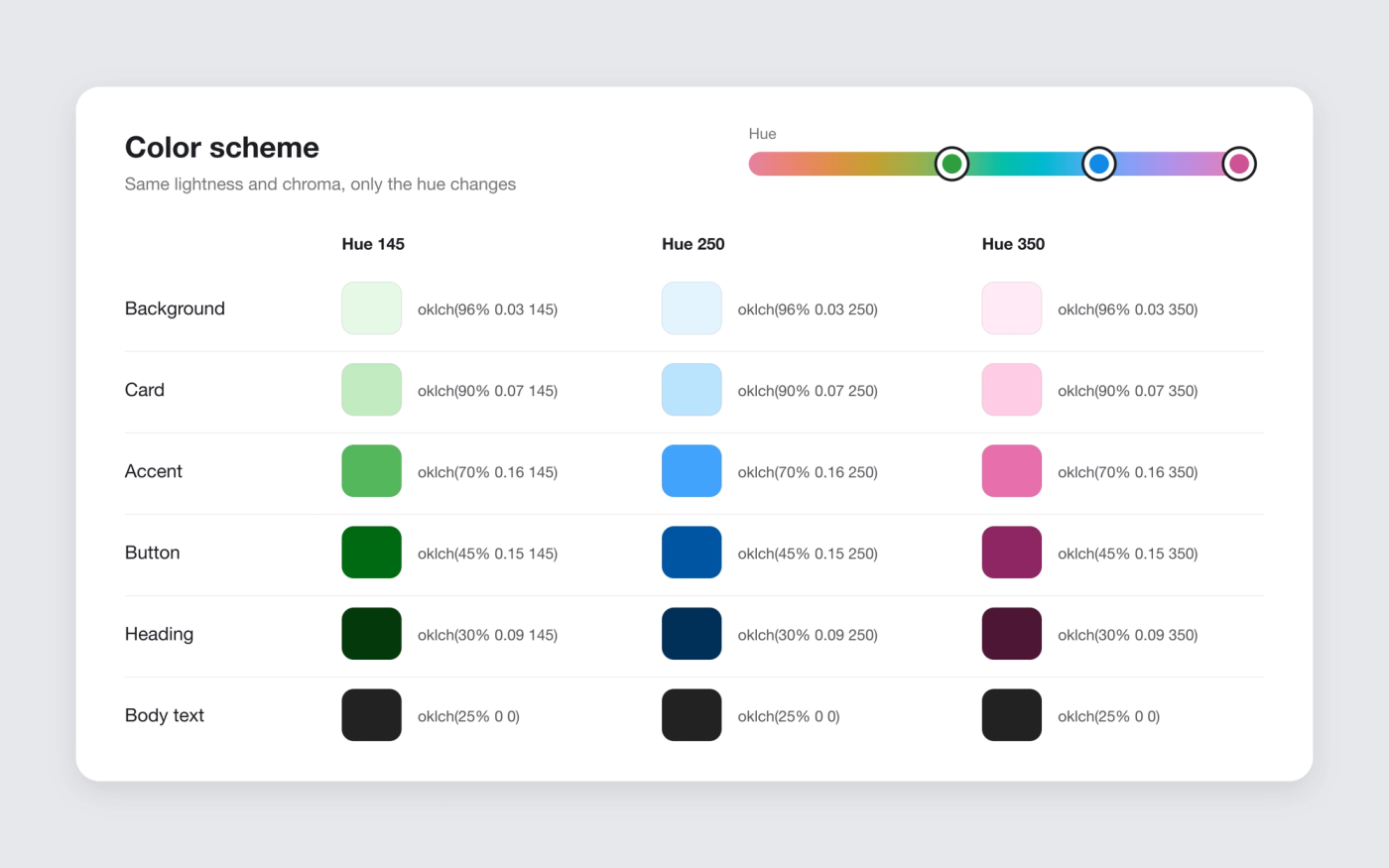
Pops turns every color in your color schemes into OKLCH, so one hue change recolors the store and contrast stays where you set it.
Available in
The problem
Shopify’s color picker stores hex and RGB values. Recoloring a store in RGB means retuning every color by hand, and two colors with the same RGB brightness can look far apart, so buttons and text lose contrast when the palette changes.
The solution
Pops converts every color scheme setting into OKLCH: backgrounds, text, buttons, cards, borders, shadows and gradients. OKLCH is a CSS color format that splits a color into lightness, chroma and hue, with lightness measured the way the eye sees it.
The hue sits in one CSS variable. Change it and every color moves to the new hue while keeping its lightness, so a dark button stays dark and the text on it stays readable. This is what lets Pops change the product page color per variant. Browsers without OKLCH support get your original colors.
How it works
-
Set your color schemes
Pick colors in Theme settings > Colors as usual. Pops converts them to OKLCH for you, no code.
-
Keep neutrals neutral
Black, white and greys have no chroma, so they stay the same whatever the hue.
-
Recolor per product
Add a color to a variant and the page switches to that hue, with the lightness of your scheme.
Questions merchants ask
What is OKLCH?
A CSS color format written oklch(lightness chroma hue). Unlike RGB or HSL, two colors with the same lightness value look equally light, which makes palettes easier to keep consistent.
Do I need to enter OKLCH values in the theme editor?
No. You use Shopify’s normal color picker. Pops does the conversion in the theme code.
Does OKLCH work in every browser?
Current versions of Chrome, Safari, Firefox and Edge support it. Older browsers fall back to the colors you picked, so nothing breaks.
Related features
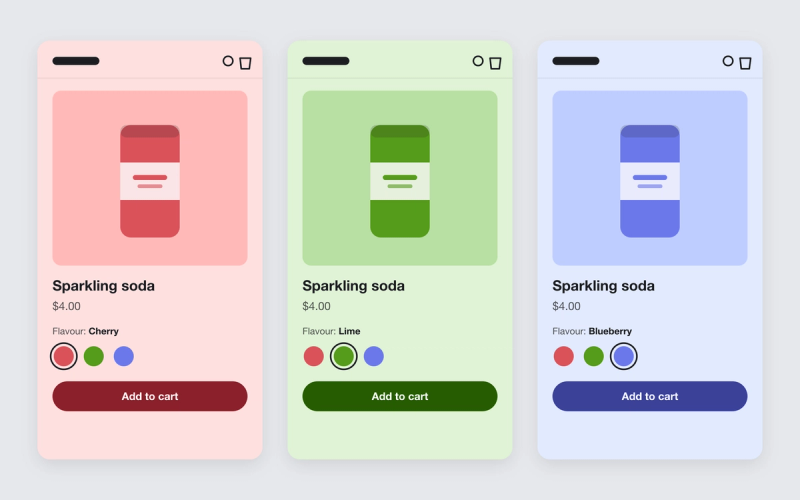
Shopify theme that changes the product page background color per variant
Give each variant a color. When a shopper picks another flavour or shade, the whole product page takes on that color.
 Saves €2/month
Custom cursor for a Shopify store
Swap the default pointer for your own image, or add a trailing line or sparkles.
 Saves €6/month
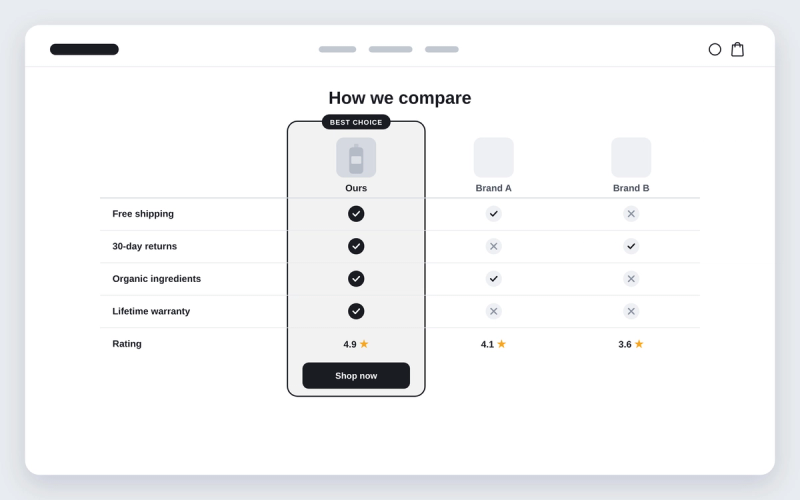
Shopify theme with a comparison table section
Compare your product with the alternatives, row by row, with ticks and crosses.