
Shopify Abandoned Cart Emails: Setup, Timing and 12 Subject Lines

Summarize this article with AI


About 70% of carts are abandoned. Here is how to set up Shopify's recovery emails, when to send them, what to write, and what to fix in the cart so fewer people leave.
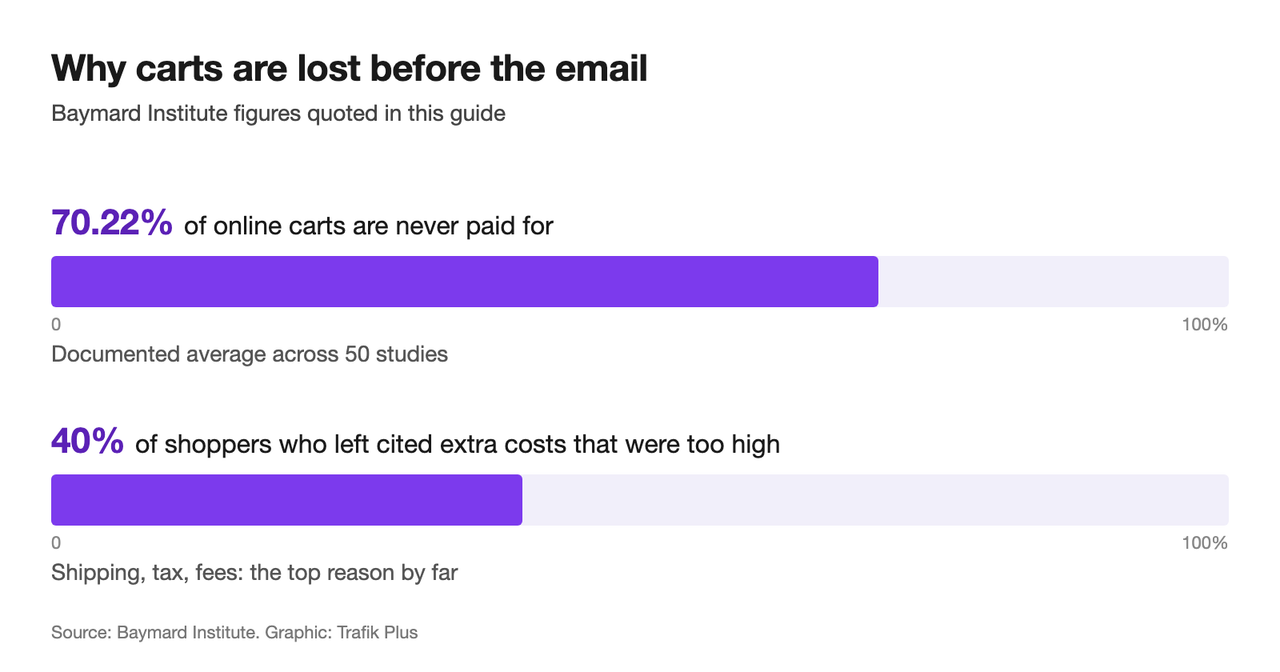
About seven in ten online carts are never paid for: the Baymard Institute(opens in a new tab) puts the documented average at 70.22%, across 50 studies. Some of those shoppers were only browsing. Many were not, and a short email sequence brings a share of them back.
This guide covers the emails first, then the part most stores skip: fixing the cart so fewer people leave in the first place. Disclosure: we make Snap Bundle and the Cama and Pops themes, which include several of the cart features below.
Abandoned cart vs abandoned checkout on Shopify
Shopify tracks three moments where a visitor drops off, and Shopify Messaging(opens in a new tab) has an automation template for each:
Shopify automation | Who receives it | When it makes sense |
|---|---|---|
Recover abandoned checkout | Started checkout, did not pay | Always: highest intent |
Recover abandoned cart | Added to cart, did not start checkout | Once checkout recovery is running |
Convert abandoned product browse | Viewed a product, did not add it | Larger catalogues, repeat visitors |
Start with abandoned checkout. These customers have seen the total and typed their email, so the intent is highest. Shopify also says abandoned checkout automations do not count toward your email quota.
How to set up abandoned cart emails in Shopify
- In your Shopify admin, go to Apps > Messaging, then Automations.
- Choose Recover abandoned checkout and turn it on.
- Edit the subject line, preview text, logo and colours so the email looks like your store.
- Check the audience. By default, marketing automations only go to customers subscribed to email marketing.
- Repeat with Recover abandoned cart once the first one is running.
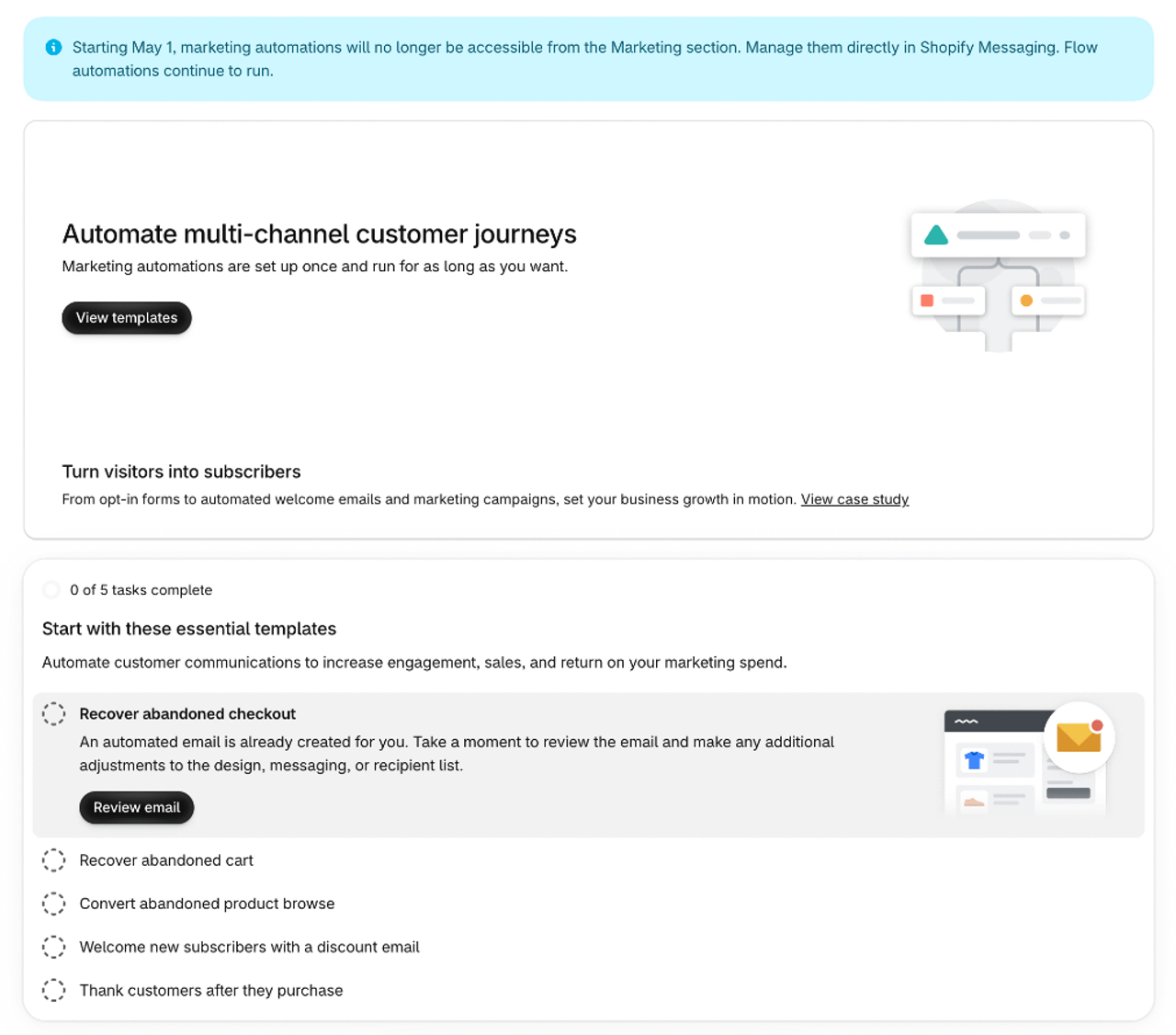
The products in the email match what the customer left behind, and the button takes them straight back to their cart.
When to send: a 3-email sequence
Send after | Job | Discount | |
|---|---|---|---|
1 | About 1 hour | Reminder: here is your cart | No |
2 | About 24 hours | Answer the objection: shipping, returns, sizing | No |
3 | 48–72 hours | Last nudge | Optional, small |
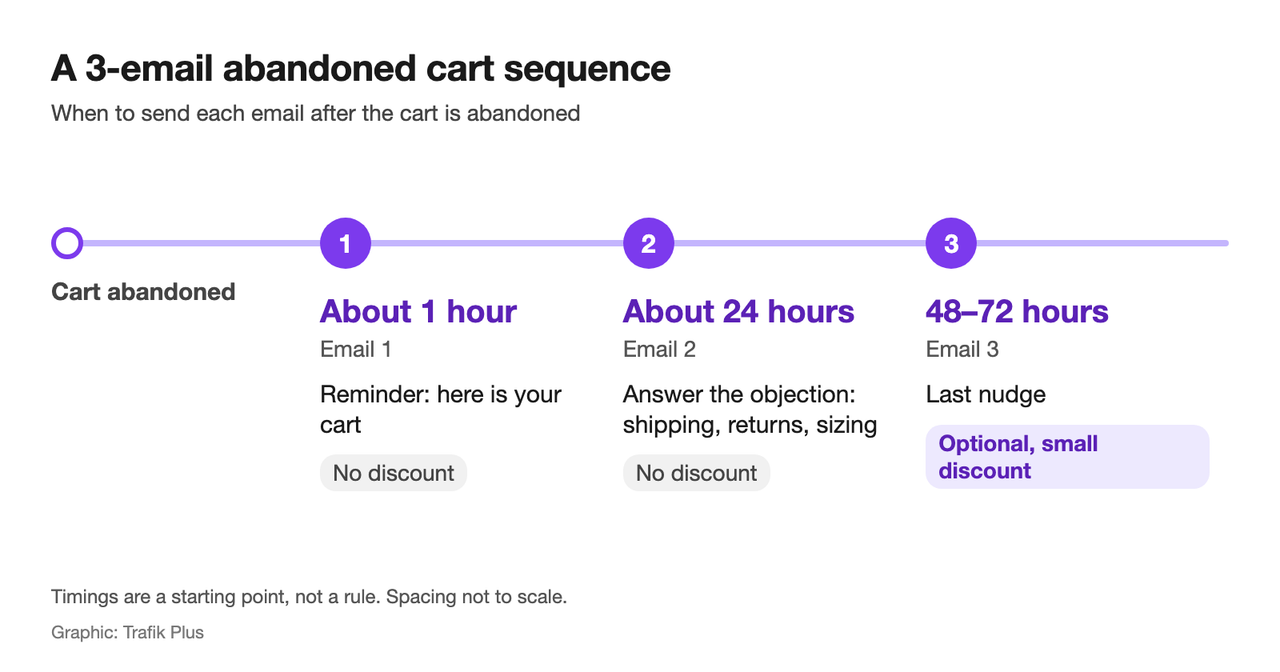
These timings are a starting point, not a rule. A low-priced impulse product can go faster; a considered purchase like furniture can wait longer. Test one change at a time.
12 abandoned cart email subject lines
Short, specific, and about the shopper rather than the store:
- You left something in your cart
- Still thinking about the [product name]?
- Your cart is saved for you
- Questions about sizing? We can help
- Free returns, if it doesn't fit
- Free shipping on this order
- Your [product name] is waiting
- Only a few left in your size
- Here's what other customers say about it
- Need a hand finishing your order?
- Your cart, one click away
- Last reminder about your cart
Only claim low stock or free shipping if it is true. A false "only 2 left" works once.
What to write in the email
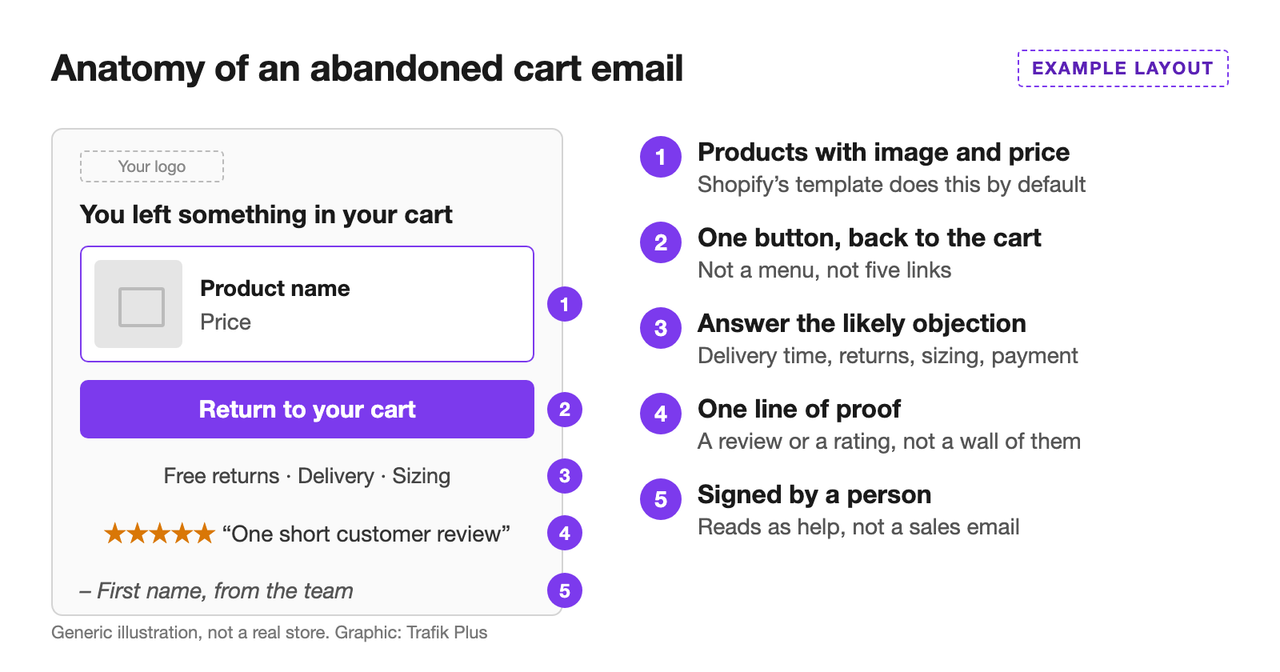
- Show the products with image and price. Shopify's template does this by default.
- One button, back to the cart. Not a menu, not five links.
- Answer the likely objection: delivery time, returns, sizing, payment options.
- Add one line of proof: a review or a rating, not a wall of them.
- Sign it from a person if your brand allows it. It reads as help, not a sales email.
Fix the cart before you rely on emails
An email recovers some of the carts you lost. A better cart loses fewer. Baymard's survey(opens in a new tab) lists the most common reasons people abandon checkout, and the top one by far is extra costs that were too high (shipping, tax, fees), cited by 40% of those who left.
- Show the full price in the cart. Shipping, taxes, discounts: if the total changes at checkout, people leave. Say so in one line under the total.
- Put the free shipping threshold in plain view. A free shipping bar shows how far the customer is from it, before checkout.
- Let people apply a discount code in the cart. A cart discount field avoids the "where do I enter my code?" exit.
- Don't force account creation. Shopify supports guest checkout; keep it on.
- Show payment options and delivery times before checkout, near the cart button.
- Let shoppers save or send a cart. A shareable cart link helps when someone else is paying.
For the wider picture, see our guide to increasing average order value.
How to measure recovery
- Recovery rate: recovered orders divided by abandoned checkouts in the same period.
- Revenue per email sent, per email in the sequence. If email 3 earns nothing, cut it or change it.
- Discount cost: if you add a discount to the last email, track how much of the recovered revenue it gave away.
FAQ
What is the average cart abandonment rate?
About 70%, according to the Baymard Institute's average of 50 studies. Your own rate is in Shopify Analytics: compare sessions with a cart to completed orders.
What is the difference between an abandoned cart and an abandoned checkout on Shopify?
An abandoned checkout means the customer reached checkout and usually entered their email, then left. An abandoned cart means they added products but never started checkout. Shopify has a separate automation for each.
Are Shopify abandoned checkout emails free?
Yes. Shopify says abandoned checkout automations do not count toward your email quota.
Should abandoned cart emails include a discount?
Not in the first email. Many shoppers come back without one. If you offer one, keep it for the last email so customers do not learn to abandon on purpose.
Who receives abandoned cart emails on Shopify?
By default, only customers subscribed to email marketing. For the abandoned checkout automation, Shopify lets you change the audience to all customers in the email's "To" field. Check your local consent rules first.

Keep reading

16 Best Kombucha Shopify Store Examples (Desktop + Mobile)
16 real kombucha brands on Shopify, from Kyo and Health-Ade to GT's and Remedy: home pages, product pages, pack pickers and subscriptions on desktop and mobile, with the theme each store uses.

20 Best One Product Shopify Store Examples in 2026
20 real one product Shopify stores, from Henson Shaving to Tushy: what they sell, the theme they run on, what they do well and what to copy, plus how to build your own one-product store.

SEO vs PPC: Organic vs Paid Search on a Fixed Budget
SEO vs PPC for a Shopify store with a fixed budget: cost per click vs cost per page, click share data, when to move spend, and a worked $3,000 budget split.