
The 10 Best Claude Skills for Shopify Merchants (No Code Needed)

Summarize this article with AI


Ten Claude skills that write product pages, answer angry customers, track real profit and plan campaigns for your Shopify store, with no code. Plus how to install them.
Claude skills are small instruction packs that teach Claude a task once, so you don’t re-explain it in every chat. For a Shopify merchant, that means a skill that writes product descriptions in your brand voice, one that answers an angry customer without promising what you can’t deliver, or one that turns an orders export into a real profit report.
Trafik Plus is a Shopify agency. We develop Shopify themes, including our own theme Pops, and we use Claude with merchants every day. We went through the Shopify skills available today, from Shopify’s own to free packs on GitHub, and kept the ones that work for store owners who don’t write code. For each one: what it does, a request you can copy, and how hard the setup is.
What is a Claude skill (or agent skill)?
A skill is a folder with a SKILL.md file inside: a name, a short description and step-by-step instructions, sometimes with templates or small scripts. Claude reads the description of every skill you’ve turned on and loads the full instructions only when your request matches. You don’t call it by name. Ask “write a product description for this linen shirt” and the product description skill kicks in.
The difference with a saved prompt is consistency. A prompt depends on how you phrase it that day. A skill fixes the method: the questions to ask, the format, the checks to run, what never to write. According to Anthropic’s help center(opens in a new tab), skills work on every plan, including Free, as long as code execution (“Create and edit files”) is turned on in Settings > Capabilities.
Skills follow Agent Skills(opens in a new tab), an open format Anthropic created and released as a standard. That’s why you’ll also see them called agent skills. The same Shopify agent skills work in other AI tools that support the format, including ChatGPT and Codex, Gemini CLI, Cursor and GitHub Copilot. This guide focuses on Claude, where you install them without code.
Claude also comes with four built-in skills (Excel, Word, PowerPoint and PDF) that need no install. You add the others in Customize > Skills.
Connect Claude to your Shopify store first
Most skills get better when Claude can read your real store. The official Shopify connector, built by Shopify, lets Claude read orders, products and inventory, and make changes once you approve them. Setup takes about five minutes from Customize > Connectors. We cover each step, the permissions and the limits in our guide Shopify Claude: how to connect Claude to your store.
Some skills below need no connection at all: they work from a CSV export or from what you paste in the chat. We flag it for each one.
The 10 best Claude skills for Shopify
The ten Shopify store skills below cover product pages, support, marketing, reporting and SEO. They’re AI skills written for merchants, not developers. Most are free on GitHub. The first comes with the Shopify connector and the eighth with Claude.
Skill | Best for | Setup | Store access |
|---|---|---|---|
Shopify connector and its skills | Questions and edits on your live store | 5 minutes, no code | Yes |
ReplAi shopify-skills | Product pages, support replies, real profit | ZIP upload | Optional, via the connector |
Anthropic Marketing plugin | Campaigns, email sequences, SEO audits | One click in Cowork | No, works from your content |
Anthropic Customer Support plugin | Sorting tickets, drafting replies | One click in Cowork | No, works from what you paste |
Nexscope eCommerce Skills | Email flows, upsells, loyalty, SEO plans | ZIP upload | No, advice only |
40RTY Shopify Admin Skills | Daily briefings, stock and fraud alerts | One-time technical setup | Yes, with dry runs |
Selofy Shopify Skill Hub | Alt text, SEO, broken links, Merchant Center | Easy for audits, technical for edits | Yes, after approval |
Excel, PowerPoint and PDF | Reports and decks from exports | Built in | No, works from exports |
claude-marketing Shopify skill | Conversion, checkout, Klaviyo, GA4 | ZIP upload | No |
Your own skill | Brand voice, repeat tasks | 10 minutes | Depends on the skill |
1. The official Shopify connector and its built-in skills
Start here. The Shopify connector comes with Shopify’s own skills, which Claude loads before it touches your store: how to query the admin correctly, how to edit a theme safely. Nothing else to install. You ask in plain English, and Claude asks for your approval before each change.
Example request: “With Shopify, list the 10 products with the most stock and no sale in the last 60 days, then draft a 20% discount for them.”
Setup: five minutes, no code. Store access: read and write, with your approval.
2. ReplAi shopify-skills: 12 skills for day-to-day store work
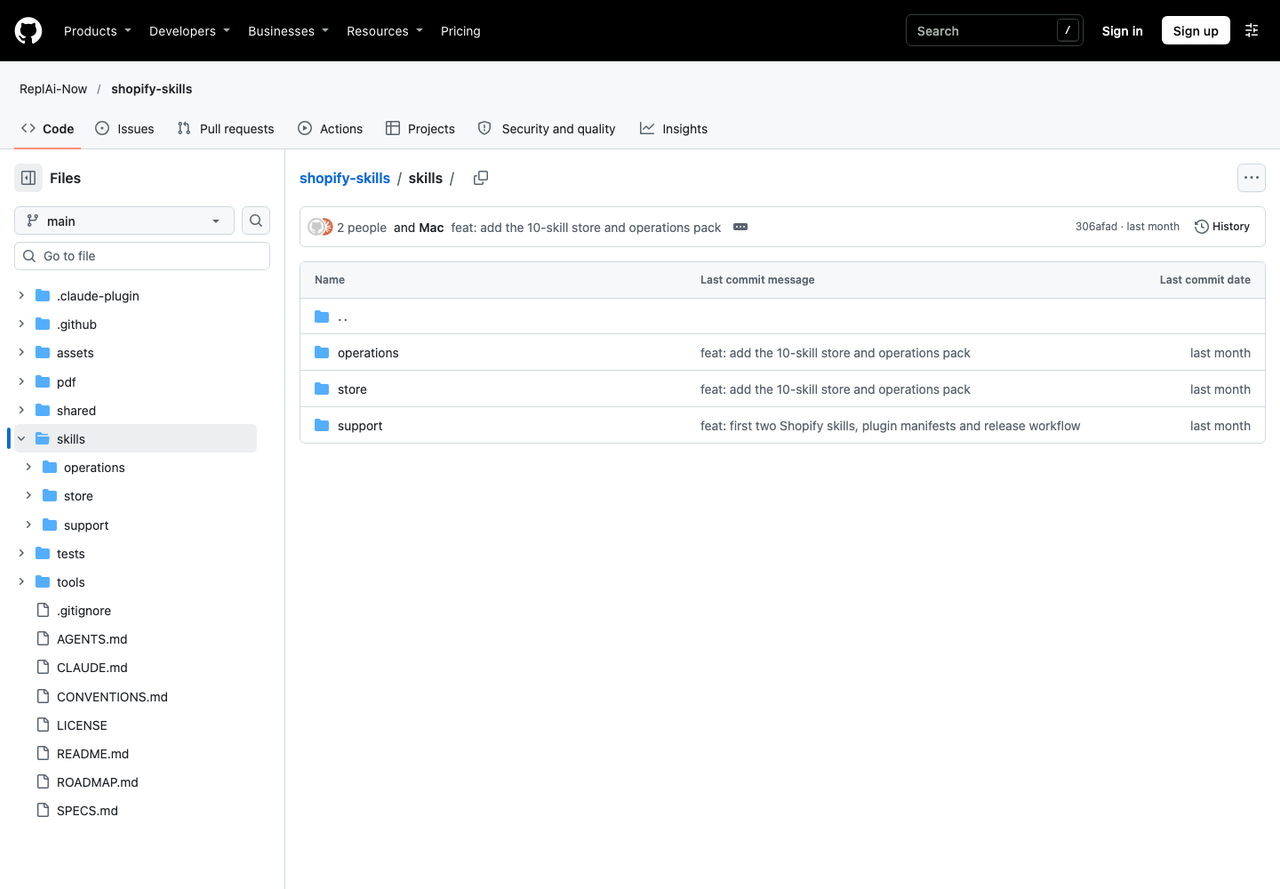
ReplAi’s shopify-skills(opens in a new tab) is the most merchant-friendly pack we found. It’s free, open source (MIT) and written for store owners rather than developers. The 12 skills sit in three folders:
- Store: product-descriptions, catalog-photoshoot, shopify-catalog-upload, size-chart-builder and conversion-optimiser.
- Support: angry-customer-reply, which drafts a calm answer and leaves placeholders for facts it doesn’t know (tracking number, refund amount) instead of inventing them.
- Operations: true-profit, cod-rto-analysis, returns-reason-analysis, demand-planner, dead-stock-clearance and weekly-kpi-digest.
true-profit is the standout. Give it an orders export and a sheet with your product costs, and it builds a dashboard of your real margin after shipping, fees and returns.
Example request: “Here’s my orders export and my cost sheet. What was my true profit per product last month?”
Setup: download a skill folder as a ZIP and upload it in Customize > Skills. Store access: optional. Most skills work from your exports. shopify-catalog-upload and conversion-optimiser can also write to the store through the Shopify connector, after your approval.
3. Anthropic’s Marketing plugin
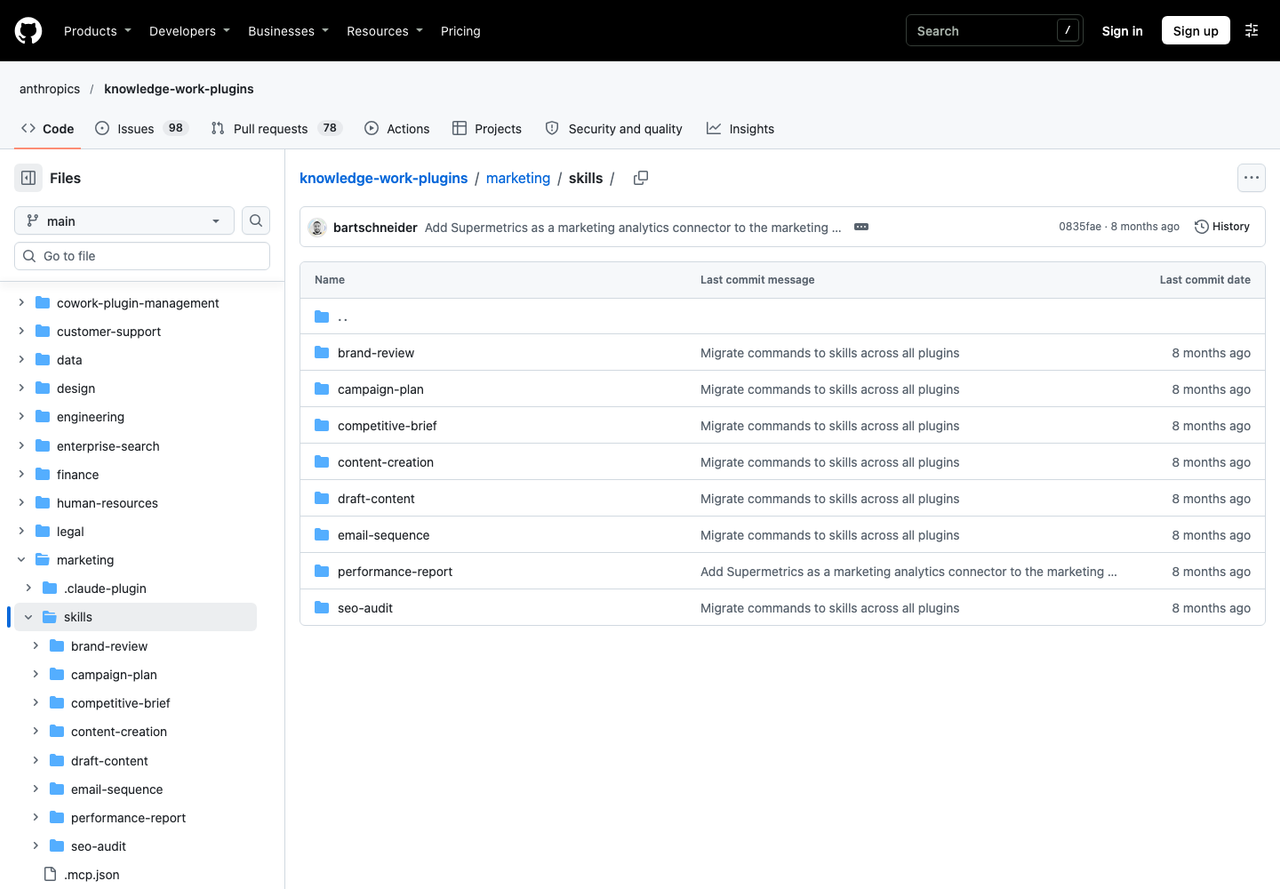
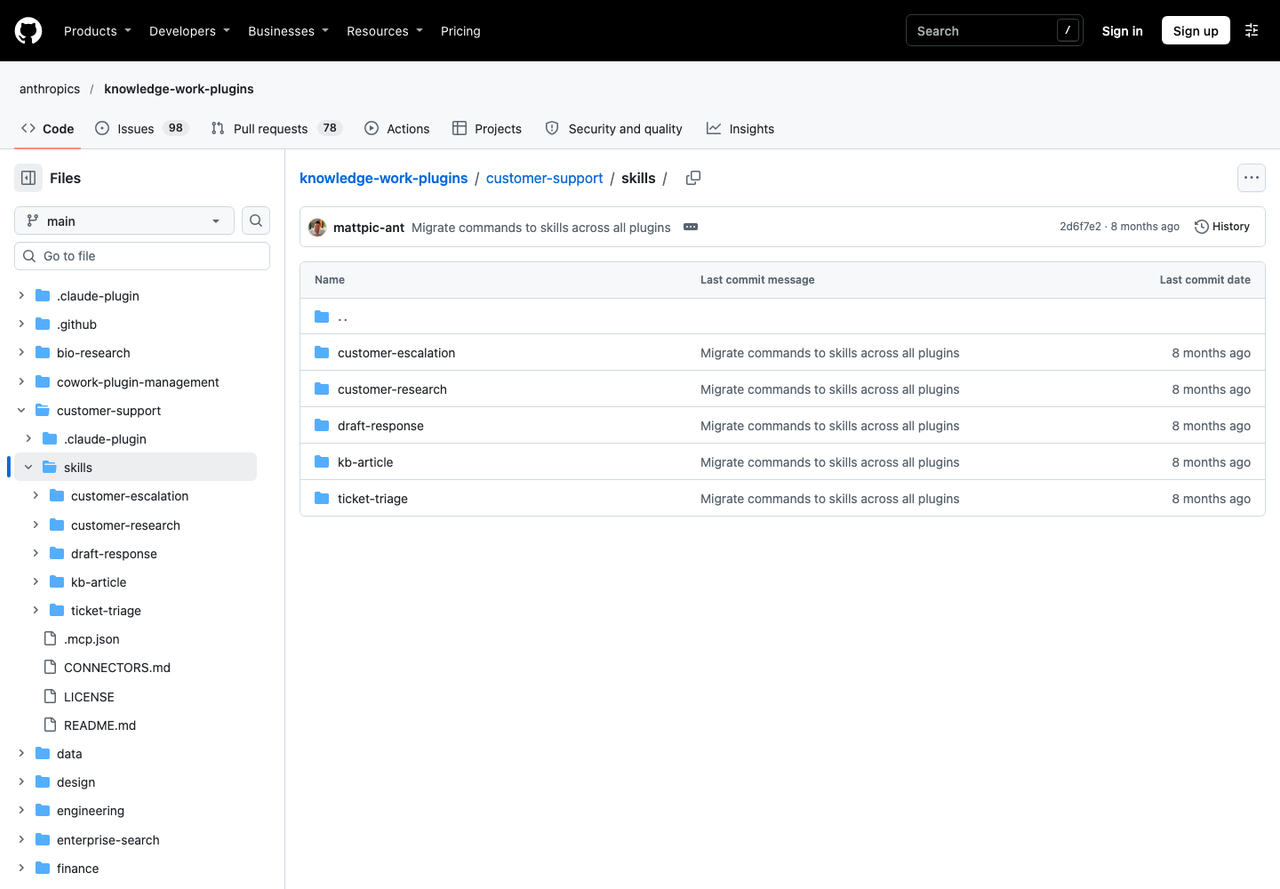
Anthropic publishes free plugins for common jobs in its knowledge-work-plugins(opens in a new tab) repository. A plugin is a bundle of skills you add in one go. The Marketing plugin holds eight: brand-review, campaign-plan, competitive-brief, content-creation, draft-content, email-sequence, performance-report and seo-audit.
For a Shopify store, email-sequence and campaign-plan are the most useful. Describe your Black Friday offer and get a dated plan with emails, social posts and a landing page brief. brand-review checks a draft against your tone rules before it goes out.
Example request: “Plan a 3-email welcome sequence for new subscribers to a skincare store, with subject lines and send delays.”
Setup: one click from the plugin directory in Claude Cowork. Store access: none needed.
4. Anthropic’s Customer Support plugin
Same repository, same install. Five skills: ticket-triage, draft-response, customer-escalation, customer-research and kb-article. Paste a batch of customer emails and Claude sorts them by urgency, drafts replies and flags the ones that need you. kb-article turns a question you answer every week into a help page for your store.
Example request: “Sort these 15 support emails by urgency and draft a reply to each delivery question.”
Setup: one click in Cowork. Store access: none, it works from what you paste.
5. Nexscope eCommerce Skills: growth playbooks
Nexscope’s eCommerce-Skills(opens in a new tab) is a large, free library of Shopify playbooks: shopify-email-flows, shopify-cart-abandonment, shopify-upsell-cross-sell, shopify-loyalty-program, shopify-international, shopify-google-channel, shopify-facebook-instagram-shop, shopify-blog-strategy, shopify-inventory-management, shopify-seo, shopify-conversion-optimization and shopify-store-setup. Its product-description-generator is one of the most installed.
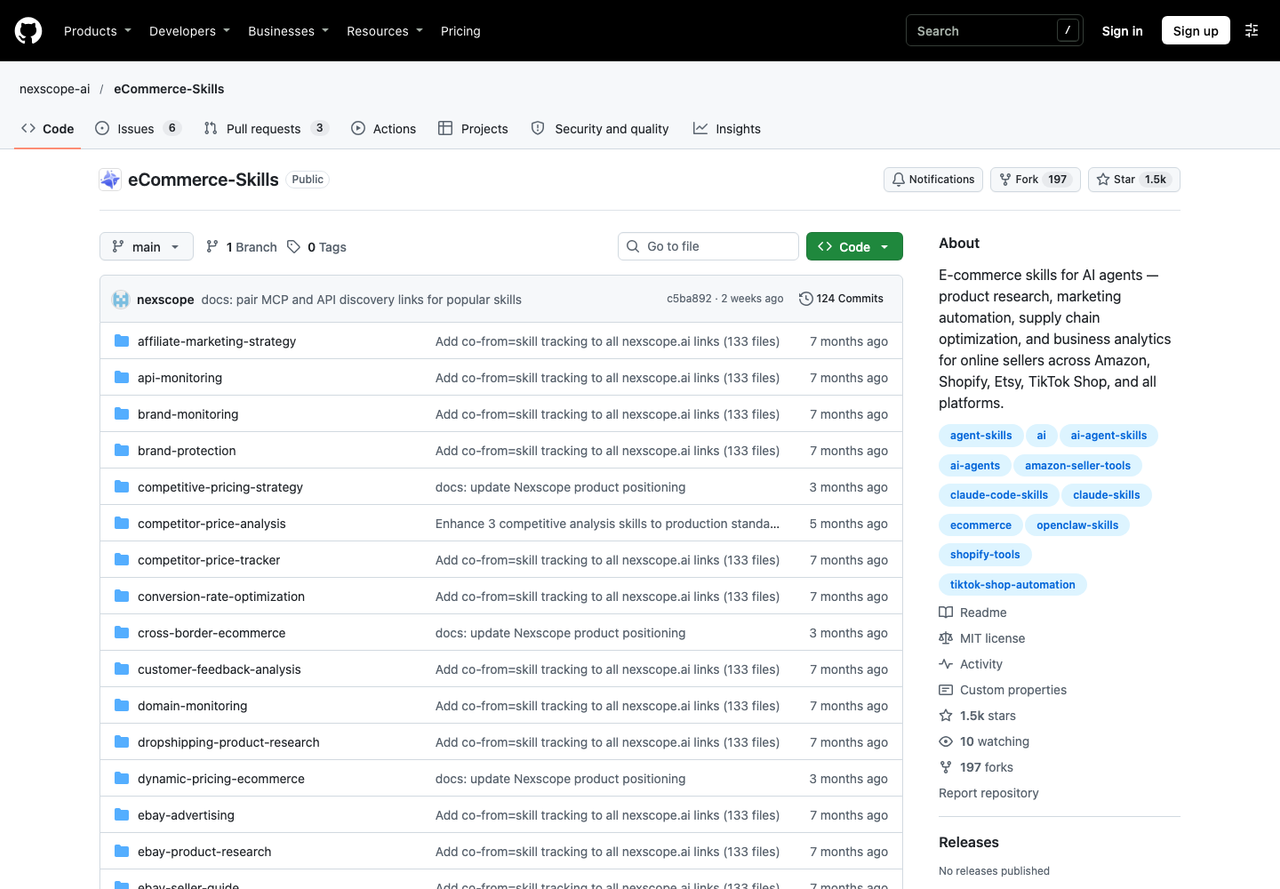
These skills don’t touch your store. They’re structured advice: Claude asks about your business, then gives a step-by-step plan based on the playbook. Most are still marked beta, so treat the output as a strong first draft.
Example request: “I sell coffee subscriptions. Set up my abandoned cart flow: how many emails, when, and what goes in each.”
Setup: ZIP upload of the skill folder you want. Store access: none.
6. 40RTY Shopify Admin Skills: daily briefings and alerts
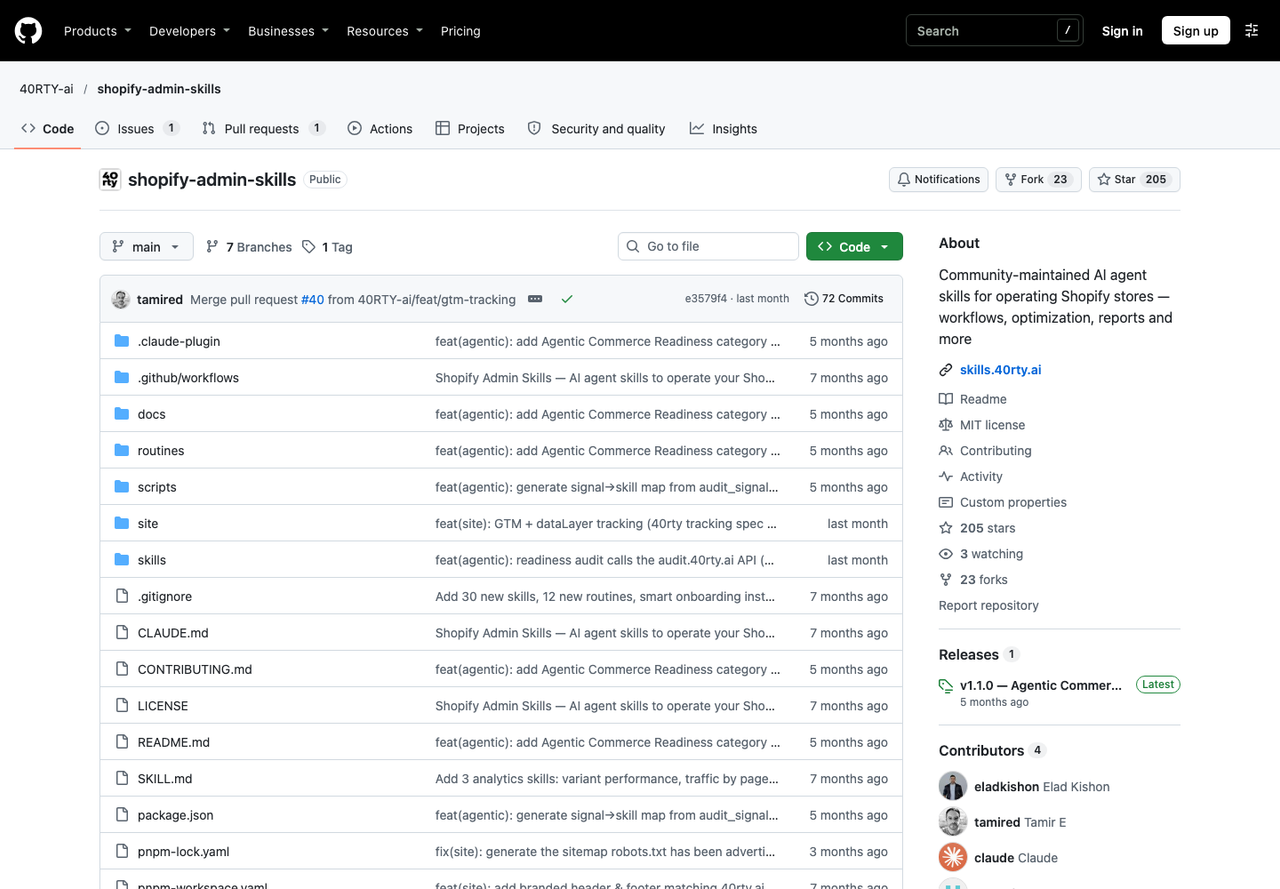
40RTY’s shopify-admin-skills(opens in a new tab) is the most complete pack: 116 skills across 11 categories (marketing, merchandising, customer support, fulfillment, finance, returns and more), plus about 20 scheduled routines such as morning-store-briefing, low-stock-watchdog, fraud-sentinel and weekly-business-review.
It reads your live store, and changes run as a dry run first so you see what would happen. The catch: it runs in Claude Code and needs a Shopify CLI login. Plan one setup session, ideally with your developer or agency. After that, the routines run on their own.
Example request: “Every morning at 8, send me yesterday’s sales, the products running low and any risky orders.”
Setup: one-time technical setup. Store access: read and write, with dry runs.
7. Selofy Shopify Skill Hub: SEO and store audits
Shopify Skill Hub(opens in a new tab) by Selofy focuses on store hygiene: optimize-shopify-alt-text, shopify-product-serp-optimizer, shopify-blog-seo-optimizer, shopify-broken-link-doctor, shopify-gmc-misrepresentation-auditor (for Google Merchant Center suspensions), shopify-store-setup-auditor, shopify-store-translator and shopify-barcode-generator.
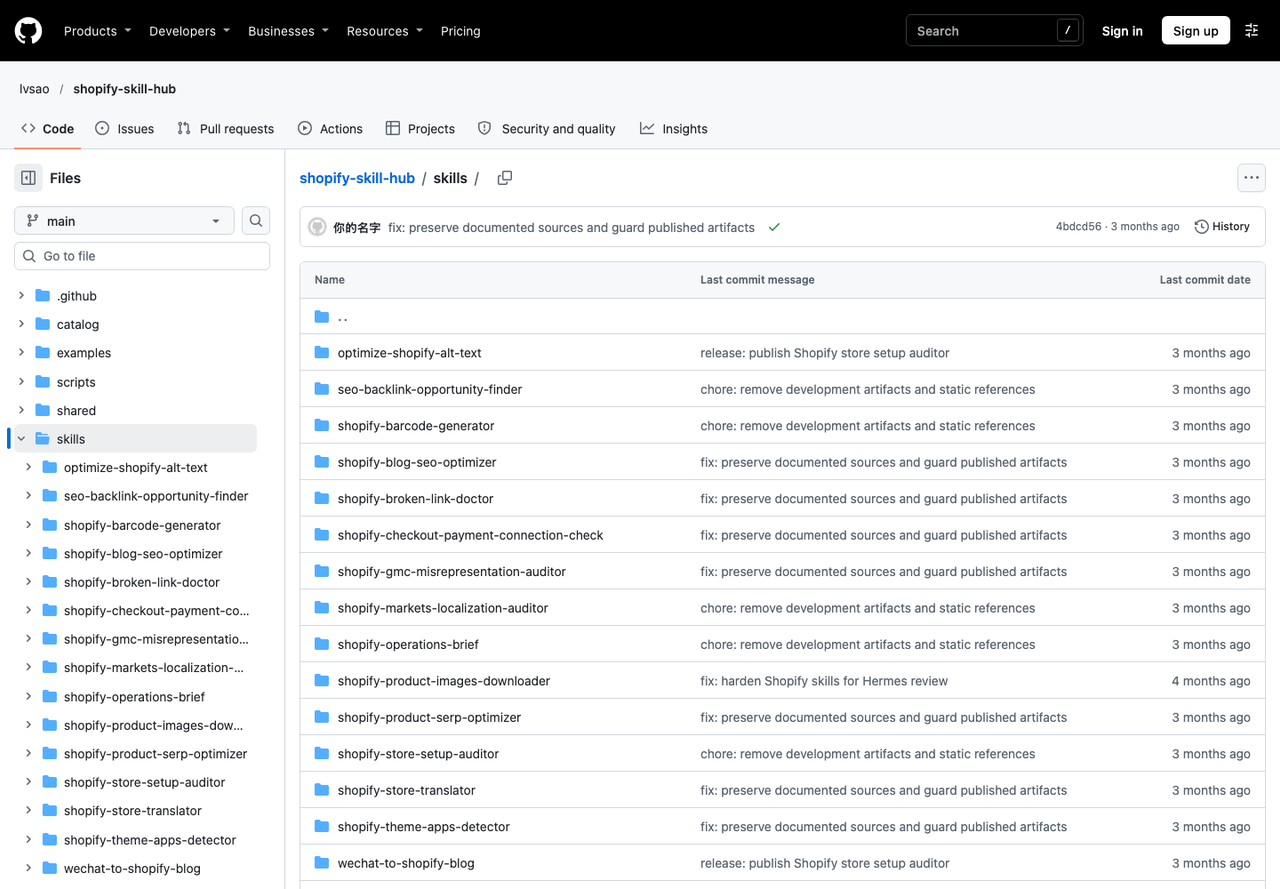
Each skill shows a preview and waits for your approval before it writes to the store. Audits of your public storefront work right away. Skills that edit products need Node and the Shopify CLI.
Example request: “Audit my store for Merchant Center misrepresentation issues and list what to fix first.”
Setup: easy for audits, technical for edits. Store access: yes, after approval.
8. Claude’s built-in Excel, PowerPoint and PDF skills
The skills you already have. Export orders, products or customers from the Shopify admin as CSV, drop the file in Claude and ask for a formatted Excel report with charts, a 5-slide monthly review in PowerPoint or a PDF line sheet for a wholesale buyer.
Example request: “From this orders export, build an Excel file with revenue by week and by product type, plus a chart.”
Setup: none. Store access: none, it works from exports.
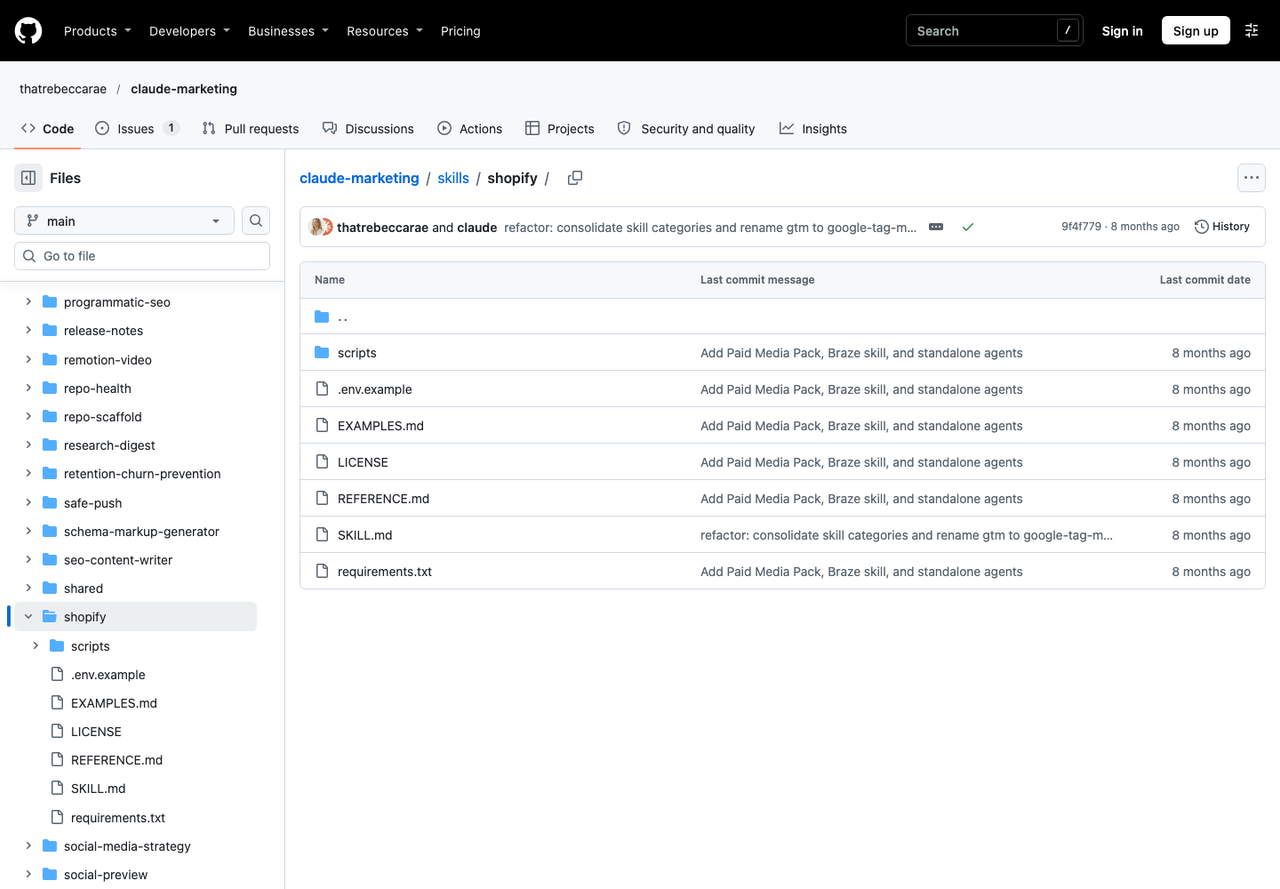
9. The Shopify skill in claude-marketing
The claude-marketing(opens in a new tab) collection includes a Shopify skill focused on conversion: funnel review, checkout friction and tracking checks, with companion skills for Klaviyo and GA4. Useful if you already run email in Klaviyo and want Claude to review flows and campaigns with you.
Example request: “Here are screenshots of each checkout step. Where do customers drop off, and why?”
Setup: ZIP upload of the shopify folder. Store access: none.
10. Your own skill
The best skill is often the one you write. Anything you explain to Claude more than twice belongs in a skill: your brand voice, your return policy, how you name products, how you answer wholesale requests. Three ways to make one without code:
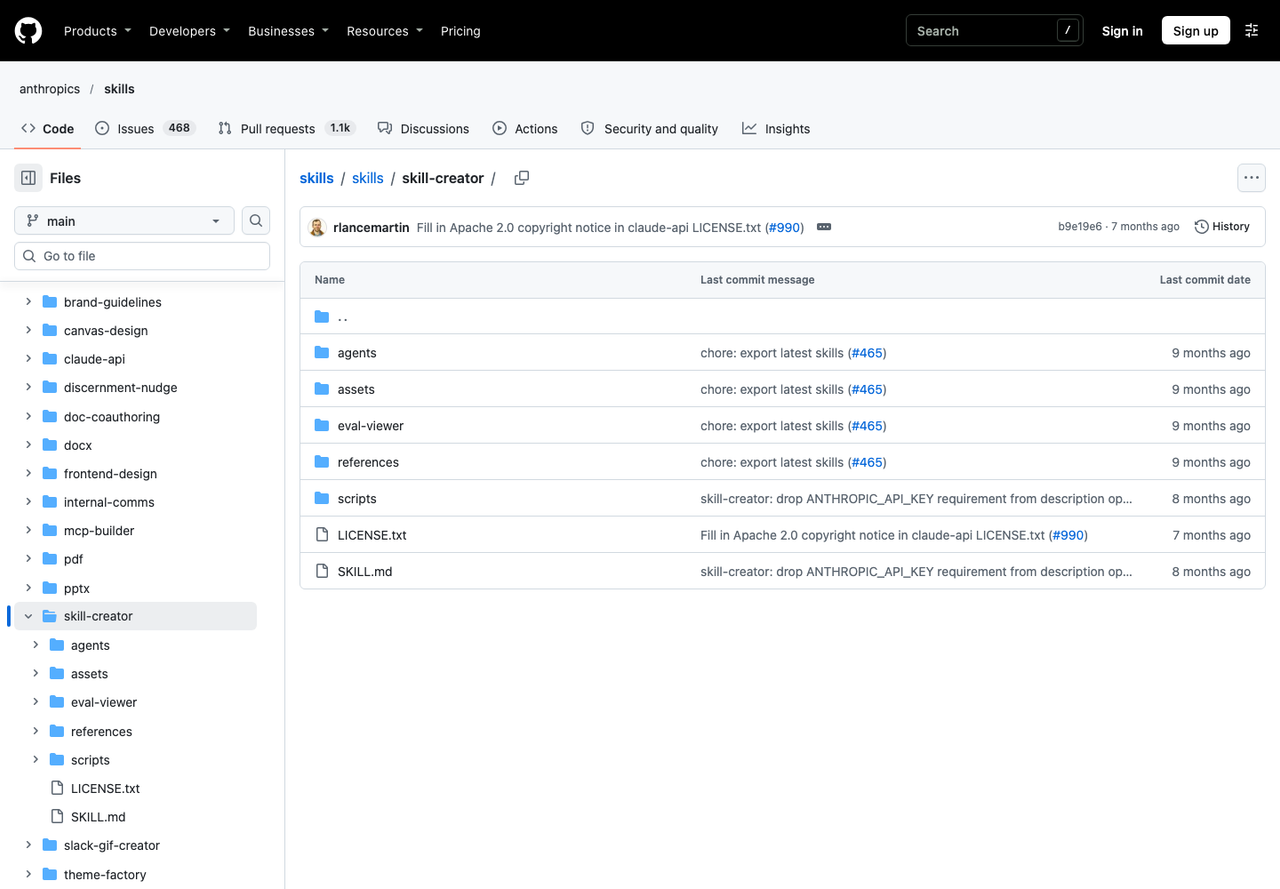
- Ask Claude to build it. Anthropic’s skill-creator(opens in a new tab) skill interviews you and packages the result.
- Record it. In Claude Cowork on Mac, “Record a skill” turns a screen recording of you doing the task into a skill.
- Edit an existing one. Open any skill and choose “Edit with Claude” to change it in plain language.
Example request: “Create a skill that writes product descriptions in our tone: short sentences, no exclamation marks, always mention the material and the care instructions.”
How to install Shopify skills from GitHub without a terminal
GitHub pages look technical, but installing a Shopify skill from GitHub takes two minutes:
- Turn on code execution: Settings > Capabilities > “Create and edit files”. It’s on by default for Team plans. On Enterprise, an owner enables skills in the organization settings.
- Get the skill as a ZIP. Some packs publish ready-made ZIP files under Releases. Otherwise, download the repository (Code > Download ZIP), unzip it, and re-zip only the skill folder you want.
- Check the ZIP: the skill folder must sit at the root, with its
SKILL.mdfile inside. - Upload it: in Claude, open Customize > Skills, click +, then Create skill > Upload a skill, and pick the ZIP.
- Turn it on and test it with a real request.
Skills you add on claude.ai also show up in Claude Code when you use the same account.
Claude skills vs Shopify Sidekick skills
Shopify’s own AI assistant, Sidekick, now has skills too(opens in a new tab). Ask Sidekick to remember a task (a weekly sales snapshot, social posts for new products) and it saves it as a skill you can run again. You can keep up to 50, memory has to be on, and “List my skills” shows them.
Criteria | Claude skills | Sidekick skills |
|---|---|---|
Where it runs | Claude (web, desktop, Cowork, Claude Code) | Shopify admin |
Cost | Your Claude plan, Free included | Included with Shopify |
Reads your store | Yes, through the Shopify connector | Yes, built in |
Works with other tools (Klaviyo, Google Sheets, email) | Yes, through connectors | No, Shopify only |
Install skills made by others | Yes, ZIP files and plugins | No, you build them in your store |
How you create one | Describe it, record it or upload it | Ask Sidekick to save a task |
Our take: use Sidekick skills for quick tasks inside the admin, and Claude skills for anything that mixes Shopify with other tools or calls for a long, careful document.
Using Claude skills safely
A skill can contain scripts, and a skill connected to your store can change it. Anthropic’s own advice is to install skills only from trusted sources. Before you upload one:
- Read
SKILL.md. It’s plain text. If it asks Claude to send data somewhere or to fetch instructions from a website, skip it. - Check the scripts folder if there is one, or ask Claude to explain what each script does before you turn the skill on.
- Prefer packs that preview changes and ask for approval, like 40RTY and Selofy.
- Start read-only. Test a new skill on reports before you let it edit products or prices.
For your developer
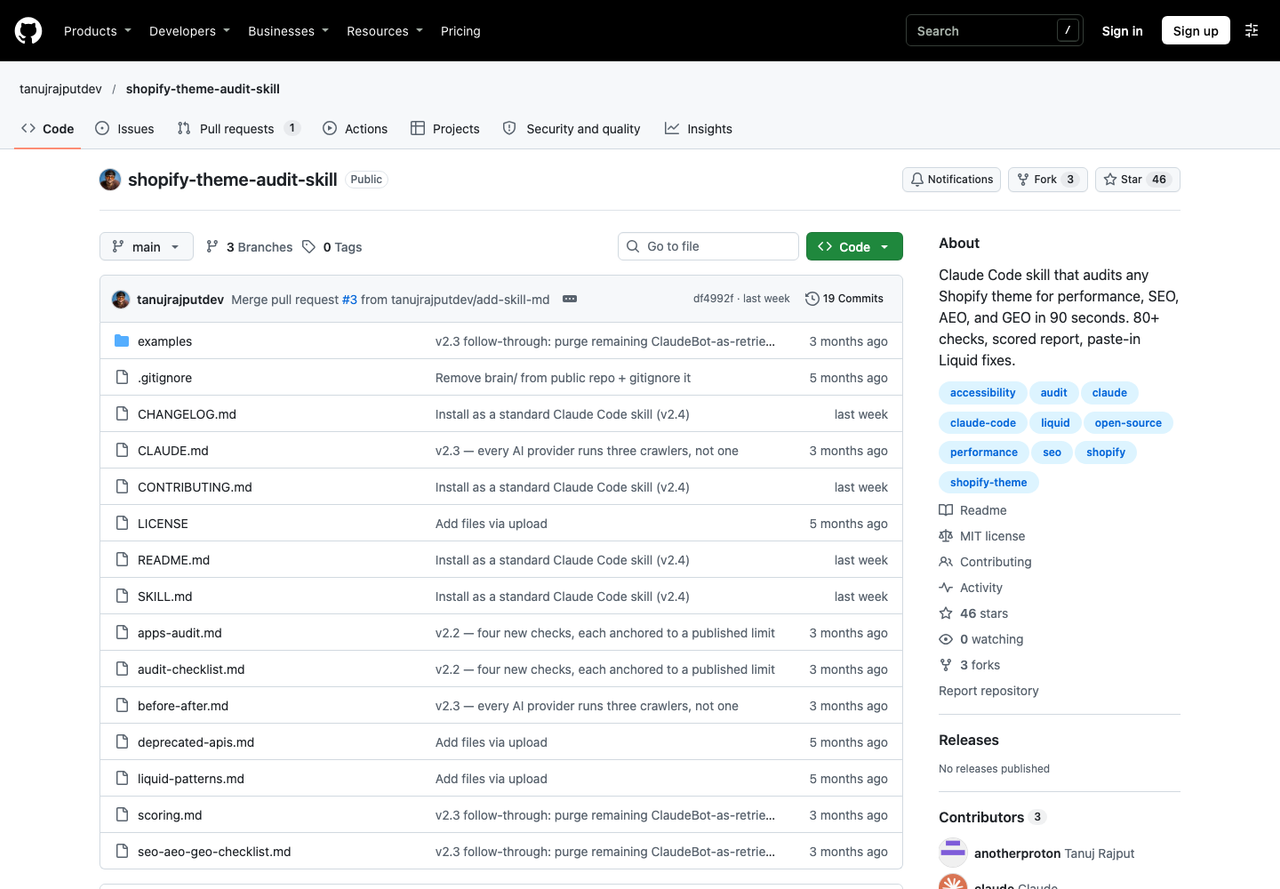
A few skills are worth passing to whoever builds your theme. The Shopify AI Toolkit (claude plugin install shopify-ai-toolkit@claude-plugins-official) gives Claude Code Shopify’s documentation, API schema and theme validation. shopify-theme-audit-skill(opens in a new tab) returns a scored audit of a theme’s performance, accessibility and code. For any theme edit, work on a duplicate theme and review every change before publishing.
Shopify skills compared: who does what
One row per pack, one column per task. “Yes” means the pack includes a skill or tool built for that task. Your own skill isn’t listed: it does whatever you write into it.
Pack | Store analysis | Store audit | Product descriptions | Support replies | Email and campaigns | SEO | Inventory | Edits the store |
|---|---|---|---|---|---|---|---|---|
Shopify connector | Yes | No | No | No | No | No | Yes | Yes, with your approval |
ReplAi shopify-skills | Yes | Yes | Yes | Yes | No | Yes | Yes | Optional, via the connector |
Anthropic Marketing plugin | No | No | No | No | Yes | Yes | No | No |
Anthropic Customer Support plugin | No | No | No | Yes | No | No | No | No |
Nexscope eCommerce Skills | Yes, as advice | No | Yes | No | Yes | Yes | Yes, as advice | No |
40RTY Shopify Admin Skills | Yes | Yes | Yes | Yes | Yes, segments and codes | Yes | Yes | Yes, dry run first |
Selofy Shopify Skill Hub | Yes | Yes | No | No | No | Yes | Yes, in the brief | Yes, after approval |
Excel, PowerPoint and PDF | Yes, from exports | No | No | No | No | No | No | No |
claude-marketing Shopify skill | Yes | Yes | No | No | Yes, with Klaviyo | Yes | No | No |
FAQ
What are Shopify skills for Claude?
Instruction packs that teach Claude a Shopify task, such as writing product descriptions, answering support emails or analyzing profit. Claude loads them on its own when your request matches.
What are Shopify agent skills?
Agent skills is the open format behind Claude skills: a folder with a
SKILL.mdfile inside. Shopify agent skills are packs written for Shopify tasks. They run in Claude and in other agents that support the format, such as ChatGPT and Codex, Cursor or GitHub Copilot.Are Claude skills free?
The skills in this list are free and open source. You need a Claude account. Skills work on every plan, including Free, once code execution is turned on.
Do I need to code to use Claude skills?
Not for most of them: you upload a ZIP in Customize > Skills. Only packs that edit the store through the Shopify CLI, like 40RTY, need a one-time technical setup.
Can a Claude skill change my Shopify store?
Only if Claude is connected to your store, through the Shopify connector or the Shopify CLI. Claude asks for approval before changes, and the safer packs preview each change first.
What’s the difference between Claude skills and Sidekick skills?
Sidekick skills live in your Shopify admin and only work there. Claude skills run in Claude, work with your other tools, and can be shared and installed as files.
Where can I find more Shopify skills on GitHub?
Start with Anthropic’s skills and knowledge-work-plugins repositories and the packs in this list. Then search GitHub for “shopify skills” or “SKILL.md shopify”. The plugin directory in Claude Cowork lists more. Read each skill before you install it.
Keep reading

Shopify Claude: How to Connect Claude to Your Store and Automate Tasks
Official connector, Claude Code and the Shopify AI Toolkit, Flow and scheduled tasks: how to connect Claude to Shopify, what it can do, what stays blocked and 12 ready-to-copy prompts.

Shopify Canvas: What It Is and What It Means for Your Theme
Shopify Canvas is a new visual workspace where you design your store with Sidekick. Here is what it does, what it can't do yet, and what it means for your theme.

Shopify Debut Theme: Why It's No Longer Available and What to Use Instead
Shopify removed the Debut theme from its Theme Store in November 2022. Why Online Store 2.0 replaced it, what happens if your store still runs on Debut, and how to switch.