
Custom product badges on Shopify product cards
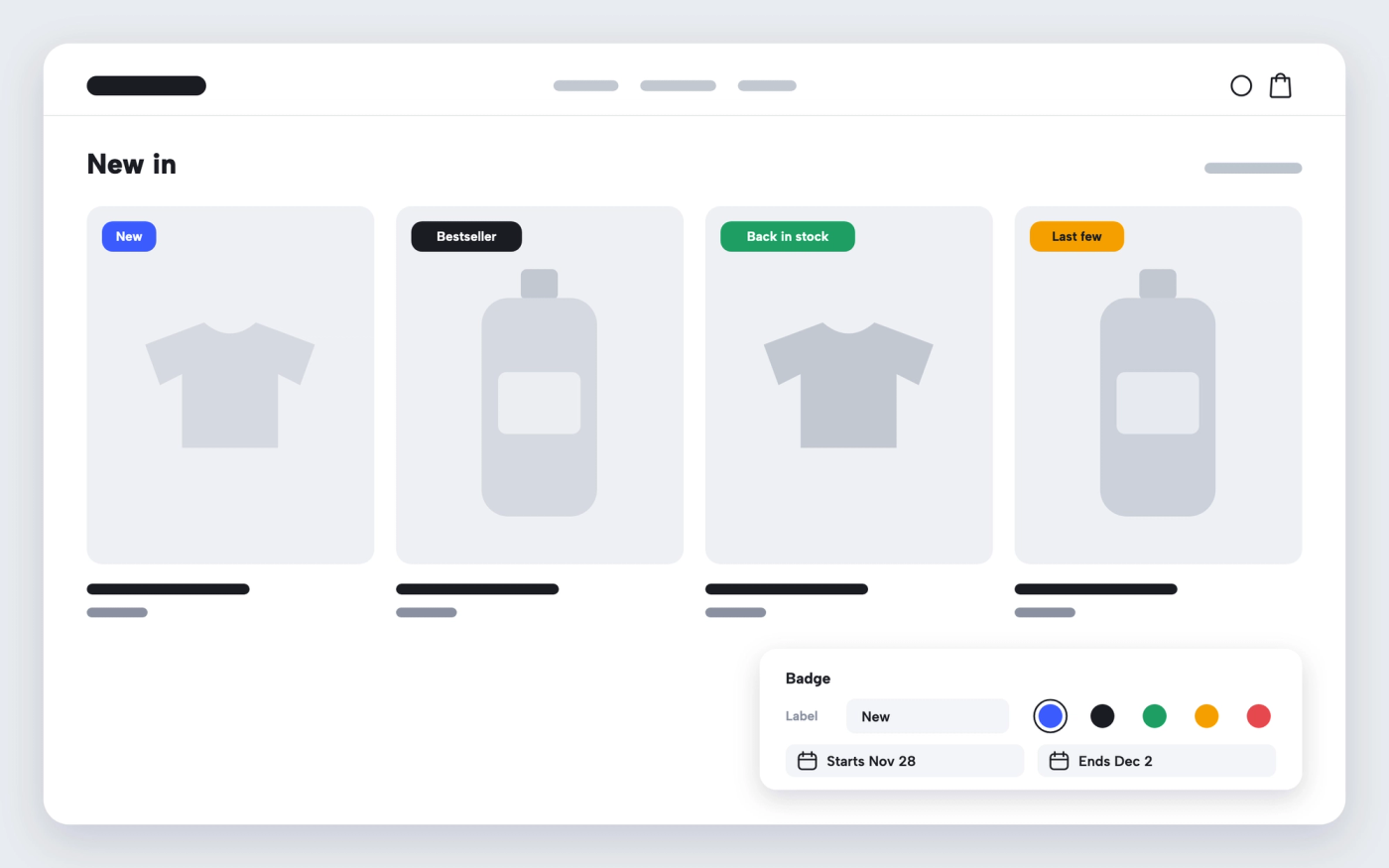
Show a custom label such as New, Bestseller or Back in stock on product cards, in your own colours, with optional start and end dates.
Available in
The problem
Shoppers scan a collection page in seconds. Without a visual cue, a new arrival or a limited drop looks like every other product, and a badge app adds a script to every collection page for a small coloured label.
The solution
Cama and Pops read a Product badge metafield on each product. It points to a badge entry with its text, background colour and text colour, plus optional start and end dates. The badge shows on the product card only inside that window, so a “Black Friday” label switches itself off. You can turn badges off for the whole store in the theme settings.
How it works
-
Create a badge
In Content > Metaobjects, add a badge entry with its text and colours, plus start and end dates if the badge is temporary.
-
Attach it to products
Open a product and pick the badge in its Product badge metafield. One badge can be reused on many products.
-
Check the theme setting
In the theme editor, under Theme settings > Products, keep Show product badge on.
Questions merchants ask
Can a badge run only during a sale?
Yes. Give the badge a start date and an end date. It shows on product cards only between the two.
Can each badge have its own colours?
Yes. Each badge entry has its own background colour and text colour.
Do I need a badge app?
No. Badges come from a metafield and a metaobject in your Shopify admin, and the theme displays them.
Related features
 Saves €4/month
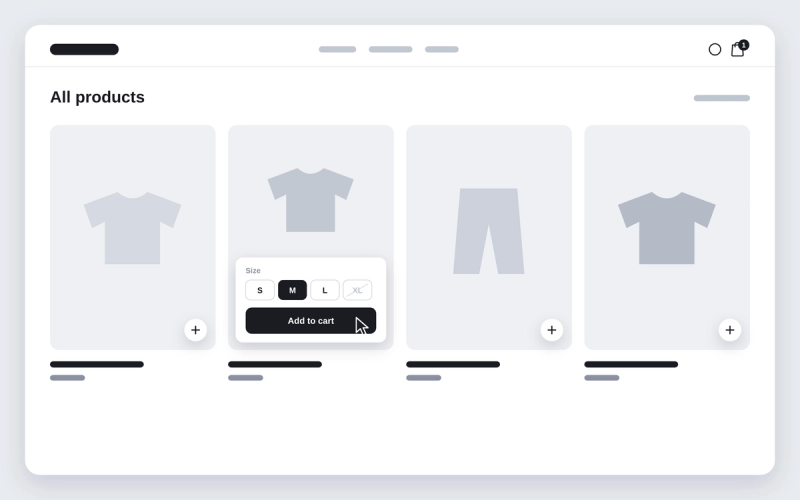
Shopify theme with quick add to cart from collection pages
Add products to the cart from the collection grid, without opening the product page.
 Saves €7/month
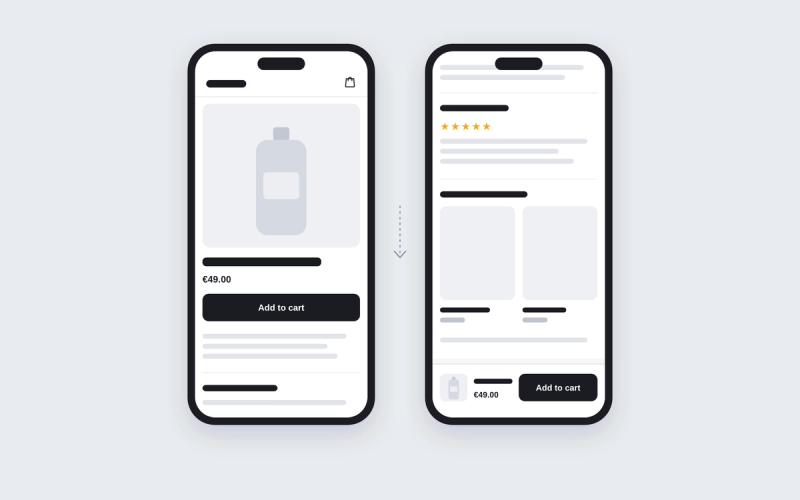
Shopify theme with a sticky add to cart bar
Keep the add-to-cart button on screen while shoppers scroll the product page.
 Saves €7/month
Shopify theme with a countdown timer for sales
A live countdown to the end of a sale, in the announcement bar or anywhere on the page.
 Saves €9/month
Shopify theme with a built-in newsletter popup
Collect email sign-ups with a popup that waits before opening and stays away once dismissed.

Show local pickup availability on Shopify product pages
Tell shoppers which of your locations can have the selected variant ready for pickup.
 Saves €5/month
Shopify theme with a shareable cart link
Let shoppers send their cart as a link that fills someone else’s cart in one click.