
Text animation for Shopify headings
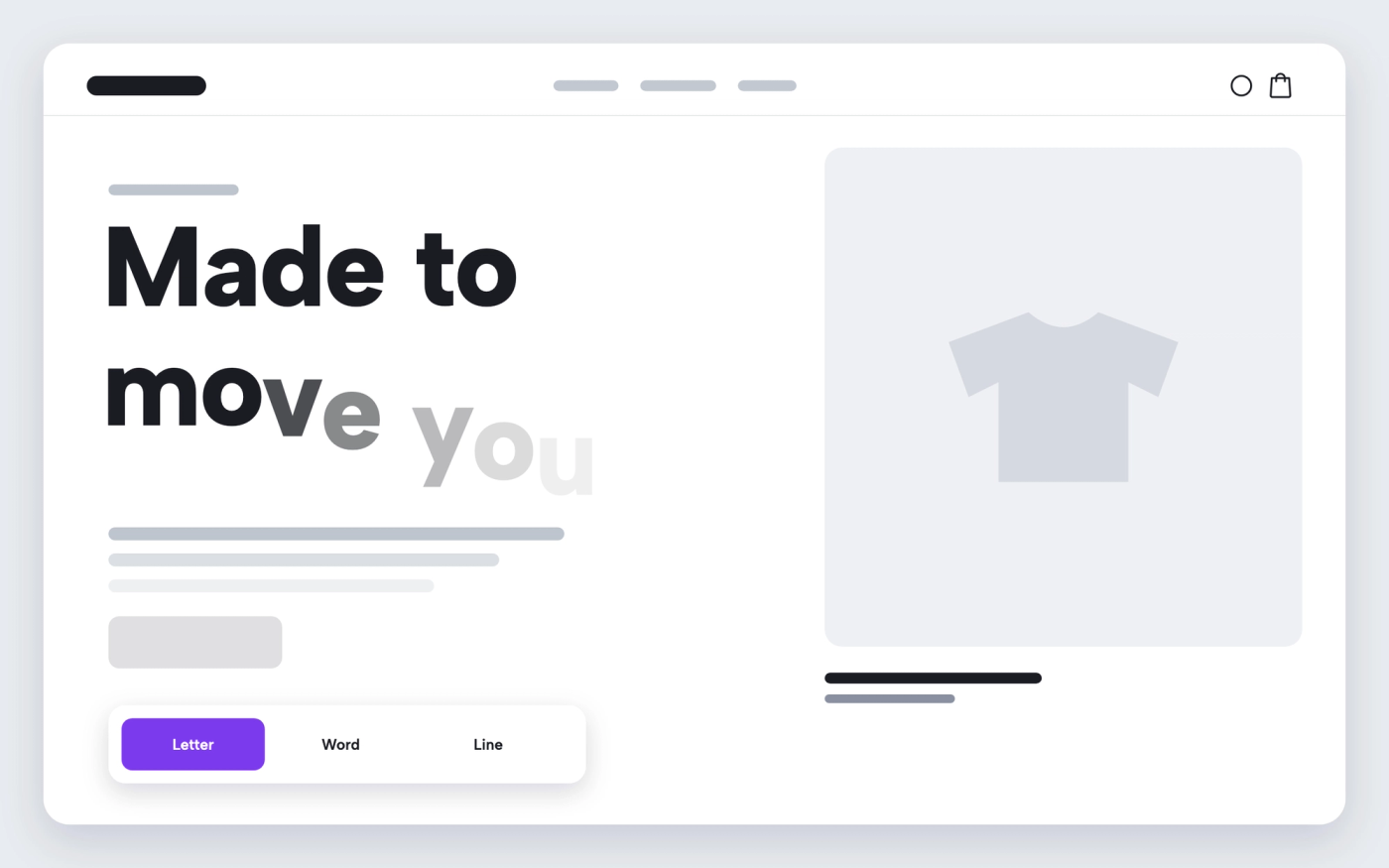
Animate your headings letter by letter, word by word or line by line as they scroll into view.
Available in
The problem
Still headings can make a page feel flat, but animated text usually means custom code or a page builder app that weighs on the store.
The solution
Pops animates headings from one theme setting. Pick From bottom, Jumping letters or From vertical start, split the text by letters, words or lines, and set the duration and the delay between each piece. Each heading plays once when it scrolls into view. Shoppers who turn on reduced motion on their device see still headings.
How it works
-
Open the animation settings
In the theme editor, open the theme settings and go to Animation.
-
Pick a style
Choose an animation type, then split the headings by letters, words or lines.
-
Tune the timing
Set the duration and the stagger, then scroll through a page to check the result.
Questions merchants ask
Which headings are animated?
The setting applies across the theme, to section headings, text blocks, product titles and more.
What about shoppers who prefer less motion?
Pops skips the animation when the device asks for reduced motion, and the headings show straight away.
Can search engines still read the headings?
Yes. The text stays in the page’s HTML; only the way it appears changes.
Related features
 Saves €3/month
Falling content section with physics for Shopify
Words and images tumble into the section and pile up, and visitors can grab and throw them.
 Saves €2/month
Cursor image trail effect for Shopify
Images follow the cursor across a section, or burst out on click.
 Saves €2/month
Custom cursor for a Shopify store
Swap the default pointer for your own image, or add a trailing line or sparkles.

Scrolling text section for Shopify
Run your brand message, store promises or press logos in a band that scrolls across the page.

Rotating circle text for Shopify
Wrap a short brand line around a slowly turning ring of text, on any page.

Grainy background texture for Shopify
Lay a fine film grain over the whole store, still or animated, from the theme settings.