
Scrolling announcement bar for Shopify
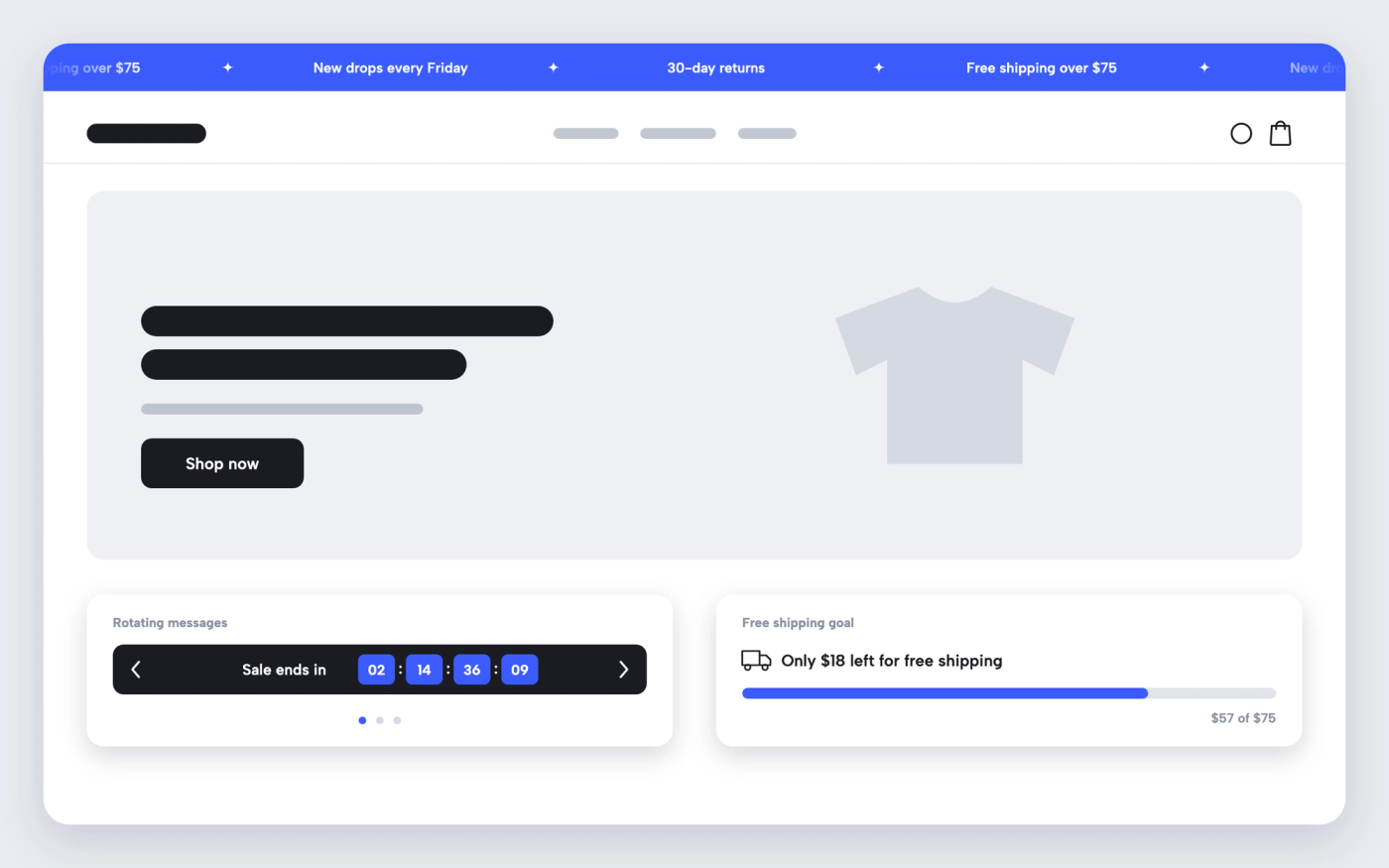
Run your offers in a scrolling band or rotating messages at the top of the store, with a live countdown and the amount left for free shipping.
Available in
The problem
One static line at the top of the page carries one message. Free shipping, a sale deadline and a new drop end up competing for it, and a promo bar app adds one more script to every page.
The solution
Pops has an announcement bar with two modes. Scrolling content runs your messages in a continuous band, with your speed, direction, separator and pause on hover. Static shows one message at a time and rotates them at the interval you set. Type [countdown_timer] in a message to show a live countdown, or [amount_left] to show how much more the shopper needs to spend for free shipping, updated each time the cart changes. Show the bar on every page, the home page only, product pages only, or every page except the home page.
How it works
-
Add your messages
In the theme editor, add an Announcement item to the Announcement bar for each message.
-
Pick a mode
Choose Scrolling content or Static, then set the speed and direction, or the interval between messages.
-
Add live values
For a countdown, add an entry to the countdown_timer metaobject in Content > Metaobjects, type [countdown_timer] in the message and enter the entry’s handle. Type [amount_left] for the amount left before free shipping.
Questions merchants ask
Can the bar show on some pages only?
Yes: all pages, the home page only, product pages only, or all pages except the home page.
Does the free shipping amount update?
Yes. It is recalculated each time the cart changes, without a page reload.
Can the scrolling stop on hover?
Yes. Turn on Pause scroll on hover so shoppers can read and click a message.
Related features
 Saves €4/month
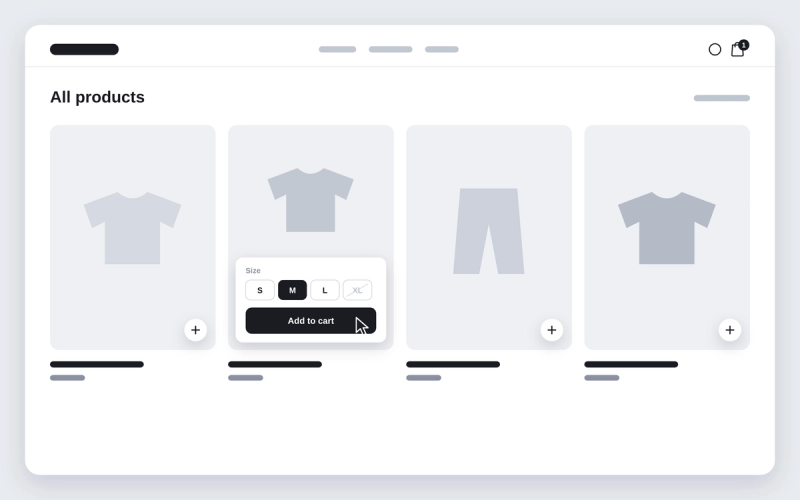
Shopify theme with quick add to cart from collection pages
Add products to the cart from the collection grid, without opening the product page.
 Saves €7/month
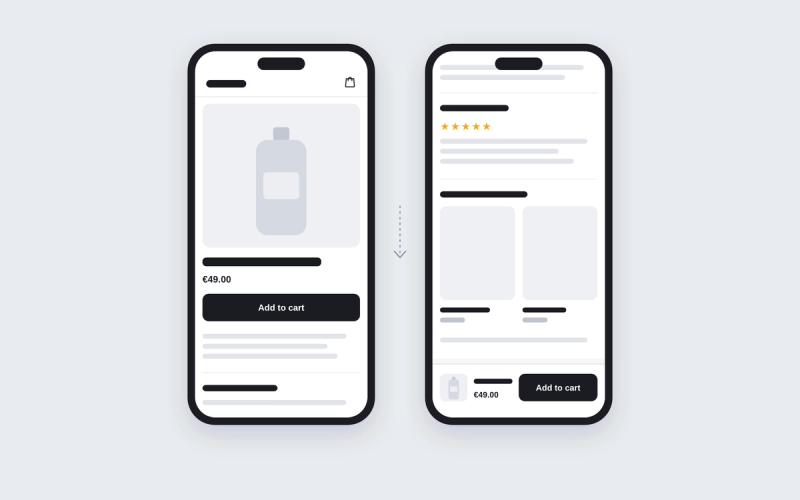
Shopify theme with a sticky add to cart bar
Keep the add-to-cart button on screen while shoppers scroll the product page.
 Saves €7/month
Shopify theme with a countdown timer for sales
A live countdown to the end of a sale, in the announcement bar or anywhere on the page.
 Saves €9/month
Shopify theme with a built-in newsletter popup
Collect email sign-ups with a popup that waits before opening and stays away once dismissed.

Show local pickup availability on Shopify product pages
Tell shoppers which of your locations can have the selected variant ready for pickup.
 Saves €5/month
Shopify theme with a shareable cart link
Let shoppers send their cart as a link that fills someone else’s cart in one click.