
Product image zoom, video and 3D on Shopify
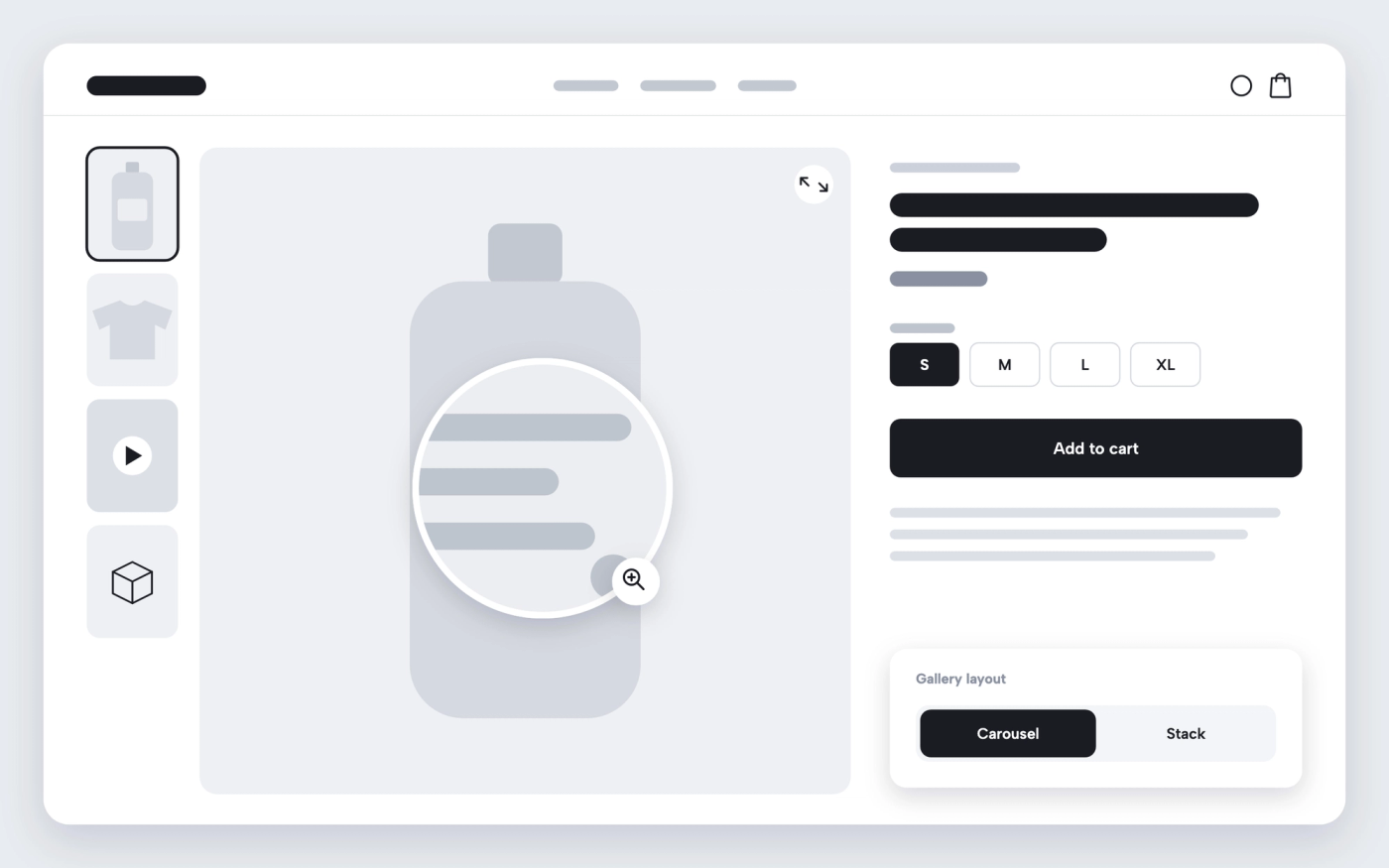
Let shoppers zoom into product photos, play videos and turn 3D models, in a gallery laid out as a carousel or a stack.
Available in
The problem
Shoppers cannot touch the product, so they look closer. A small photo that does not zoom, or a gallery that ignores video and 3D, leaves doubts about texture, size and finish that end in a return or no order at all.
The solution
Pops has a Product media gallery block that opens any image in a full-screen zoom modal. It plays uploaded videos, YouTube and Vimeo links and 3D models, with a View in your space button for augmented reality on supported phones. On desktop you choose a carousel or a stacked layout, with thumbnails left of or below the media. On mobile it is always a swipeable carousel.
How it works
-
Upload your media
Add photos, videos and 3D models to the product in Shopify admin. The gallery picks them all up.
-
Choose a layout
In the theme editor, select the Product media gallery block, choose Carousel or Stacked, then place the thumbnails left of or below the media.
-
Keep zoom on
Leave Enable zoom on, and pick a colour scheme for the zoom modal if you want it to differ from the page.
Questions merchants ask
Which videos can the gallery play?
Videos uploaded to Shopify, plus YouTube and Vimeo links added as product media.
Can shoppers see a 3D model in their room?
Yes, on supported phones. The View in your space button opens the model in augmented reality.
Does the stacked layout work on mobile?
On mobile the gallery switches to a carousel, so shoppers swipe through the media.
Related features
 Saves €4/month
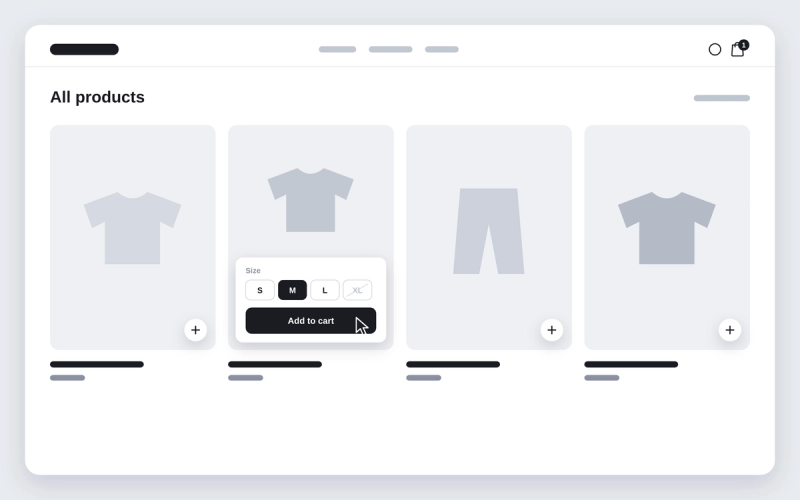
Shopify theme with quick add to cart from collection pages
Add products to the cart from the collection grid, without opening the product page.
 Saves €7/month
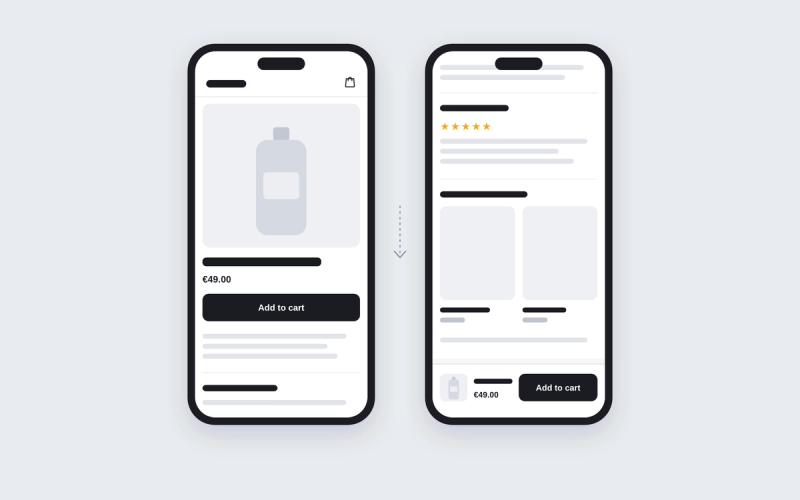
Shopify theme with a sticky add to cart bar
Keep the add-to-cart button on screen while shoppers scroll the product page.
 Saves €7/month
Shopify theme with a countdown timer for sales
A live countdown to the end of a sale, in the announcement bar or anywhere on the page.
 Saves €9/month
Shopify theme with a built-in newsletter popup
Collect email sign-ups with a popup that waits before opening and stays away once dismissed.

Show local pickup availability on Shopify product pages
Tell shoppers which of your locations can have the selected variant ready for pickup.
 Saves €5/month
Shopify theme with a shareable cart link
Let shoppers send their cart as a link that fills someone else’s cart in one click.