
Send a Shopify gift card to a recipient
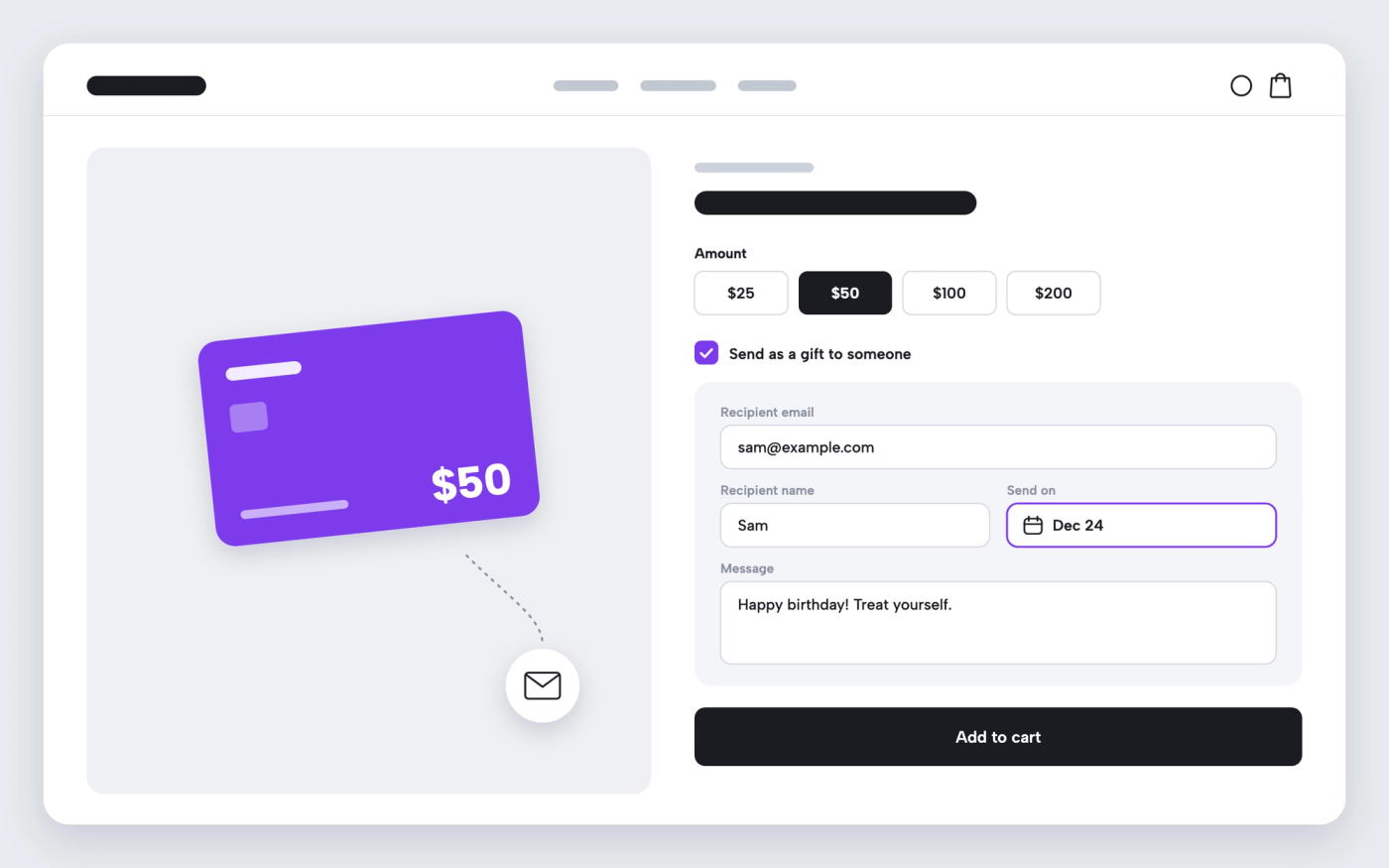
Let shoppers send a gift card straight to someone else’s inbox, with a personal message and a chosen send date.
Available in
The problem
Without a recipient form, the gift card goes to the buyer, who then has to forward the email or print the code. Last-minute gifts lose their charm, and some shoppers give up.
The solution
How it works
-
Create a gift card product
In Shopify admin, go to Products > Gift cards and add a gift card product with its amounts.
-
Turn on the recipient form
In the theme editor, open the gift card product template and turn on the gift card form in the buy buttons block.
-
Place a test order
Buy a test gift card with a recipient email to check the email and the send date.
Questions merchants ask
Can the shopper schedule the gift card?
Yes. The shopper picks a send date, and Shopify sends the gift card on that day.
How long can the message be?
Up to 200 characters.
Who receives the gift card email?
The recipient, at the email entered. The buyer still gets the order confirmation.
Related features
 Saves €4/month
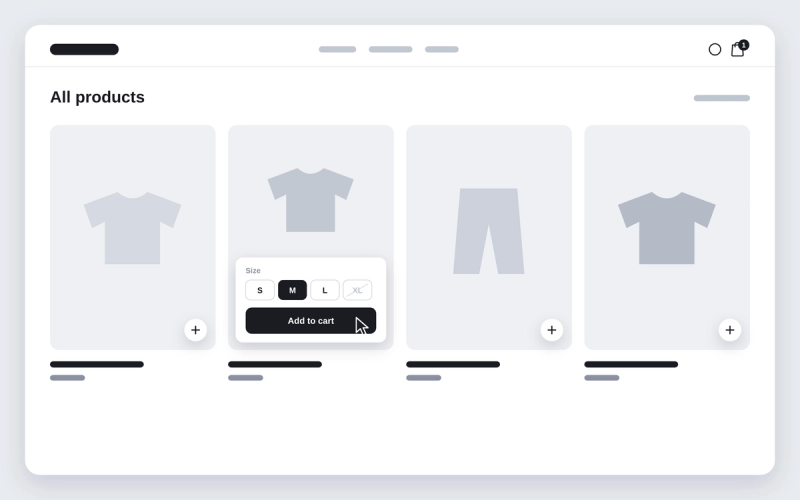
Shopify theme with quick add to cart from collection pages
Add products to the cart from the collection grid, without opening the product page.
 Saves €7/month
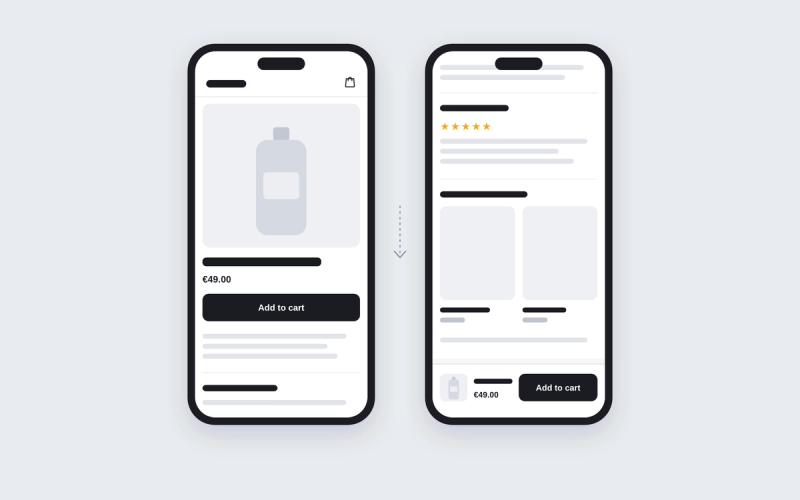
Shopify theme with a sticky add to cart bar
Keep the add-to-cart button on screen while shoppers scroll the product page.
 Saves €7/month
Shopify theme with a countdown timer for sales
A live countdown to the end of a sale, in the announcement bar or anywhere on the page.
 Saves €9/month
Shopify theme with a built-in newsletter popup
Collect email sign-ups with a popup that waits before opening and stays away once dismissed.

Show local pickup availability on Shopify product pages
Tell shoppers which of your locations can have the selected variant ready for pickup.
 Saves €5/month
Shopify theme with a shareable cart link
Let shoppers send their cart as a link that fills someone else’s cart in one click.