
Shopify Academy Is Closed: What Happens to Certifications and Where to Learn Shopify Now

Summarize this article with AI


Shopify Academy shut down on October 29, 2026. What happens to refunds, badges and Partner tiers, how partners reacted, and where merchants and developers learn Shopify now.
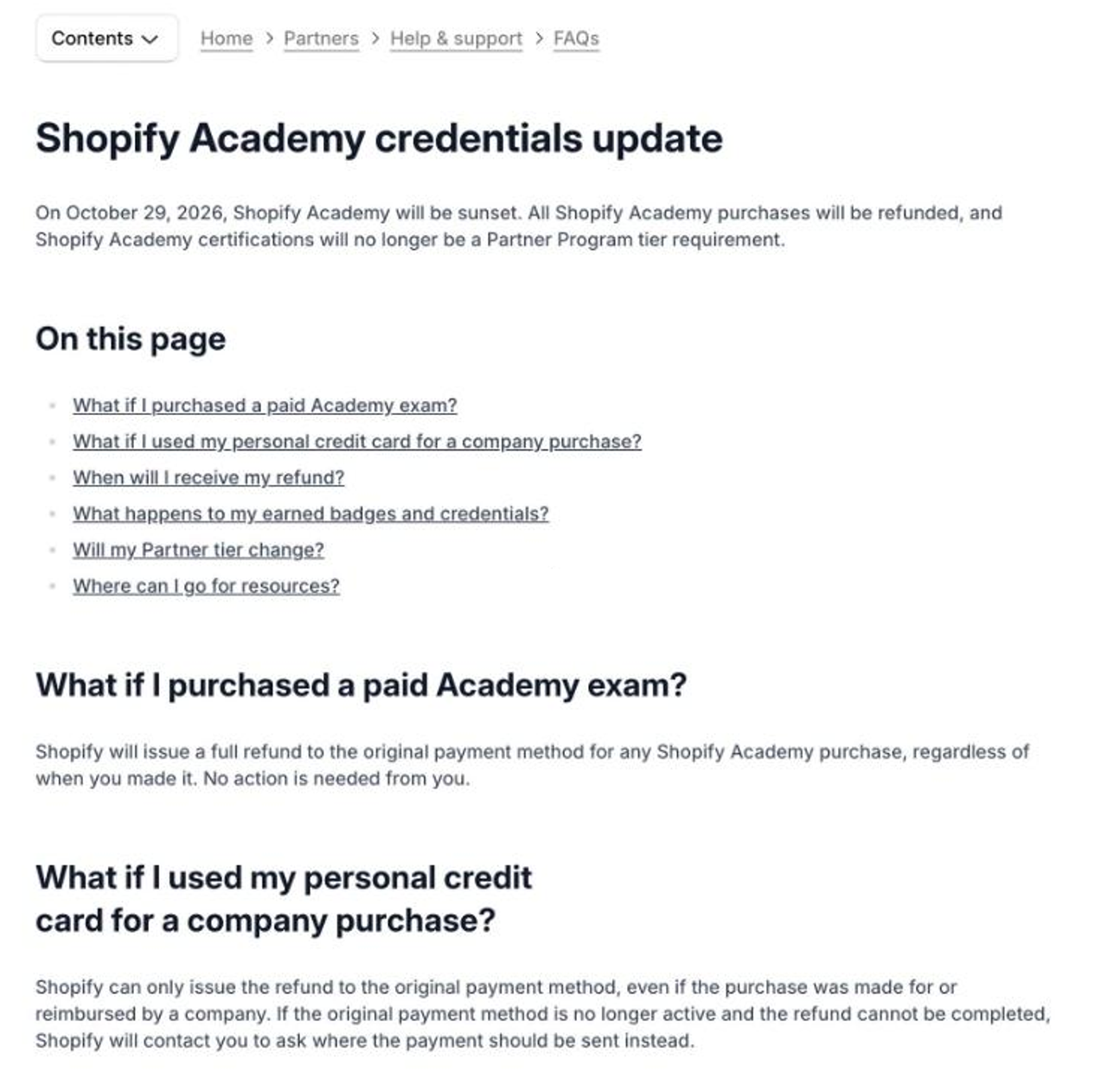
Shopify Academy is gone. Shopify sunset its learning platform on October 29, 2026, refunded every paid exam, and stopped counting certifications toward Partner Program tiers. If you open academy.shopify.com today, you land on the Shopify blog.
So what happens to the badges you earned, the money you paid, and the courses you were halfway through? And where do merchants and developers learn Shopify now? This guide answers all of it, with what partners and developers said about the shutdown on X and in the Shopify forums.
Trafik Plus is a Shopify agency. We develop Shopify themes, including our own theme Pops, and we train merchant teams on their stores. Everything below was checked against Shopify's official Academy FAQ(opens in a new tab) in November 2026.
The short answer
- Closed: Shopify Academy shut down on October 29, 2026. Its URLs now redirect to the Shopify blog.
- Refunds: every paid exam or course is refunded to the original payment method, automatically, whenever you bought it. Refunds ran from October 1 and were completed by October 31, 2026.
- Badges: they stay visible on profiles through the end of 2027. Credentials remain valid until January 1, 2028, then the profile links stop working.
- Partner tiers: certifications are no longer a Partner Program tier requirement. Your tier does not change.
- Replacement: none announced. Shopify points to the developer docs, the Help Center and the developer forums.
What happened to Shopify Academy
Shopify published a short page in its Partner Help Center titled "Shopify Academy credentials update". The key line: "On October 29, 2026, Shopify Academy will be sunset." The same page covers refunds, badges and Partner tiers, and lists three places to keep learning: the Shopify developer documentation(opens in a new tab), the Partner Help Center and the Shopify Developer Community forums(opens in a new tab).
The domains are already redirected. academy.shopify.com sends you to shopifyacademy.com, which then 301-redirects to shopify.com/blog. The shopify.com/learn path, which some people used as a shortcut to the course catalogue, now opens the marketing blog as well. Old bookmarks and course links in tutorials no longer lead to any course.
Was Shopify Academy free?
Mostly, yes. The courses themselves were free for anyone with a Shopify account. What cost money were the exams for certifications and badges, which Shopify priced between $99 and $199 per exam. "Shopify Learn" and "Shopify Academy" were two names for the same program over the years, so if you remember either one, this is the platform that closed.
Refunds: what you get back and when
Shopify refunds every Academy purchase in full, no matter when you made it. You don't need to fill in a form or contact support.
- Where the money goes: back to the original payment method.
- Company card: if your employer paid, the refund still goes to that original method. Settle it internally with your company.
- Expired or closed card: Shopify says it will contact you to arrange the refund.
- Timing: refunds were processed on a rolling basis from October 1, 2026 and completed by October 31, 2026.
If you paid for an exam and still see nothing on your statement in late November, check the card or account you used at the time, then contact Shopify Partner Support with the purchase email.
Badges, credentials and Partner Program tiers
This is the part that matters most for agencies and freelancers. The certifications don't vanish overnight, but they lose their value as a requirement and eventually stop being verifiable.
Item | Before the sunset | After October 29, 2026 |
|---|---|---|
Courses | ✅ Free online courses | ❌ No longer available |
New exams and badges | ✅ Paid exams, $99 to $199 | ❌ No longer possible |
Badges on your profile | ✅ Visible | ✅ Visible through the end of 2027 |
Credential links | ✅ Valid | ✅ Valid until January 1, 2028, then stop working |
Partner Program tier requirement | ✅ Yes, for some tiers | ❌ No, certifications no longer count |
Your current Partner tier | Unchanged | ✅ Unchanged |
Higher Partner Program tiers used to require team members holding verified skill badges. Many agencies spent hours on exams for that reason, and the forums are full of threads about badges not showing up in a Partner organization(opens in a new tab) because badges belonged to individuals, not to the company. That whole problem disappears now that tiers no longer look at certifications.
If you show your badges on your website or LinkedIn, plan to remove the verification links before January 2028. After that date they will lead nowhere.
Why Shopify closed the Academy
The Help Center page gives no reason. Liquid Weekly, issue 252(opens in a new tab), reported that Shopify said engagement no longer justified the format, and that more on how partners will learn is "coming soon".
How partners and developers reacted
On X, the news spread mostly through newsletters and developer accounts, and the tone was pragmatic. Liquid Weekly summed it up(opens in a new tab): Academy closes October 29, certifications no longer count toward Partner tiers, existing badges stay valid through January 2028, and paid exams get refunded automatically.
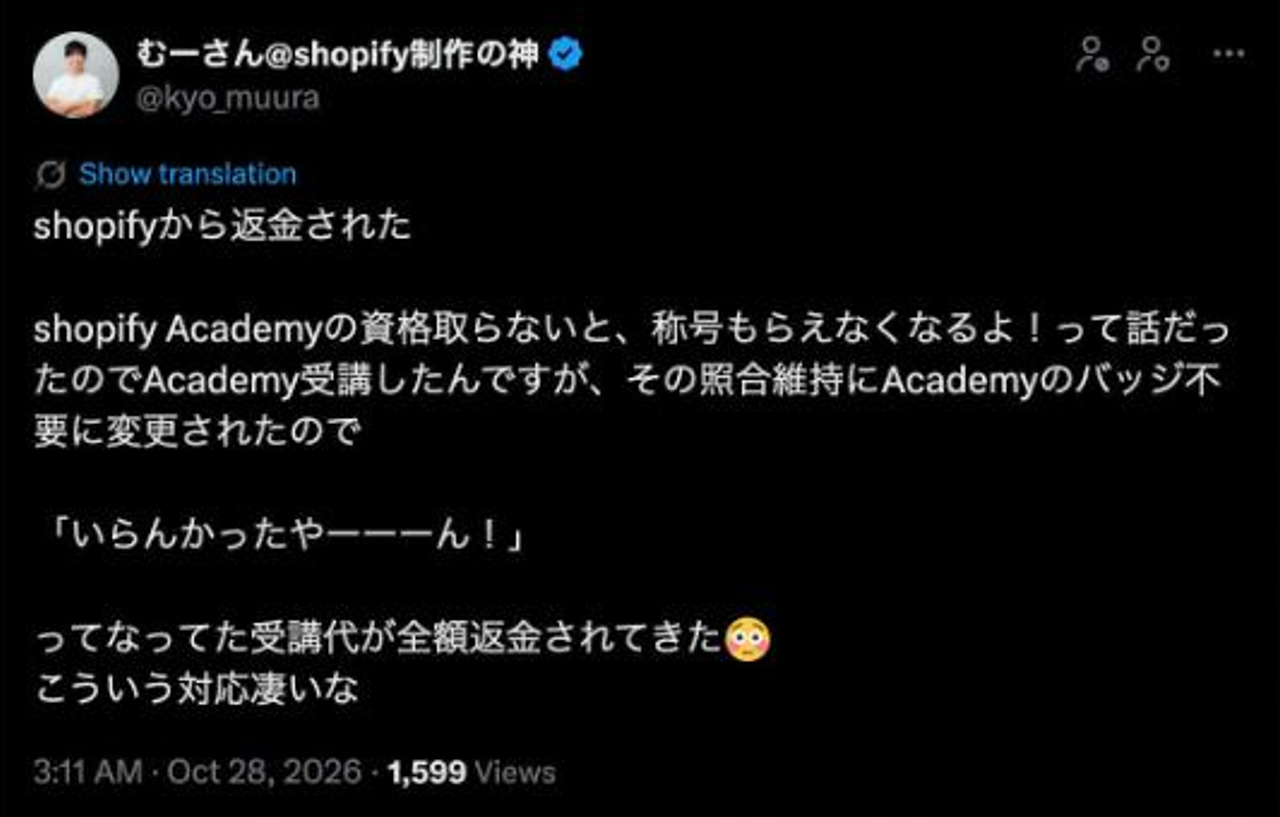
Japanese Shopify creator @kyo_muura wrote(opens in a new tab) that he had taken paid Academy courses because he was told badges were needed to keep his partner status. The requirement then disappeared and he got a full refund. He joked that he hadn't needed them after all, and praised Shopify for handling the refunds cleanly.
The most useful criticism came from Bas Lefeber, who teaches Shopify theme development. In a thread on X(opens in a new tab), he pointed out what really goes away: "What goes away is the order." The docs and forums are a great reference, he wrote, "but they don't tell a beginner what comes first." That is the real loss. Academy gave newcomers a path. The documentation gives them answers, but only once they know which question to ask.
What the courses covered, and where to find it now
Academy courses went from store setup to Partner and developer tracks. Every topic still has official material elsewhere. You just have to find it yourself.
Academy topic | Where to learn it now |
|---|---|
Setting up a store | Help Center "Getting set up to start selling" and the general checklist for a new store |
Products, shipping and fulfillment | Help Center manual, plus Sidekick inside your admin |
Wholesale and B2B | Help Center B2B section |
Point of Sale | Shopify POS documentation in the Help Center |
Peak season (BFCM) | Shopify blog and the BFCM guides Shopify publishes each autumn |
Theme development | shopify.dev theme docs, the Liquid reference and Horizon's source code |
App development | shopify.dev app docs and the Shopify Developer Community forums |
Partner business skills | Partner Help Center and Shopify Partner blog |
Where merchants can learn Shopify now
If you run a store, you don't need a course catalogue as much as you think. The best learning tools now live inside the product.
- Your admin Home page: it shows setup tasks in order for new stores, which is the closest thing to a beginner course left.
- Sidekick: Shopify's assistant in the admin can explain a setting, walk you through a task or build a report. Ask it "how do I…" before searching the web.
- The Help Center: the Shopify Help Center(opens in a new tab) is the official manual. Start with the "Getting set up to start selling" section and its checklist.
- Shopify on YouTube: the official channel(opens in a new tab) has short walkthroughs of new features after each Edition.
- The Shopify Community: for questions nobody documented, merchants and partners answer each other in the Shopify Community(opens in a new tab).
A word of caution on paid "Shopify certification" courses that appeared after the shutdown. Shopify no longer issues any certification. A third-party course can teach you a lot, but its certificate is not an official Shopify credential.
Where developers can learn Shopify now
For developers, the resources are better than ever. The missing piece is the order. Bas Lefeber's suggested sequence in his thread(opens in a new tab) is a good default for theme work:
- 1. Theme structure: layouts, templates, sections, blocks and snippets, and how JSON templates tie them together.
- 2. Liquid basics: objects, tags and filters, using the Liquid reference(opens in a new tab).
- 3. Store data: products, variants and metafields, since almost every real feature reads them.
- 4. Sections and blocks: schema settings, presets and theme blocks, so merchants can edit without code.
- 5. Real features on a free development store: build a size chart, a bundle block or a store locator from scratch.
The free tool stack to go with it:
- Shopify CLI(opens in a new tab) and
shopify theme dev: local development with hot reload against a dev store. - Horizon on GitHub(opens in a new tab): Shopify's current reference theme. Reading real, production-grade code teaches more than any slide.
- Theme Check(opens in a new tab): the linter that catches Liquid errors, performance issues and deprecated code before review.
- Shopify Developer Community(opens in a new tab): the forum Shopify now officially points developers to, with Shopify staff answering.
For app developers, the path is the same idea: the app docs on shopify.dev, the CLI templates, and a dev store to break things on.
When it makes sense to hire a partner instead
Learning Shopify yourself is worth it for the basics. But if you need a custom theme, a migration or a feature your theme can't do, a few hours of an expert's time often costs less than weeks of trial and error. The Shopify Partner Directory(opens in a new tab) lists vetted agencies and freelancers. Since badges no longer count, judge partners on their portfolio, reviews and how clearly they explain your options.
At Trafik Plus, we develop Shopify themes, including Pops, and we build custom features for merchants every week. If you'd rather spend your time selling than learning Liquid, that's exactly what we're here for.
FAQ
When did Shopify Academy close?
Shopify Academy shut down on October 29, 2026. Its URLs now redirect to the Shopify blog.
Will I get my money back for Shopify Academy exams?
Yes. Shopify refunds every Academy purchase in full to the original payment method, automatically. Refunds ran from October 1 to October 31, 2026. If your card is no longer active, Shopify will contact you.
Are my Shopify certifications still valid?
Yes, for now. Badges stay visible through the end of 2027, and credentials remain valid until January 1, 2028. After that, the credential links on profiles stop working.
Do I still need certifications for the Shopify Partner Program?
No. Certifications are no longer a Partner Program tier requirement, and your current tier is not affected.
Is there a replacement for Shopify Academy?
Not yet. Shopify has hinted that more on how partners will learn is coming, but no new program or certification has been announced. For now, Shopify points to the developer docs, the Help Center and the Shopify Developer Community forums.
What is the best free way to learn Shopify now?
Merchants should start with the admin Home page, Sidekick and the Help Center's setup checklist. Developers should follow a clear order: theme structure, Liquid, store data, sections and blocks, then real features on a free development store, using the Liquid reference, Horizon's source code and Theme Check.

Keep reading

Digital Dropshipping: What It Really Is, PLR vs MRR, and How to Start on Shopify
Digital dropshipping explained: PLR vs MRR rights, whether it is legit, what to check before buying a pack, and how to sell digital products on Shopify.

How to Remove “Powered by Shopify” From Your Store: 3 Methods (Horizon, Dawn, Pops)
Remove “Powered by Shopify” from your footer in 2 minutes: a checkbox, theme content or Liquid code. Methods checked on Horizon, Dawn and Pops.

8Lab Review: Price, Content and Whether Alex Shane's E-commerce Course Is Worth It
8Lab (8lab Ecosystem): the €990 Starter plan, INCUBEIGHT, course content, Discord and logistics. Our honest review of Alex Shane's e-commerce program.