
Shopify theme that supports combined listings
Show separate products as options of one product page, and swap them in place when a shopper picks one.
Available in
The problem
When each colour is its own product, with its own URL, photos and reviews, shoppers see them as separate items and miss the other colours. Shopify’s Combined Listings app groups them on one page, but the theme has to swap the product when a shopper picks an option.
The solution
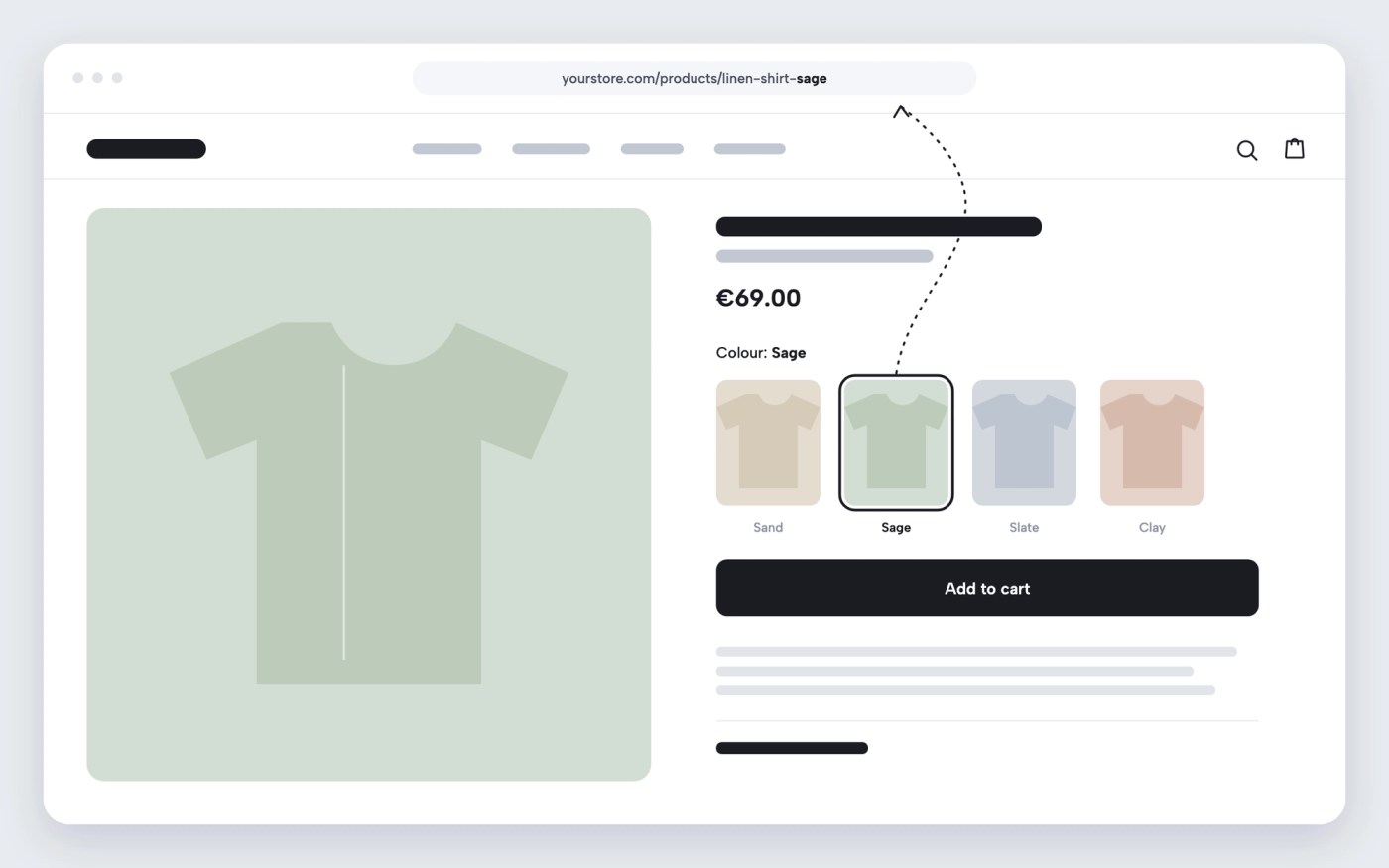
Pops supports combined listings. When a shopper picks a colour that is a separate product, the page loads that product’s photos, price and URL in place. It works on the product page, in featured product sections and in quick add.
How it works
-
Group your products
In Shopify’s Combined Listings app, create a parent product and add the products to combine as its options.
-
Show the option as swatches or buttons
In the theme editor, open the product template and set the variant picker style you want for that option.
-
Test the swap
Open the product and pick another option: the photos, price and URL change to the other product.
Questions merchants ask
Which stores can use combined listings?
Shopify’s Combined Listings app is available to Shopify Plus stores. Pops handles the display once the listings exist.
Does each colour keep its own URL?
Yes. Each product keeps its URL, and the address bar changes to it when the shopper picks that option.
Related features

Shopify theme with predictive search
Show matching results as shoppers type, before they press enter.

Shopify theme with collection filters and sorting
Let shoppers narrow a collection by price, availability, options and more, then sort what’s left.
 Saves €9/month
Shopify theme with a mega menu and promo images
Replace a top-level dropdown with a wide menu panel and up to two promotions.
 Saves €4/month
Shopify theme with a “View more” button instead of pagination
Load the next page of products under the current one, without leaving the page.